How Do I Post My Resume on LinkedIn A Strategic Guide
There are a few different ways to get your resume on LinkedIn, and the right one for you really depends on how public you want your job search to be. You can pop it into the 'Featured' section of your profile, attach it when you hit 'Easy Apply' on a job post, or even send it directly in a private message.
Why Bother Posting a Resume on LinkedIn?
Let's be real, in this job market, just having a LinkedIn profile isn't enough. It's the bare minimum. If you want to move from being just another face in the crowd to a candidate who gets noticed, you need to be strategic. Knowing how to properly post your resume on LinkedIn is one of those small hinges that swing big doors.
Think of your profile as the highlight reel of your career. It's the big picture. Your resume, on the other hand, is the deep dive—the nitty-gritty details that prove you’re the right person for a specific job. If you want a better sense of what hiring managers are actually looking for when they scan a resume, we've got a guide on what employers look for in resumes that breaks it all down.
The Numbers Don't Lie
The sheer volume of activity on LinkedIn is staggering. A mind-blowing 92% of recruiters check out your profile before they even consider an interview. And get this: 8.72 million job applications are submitted on the platform every single day. That works out to over 10,000 people applying for jobs every minute.
Making your resume easy to find isn't just about applying; it's about letting recruiters discover you.
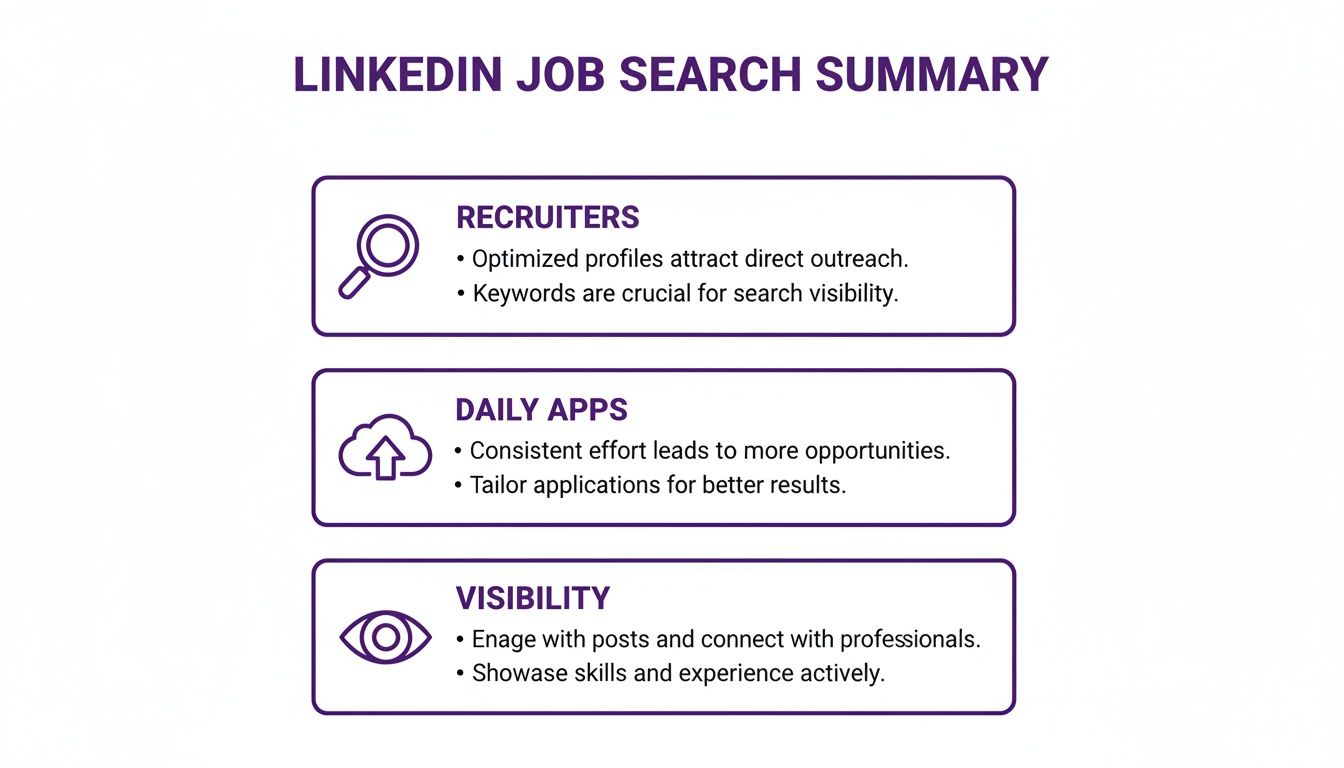
As you can see, a solid LinkedIn strategy is all about attracting recruiters, staying consistent with your applications, and making sure your profile is visible.
A great LinkedIn profile backed by an easily accessible resume takes you from a passive applicant to an active candidate. It signals to recruiters that you're organized, serious, and ready to talk.
Ultimately, you’re just making it easier for a busy hiring manager to see what you bring to the table. By removing that one extra step for them, you’re giving yourself a genuine edge over the competition.
Want to make your resume impossible for recruiters to miss? The best way to do that is to pin it directly to your profile using LinkedIn's Featured section.
Think of it as the star of your professional portfolio. Instead of being hidden away, this move puts your resume right under your summary, making it one of the very first things anyone sees when they land on your page. It’s a bold, confident play that screams, "I'm open for business and ready to talk."
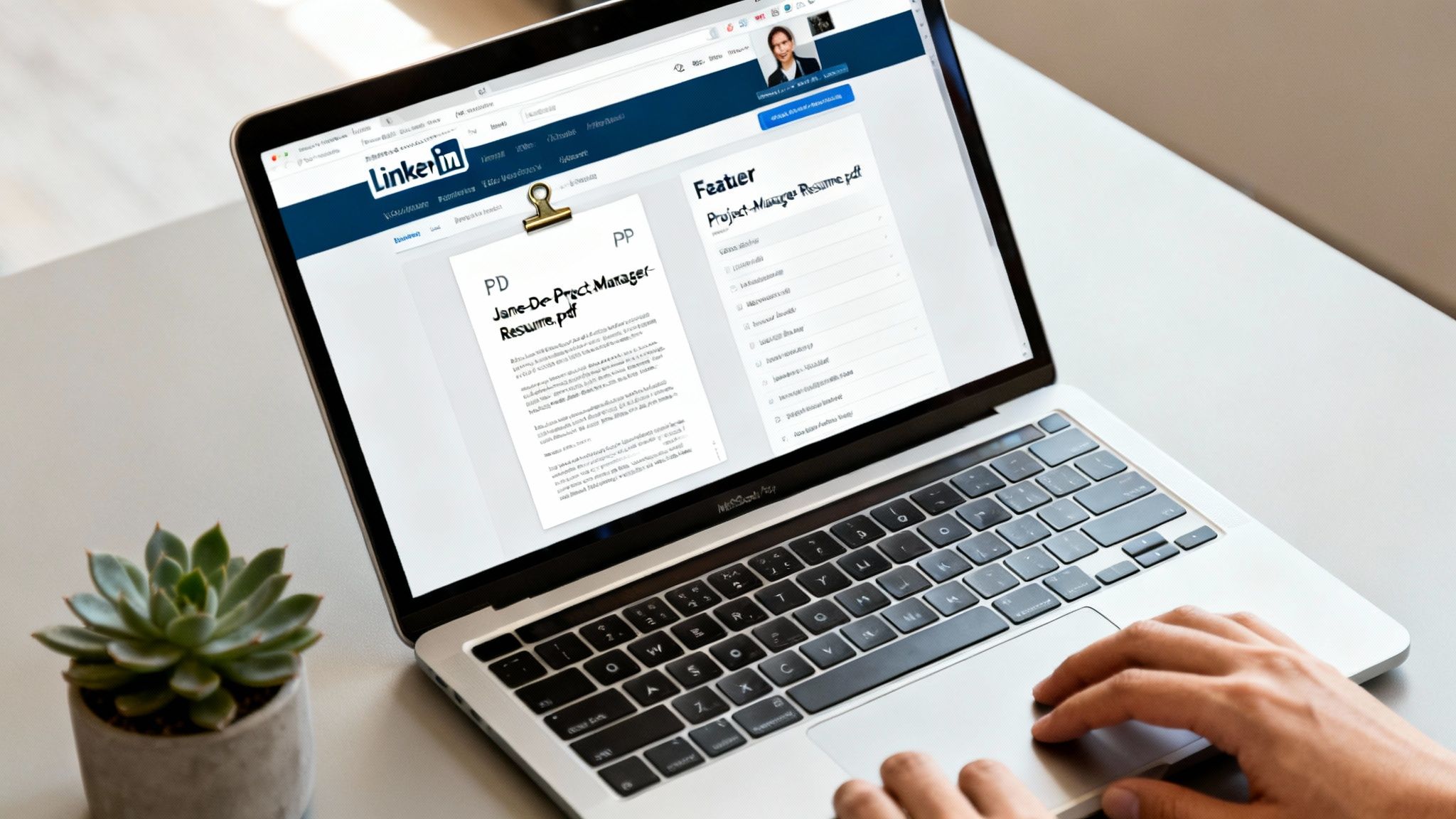
The screenshot above shows you exactly where to kick things off on your profile. That "Add profile section" button is your gateway.
How to Add Your Resume to the Featured Section
Getting your resume pinned is surprisingly simple. From your profile page, you'll click the ‘Add profile section’ button, then find and select ‘Featured’ from the dropdown menu. A little plus (+) icon will pop up, which is what you'll use to upload your file.
Here’s a quick rundown:
- Head to Your Profile: Just go to your main LinkedIn page.
- Add Profile Section: Find that blue button right under your headline and give it a click.
- Select Featured: In the “Recommended” list, you’ll see the ‘Featured’ option.
- Upload Your Media: A new window will appear. Hit the plus (+) icon, then choose ‘Add media’ to grab the resume file from your computer.
That’s it. In just a few clicks, you’ve turned a static profile into an interactive one, showing visitors you have a polished, professional resume ready to go.
Pro Tips for a Polished Presentation
Just uploading the file isn't quite enough—the little details really matter here. From a recruiter's perspective, every choice you make is a hint about your professionalism and attention to detail.
Your resume file name is your digital handshake. ‘Resume.pdf’ is forgettable. ‘Jane-Doe-Project-Manager-Resume.pdf’ is professional, memorable, and a lifesaver for a recruiter trying to find it in their downloads folder later.
And please, always use a PDF. I can't tell you how many times I've seen Word documents get completely mangled when opened on a different computer or phone. A PDF locks in your formatting, ensuring it looks exactly the way you designed it. For a deeper dive into getting the visuals just right, these resume formatting guidelines are a fantastic resource.
Finally, don't just accept the default file name as the title on LinkedIn. Give your featured item a sharp title and a quick, punchy description. Something like "ATS-Optimized Marketing Resume | 5+ Years SaaS Experience" does way more heavy lifting than "Resume_Final_v2.pdf." A little bit of marketing copy goes a long way and can seriously boost clicks. It's a proven strategy—candidates who actively share professional documents are 40% more likely to be contacted by recruiters. You can see more on how top professionals are getting noticed over at Resume Pilots.
Putting your resume in your profile’s Featured section is a solid move for general visibility, but let’s be honest—it’s a bit of a "one-size-fits-all" approach. When you need to be more strategic and keep your search on the down-low, LinkedIn's Easy Apply feature is your best friend.
This is the perfect tactic if you’re currently employed but keeping an eye out for that next big thing. It lets you attach a specific resume directly to an application, so the only people who see it are the recruiters for the job you actually want. No need to broadcast your job search to your boss or nosy coworkers.
Keep Different Resumes on Deck for Different Roles
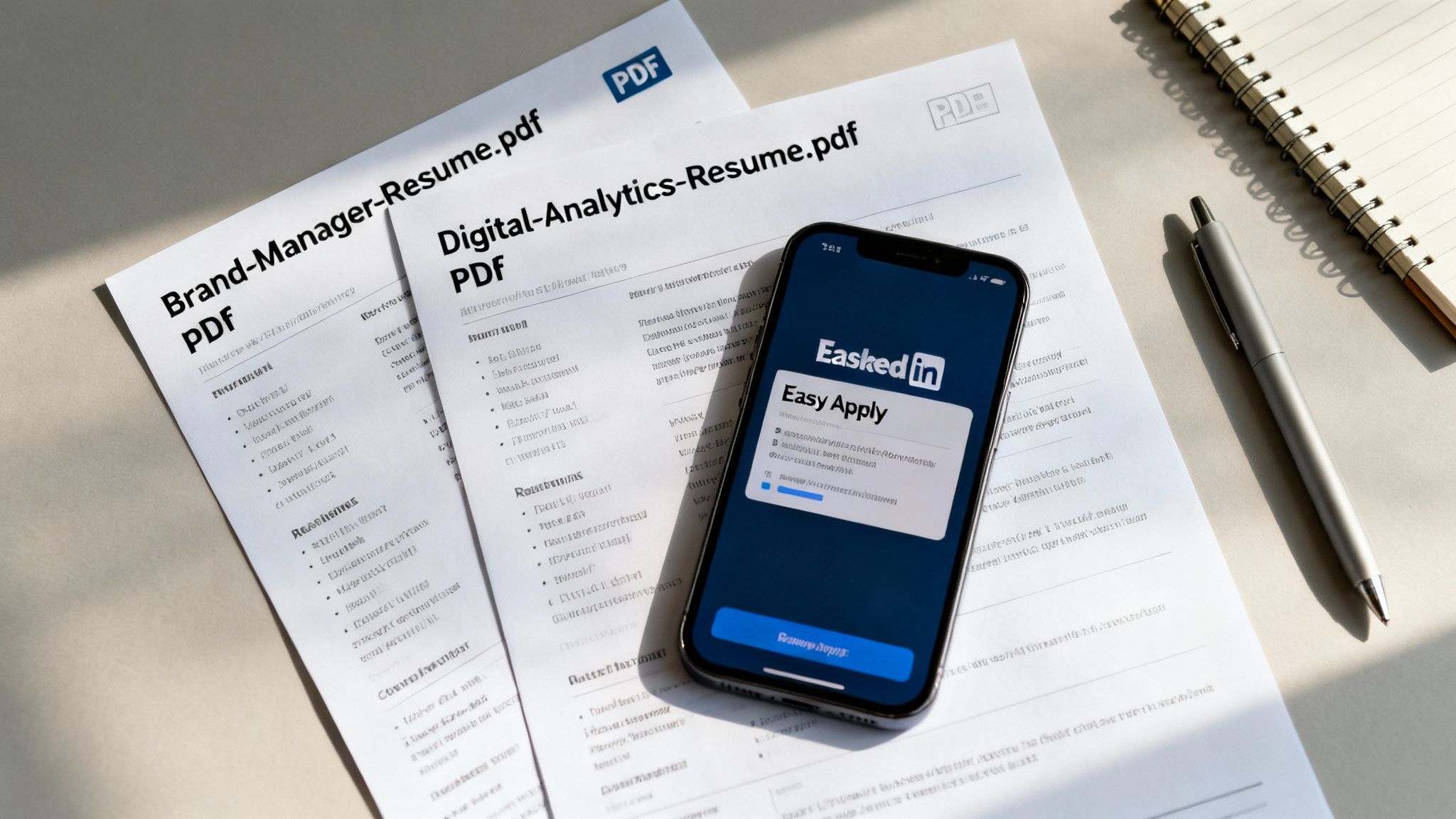
Here’s a pro tip that most people miss: LinkedIn lets you save multiple versions of your resume. This is a huge advantage if you’re a multi-talented professional targeting different kinds of jobs.
Let's say you're a marketing pro who's equally skilled at creative brand strategy and nitty-gritty data analysis. You’re not just one thing, right? So, you can have two tailored resumes ready to go:
- One named "Brand-Manager-Resume.pdf" that’s all about your killer campaigns, storytelling chops, and leadership wins.
- Another called "Marketing-Analyst-Resume.pdf" that highlights your SQL wizardry, data viz skills, and ROI reports.
When you hit that Easy Apply button, LinkedIn will ask you which resume you want to use. This simple choice makes all the difference, letting you put your best, most relevant foot forward every single time. It’s absolutely vital for ensuring a strong https://www.eztrackr.app/blog/resume-and-job-description-match, which you need to get past those pesky automated screeners.
The Power of a Tailored Application
Sending out the same generic resume for every single job opening is probably the biggest mistake I see job seekers make. Trust me, recruiters can spot a generic application a mile away. When you customize your resume, you're signaling genuine interest and showing that you’ve actually read the job description.
Attaching a custom resume to each application is the digital equivalent of dressing for the interview you want. It shows preparation, respect for the recruiter’s time, and a clear understanding of the role's requirements.
This little bit of extra effort gives you a massive advantage. While everyone else is spamming applications with the same old document, yours will speak directly to what the hiring manager is looking for.
If you really want to sharpen your approach, some professionals even invest in guaranteed recruitment support to get their strategy dialed in. It's a targeted method that not only makes your application more effective but also keeps your search under wraps, giving you total peace of mind.
Alright, let's move beyond just letting your resume sit on your profile. While that's a decent passive approach, you'll get a lot more traction by actively getting it in front of the right people.
Instead of just waiting for recruiters to stumble upon your profile, you can take control of the conversation. This means going on the offensive—in a good way—by using LinkedIn's powerful networking and sharing features.
Think of it this way: you can either be a candidate who is available or one who is actively pursuing. Creating a post, sending a direct message, or even using the platform's built-in resume tool shifts you squarely into that second, more proactive category. Let's break down how to do it right.
Share Your Resume in a LinkedIn Post
This is probably the most visible way to announce you're looking for a new role. A public post with your resume attached acts like a broadcast to your entire network—and potentially, their networks too. But you can't just drop a file and hope for the best. You need to build a narrative.
Tell a quick story. What are you looking for? What unique value do you bring to the table?
A project manager, for instance, could write something like: "After leading three major product launches to success at XYZ Corp, I'm eager to find my next big challenge in the SaaS world. I'm all about building hyper-efficient teams and delivering killer results. My full resume is attached for anyone interested in the details!"
To really boost your post's visibility, you need the right hashtags. Mix broad industry terms like #ProjectManagement with more niche, specific ones like #SaaS or #AgileMethodology. This helps the right recruiters and hiring managers find you. If it makes sense, don't be shy about tagging a few dream companies or key people in your industry.
Send It Directly in a Private Message
For a more surgical strike, nothing beats a well-crafted direct message. This is the perfect move when you have a specific person in mind, like a recruiter or a hiring manager at a company you've been eyeing. The key here is to be concise and professional, not spammy.
Always lead with respect for their time. A great opening line might reference a mutual connection or something specific you admire about their company's work.
Here’s a solid example: "Hi [Name], I've been following [Company]'s recent work in renewable energy and was seriously impressed by the new solar farm project. My background in logistics and supply chain management seems to align really well with the work you're doing. I've attached my resume in case a fitting opportunity comes up."
This personal touch cuts right through the noise of a crowded inbox and puts your credentials directly in the hands of a decision-maker.
Use the LinkedIn Resume Builder
LinkedIn has its own Resume Builder that pulls information directly from your profile to spit out a resume. It’s a handy tool if you’re in a pinch—say, you’re applying on your phone and don’t have your main resume file handy.
But it’s important to know what you’re getting into. The templates are pretty basic and don’t offer much in the way of customization, which can make it tough to really stand out from the crowd. It’s best used as a quick-and-dirty option for an application that just can't wait.
Think of the LinkedIn Resume Builder as a solid backup, not your go-to. It's fantastic for speed, but a polished, custom-designed PDF will almost always leave a much stronger impression.
While the builder can be a decent starting point, you should always plan to go back and refine the document to better match your personal brand and the specific job you're after.
Pros and Cons of Different Sharing Strategies
Deciding whether to post publicly, message directly, or use the builder depends entirely on your situation. Each method has its own strengths and potential pitfalls.
| Strategy | Key Advantage | Potential Drawback | Best Use Case |
|---|---|---|---|
| Create a Post | Maximum visibility. Reaches your entire network and beyond. | Less targeted. Can attract irrelevant contacts or signal your search to a current employer. | You're openly and actively job searching and want to cast a wide net for opportunities. |
| Send a Direct Message | Highly targeted and personal. Puts your resume directly in the hands of a key decision-maker. | Requires research and careful crafting. A bad message can be easily ignored or backfire. | You have a specific company or role in mind and want to make a direct, personal connection. |
| Use Resume Builder | Extremely fast and convenient. Creates a resume from your profile in seconds. | Generic templates. Lacks the polish and customization of a dedicated resume file. | You need to apply on the fly and don't have access to your primary resume document. |
Ultimately, a smart job search often involves using a combination of these strategies. A public post can generate broad leads while you use targeted direct messages to pursue your top-choice companies.
Aligning Your Profile and Resume for Maximum Impact
Knowing how to get your resume onto LinkedIn is just the first step. The real magic happens when you build a cohesive professional brand. Think of your LinkedIn profile and your resume as two sides of the same coin—they need to tell the same powerful story, so when a recruiter finds one, the other feels like a perfect fit.
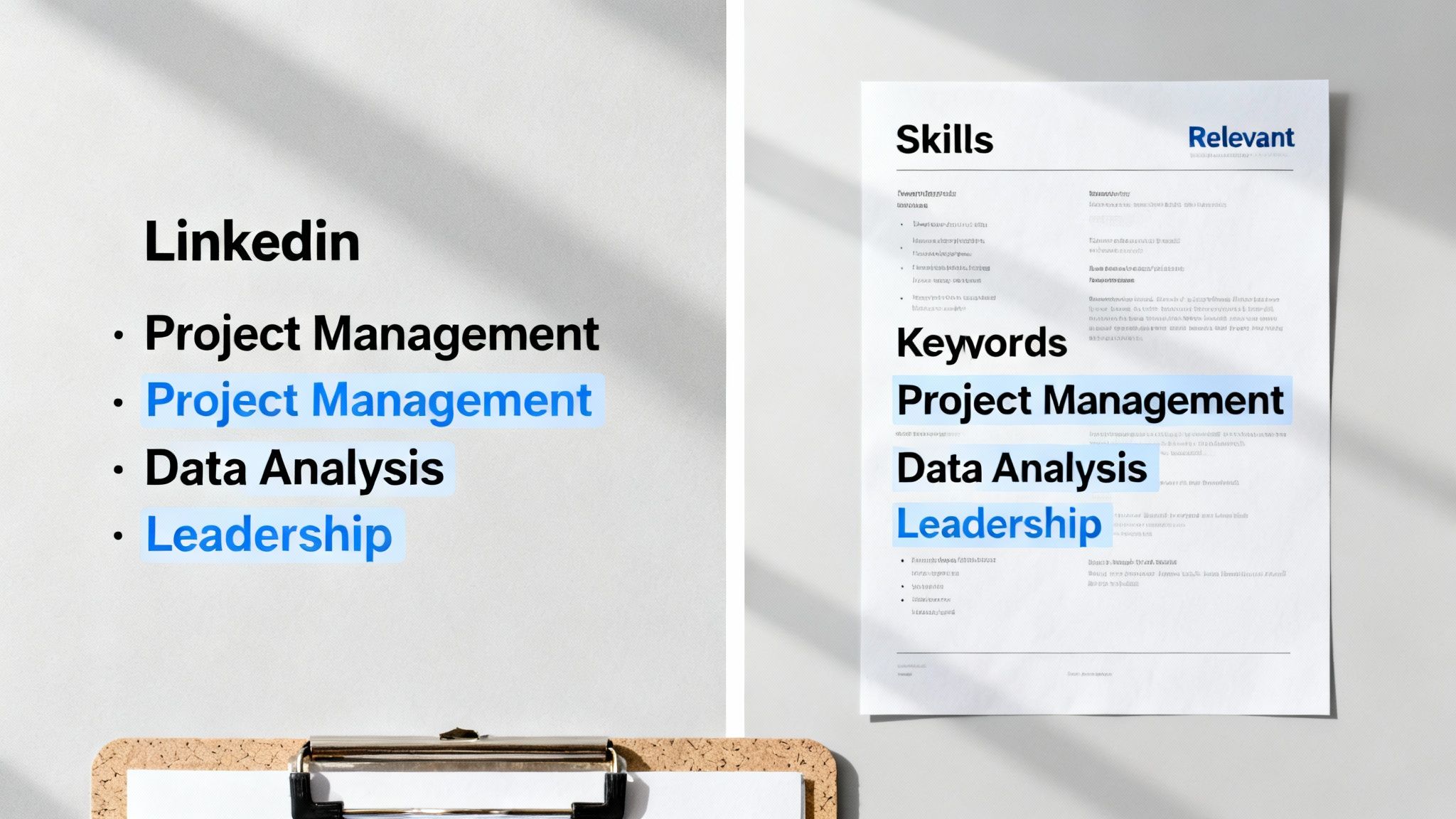
This all starts with keywords. Get into the habit of scouring job descriptions for the roles you want. Notice the recurring skills, technologies, and responsibilities? Those are your golden keywords. Weave them naturally into your LinkedIn headline and summary, and make sure they show up in the bullet points on your resume. This consistency works wonders for both LinkedIn's search algorithm and the Applicant Tracking Systems (ATS) that scan your resume.
Creating a Consistent Skill Set
Your LinkedIn Skills section is prime real estate, not just a list. It’s a searchable database that recruiters use every single day. Make sure the skills you list there directly mirror the core competencies you've highlighted on your resume. If your resume boasts about "Agile Project Management," that exact phrase had better be in your top skills on LinkedIn.
The payoff is huge. Profiles with five or more skills get up to 17 times more views. We've also seen executives who sync their resume and LinkedIn see a 2x increase in recruiter outreach within just 30 days. And since a whopping 57% of LinkedIn traffic comes from mobile devices, make sure your resume file is clean, simple, and easy to read on a small screen.
To really make this work, you need to think beyond just one platform. It's all about understanding strategies for building a powerful online presence that tells a cohesive story everywhere you show up online.
Managing Your Privacy and Activity
Okay, let's address the elephant in the room: tipping off your current boss that you're looking. LinkedIn has settings to help you stay discreet. You can—and absolutely should—turn off notifications to your network when you update your profile. This stops it from broadcasting every little tweak you make.
You can find this setting in your "Settings & Privacy" area under the "Visibility" tab. Just look for "Share profile updates with your network" and toggle it off. This simple action lets you polish your profile without raising any red flags at your current job.
Your LinkedIn profile is your public persona, while your resume is your tailored application. They have to work in harmony, with consistent messaging and keywords, to present a unified and compelling professional identity to recruiters.
Ultimately, this alignment is all about removing friction for the hiring manager. You want them to see a consistent, professional, and detail-oriented candidate, no matter where they look. For a deep dive into getting every section just right, check out our complete guide on https://www.eztrackr.app/blog/how-to-optimize-linkedin-profile for maximum visibility. It's the final piece of the puzzle.
Common Questions About Posting Your Resume on LinkedIn
It's one thing to know the methods, but it's another to handle the tricky little questions that pop up along the way. When you start working with your resume on LinkedIn, it's easy to get bogged down in the details.
Let's clear up a few of the most common snags job seekers run into.
How Do I Update a Resume in My Featured Section?
So you've polished your resume and need to swap out the old one on your profile. Easy.
Just head to the "Featured" section on your profile page and find the resume post you want to replace. Click the little pencil icon in the corner of the post and hit "Delete." This will get rid of the old version for good.
Once it's gone, you just add the new one the same way you did the first time: click the plus (+) icon, choose "Add media," and upload your shiny new resume. Making this a regular habit—say, every few months or after a big project—is a smart move.
Can My Current Employer See My Posted Resume?
The short answer? Yes. And you really need to be aware of this.
When you put your resume in the "Featured" section, it’s public. That means anyone who lands on your profile can see it and download it. This includes your current manager, your nosy coworkers, and everyone else in your network.
If you're trying to keep your job search on the down-low, featuring your resume is not the way to go. Your best bet is to attach it directly to individual job applications through Easy Apply. That way, only the recruiters for the jobs you're actually targeting will see it.
Your LinkedIn privacy is in your hands. A publicly featured resume screams, "I'm looking for a new job!" while targeted uploads are the go-to for a confidential search. Pick the strategy that fits where you are right now.
Should I Use a PDF or Word Document for My Resume?
Always, always, always use a PDF. I can't stress this enough.
It’s not just a personal preference; it’s the professional standard. A PDF locks in all your careful formatting. No matter what device or software someone uses to open it, your resume will look exactly how you designed it.
A Word doc, on the other hand, is a total wild card. Fonts can go missing, margins can get messed up, and your whole layout can fall apart. It just looks sloppy. A PDF is clean, professional, and reliable. It’s the only way to guarantee a perfect first impression.
Tired of the job search chaos? Eztrackr is your command center. You can manage all your applications, use AI to customize your resumes, and track every single step in one place. Ditch the spreadsheets and start getting more interviews. Give Eztrackr a try today!