Resume Builder Using AI: Step-by-Step Guide
Staring at a blank resume document is uncomfortable. Staring at a polished template that says almost nothing about the job you want is worse. Many candidates send the same general version to role after role, then wonder whether the silence comes from their experience, their wording, or a screening system that never surfaced the document.
A resume builder using AI can help, but it shouldn't replace your judgment. The useful role for AI is narrower and more practical: extract the language of a target posting, identify gaps, sharpen your evidence, and produce a version that reflects your real experience. The final resume should still sound like a person who did the work.
From Generic Draft to Targeted Application
A candidate I worked with had a solid operations background and a respectable resume. It listed project coordination, reporting, vendor communication, and process improvement. The problem was that the document treated every job as interchangeable. For a supply chain role, it emphasized administration. For a customer operations role, it emphasized scheduling. Neither version connected her achievements to the employer's stated priorities.
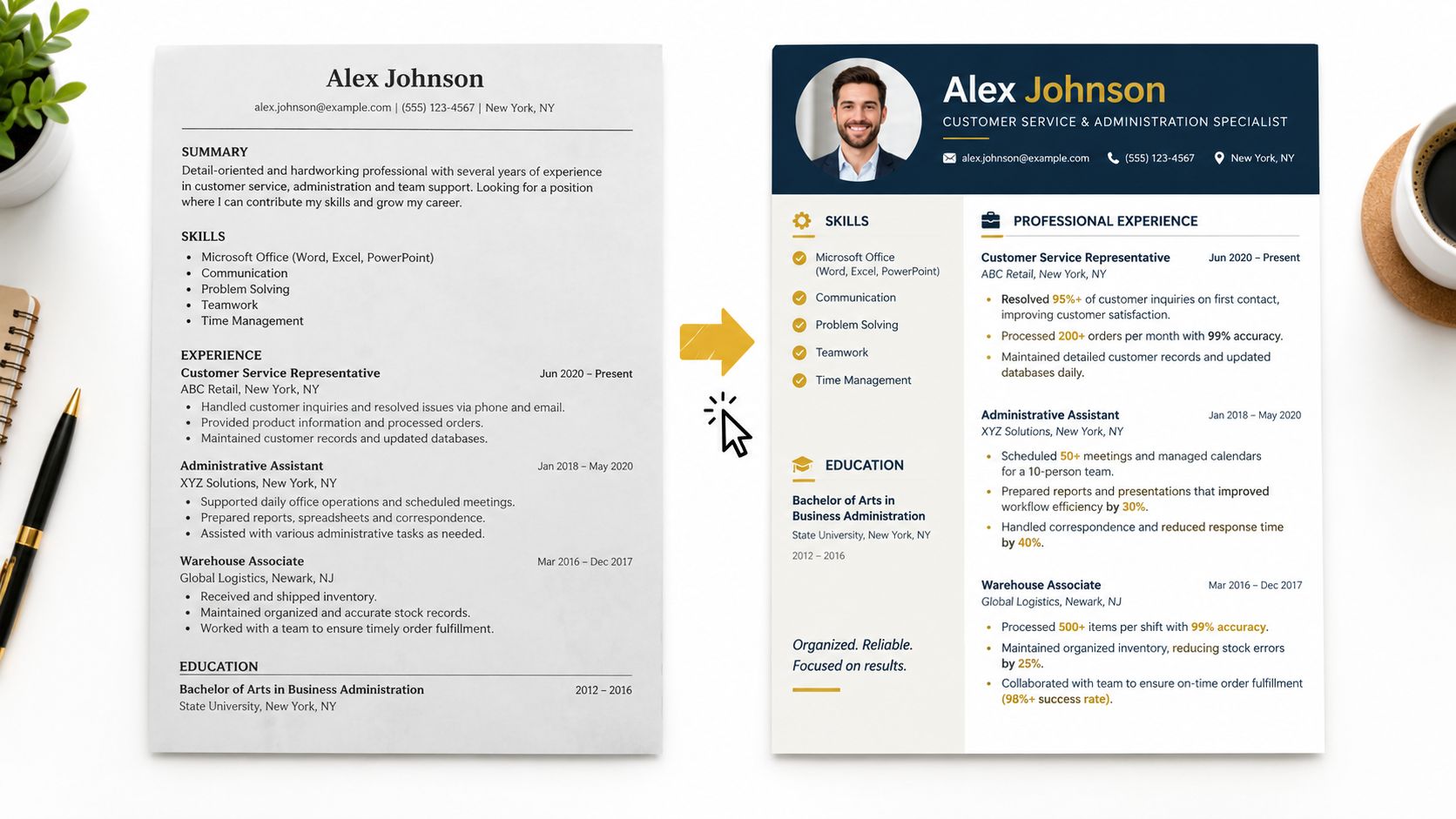
The change wasn't a complete rewrite. We started with the job description, separated essential requirements from optional language, and asked AI to identify which parts of her existing experience supported each requirement. Her resume then became a targeted argument: this is the problem the employer has, this is the moment she handled something similar, and this is the result she created.

The shift toward this workflow is already visible. In a 2026 survey, 38% of job seekers reported using AI tools in their job search, while 51% of organizations use AI to support recruiting. Resume screening is the second most common recruiting use case, reported at 44% in the same survey, according to Rework's 2026 overview of AI resume builders. Candidates and employers are adapting at the same time.
Practical rule: Use AI to connect your evidence to a specific opportunity, not to manufacture a professional identity.
That distinction matters whether you're applying locally or exploring international opportunities. If your search involves cross-border hiring, guidance on how to find the right LATAM tech talent can also clarify how employers evaluate role fit, technical skills, and location requirements.
Start by treating every application as a separate version with a clear purpose. A useful target job description workflow helps you capture the requirements before asking an AI tool to edit anything. Your base resume remains the source of truth, but the version you submit should reflect the vocabulary and priorities of the role.
Preparing Your Inputs for Best Results
AI can only tailor a resume from the information it receives. If you provide a vague instruction, a generic job title, and a few disconnected skills, the output will usually be polished but weak. Better inputs produce better editing decisions because the tool has enough context to distinguish your actual experience from empty résumé language.
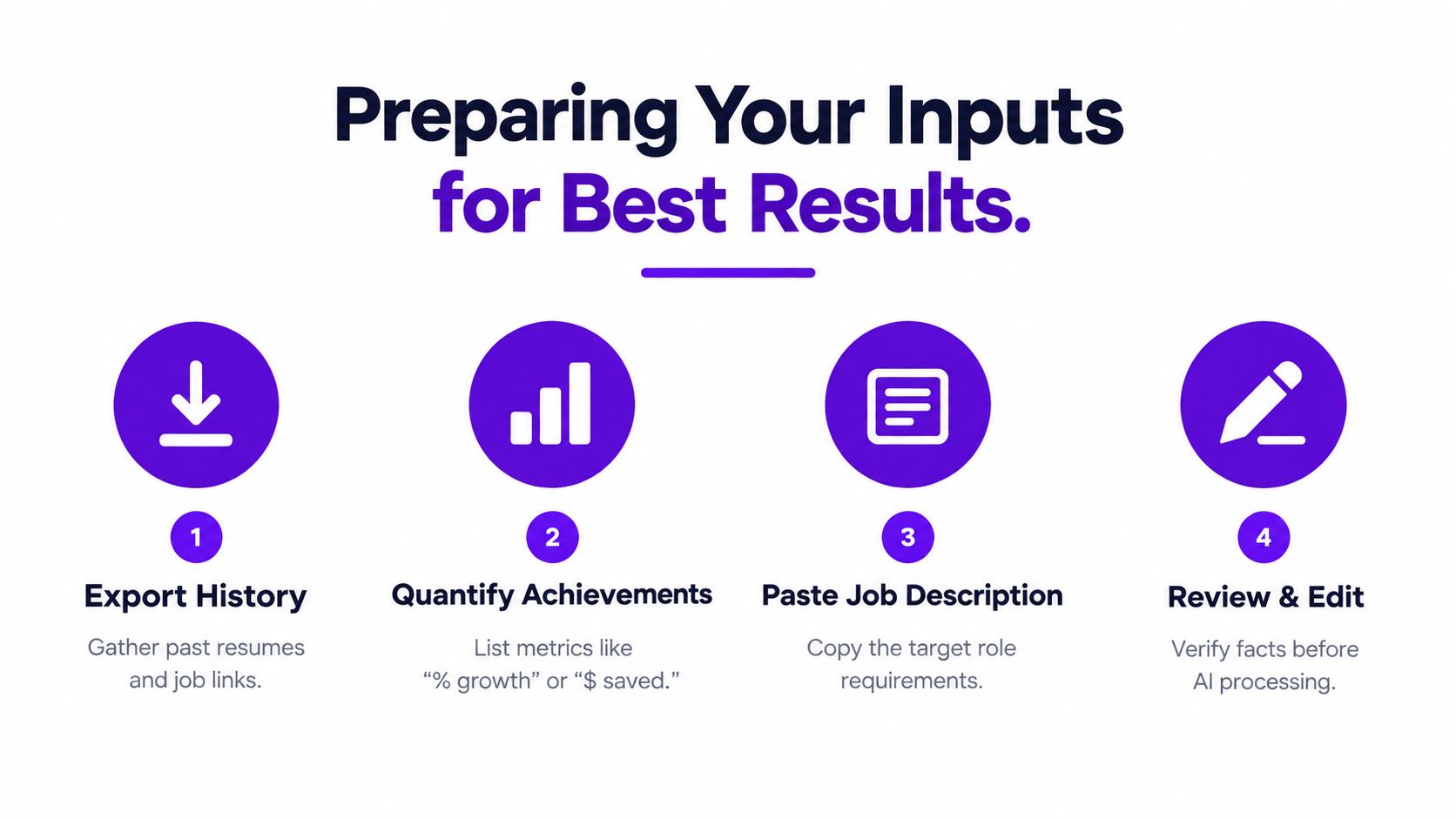
Gather three core inputs before opening the builder:
- Your current resume: Upload the latest version, even if it's messy. It gives the tool your employment history, job titles, dates, skills, education, and existing descriptions. Remove anything inaccurate before processing it.
- The target job description: Copy the complete posting, including responsibilities, required skills, preferred qualifications, and wording about the team or business. A short title such as “marketing manager” doesn't reveal what the employer actually needs.
- Your achievement notes: Write down projects, problems solved, tools used, and outcomes you can defend. Include the context behind each result, not just a list of duties.
Build an evidence bank first
Don't ask AI to invent stronger bullets from thin material. Instead, create a private evidence bank with entries such as: “reconciled recurring reporting errors,” “trained new team members,” or “rebuilt a client onboarding process.” Add the actual outcome wherever you know it. If you don't have a precise measurement, describe the operational change accurately rather than guessing.
This preparation also protects you from a common failure mode: keyword copying without qualification. A job posting may mention forecasting, stakeholder management, or a particular software platform. Your tool can point out relevant experience, but you still need to confirm that you used the skill and at what level.
Protect version control
Save the original resume separately from the AI-assisted draft. Keep a copy of the job posting beside the version you create for it, so you can explain why particular skills and examples appear. A practical document version management system prevents you from attaching a resume created for one position to a different application.
Before exporting, review every generated statement:
- Confirm company names, titles, dates, tools, and credentials.
- Remove skills you haven't used in a meaningful way.
- Replace vague achievements with evidence from your notes.
- Check that the tone reflects your actual level of responsibility.
- Keep a plain-text copy for comparison with the formatted document.
The preparation stage may feel slower than typing a quick prompt, but it saves time later. It also gives you control over the one thing AI can't verify independently: whether the document tells the truth about your work.
Crafting Prompts That Produce Real Bullet Points
“Rewrite my resume” is a poor prompt. It gives the tool permission to change the wording without telling it what success looks like. The result often contains familiar verbs, inflated claims, and descriptions that could belong to almost anyone in the same profession.
A better prompt defines the source material, the target role, the evidence that must remain, and the boundaries the tool must respect.
Try prompts built around specific jobs:
- For a bullet rewrite: “Rewrite this bullet for a project operations role. Keep the original facts, lead with the action, explain the operational problem, and end with the documented result. Don't add metrics or tools that aren't in the source.”
- For job matching: “Compare my experience with this posting. Separate confirmed matches, adjacent experience, and genuine gaps. Rank the gaps by importance, and don't recommend adding a skill unless my background supports it.”
- For stronger evidence: “Review these responsibilities and identify where I can add context, scope, or outcome. Ask for missing information instead of guessing.”
- For keyword alignment: “Extract the important hard skills and role-specific terms from this job description. Suggest where each confirmed term can fit naturally in my existing resume.”
Make the instruction measurable
The prompt should force the builder to preserve your evidence. If you managed a reporting process, tell it what changed, who used the reports, and what problem the process addressed. If you supported a system migration, provide the system names and your role in the transition. AI can organize those details, but it can't responsibly supply them.
Editing test: If you can't explain where a phrase came from, remove it or verify it before submitting the resume.
Ask for several alternatives when a bullet feels flat, but don't accept the most dramatic version automatically. The strongest option is usually the one that is specific, credible, and easy to discuss in an interview. A resume should create useful questions for a recruiter, not force you to defend language you never would have chosen.
Use the builder in stages rather than generating the entire document at once. First extract the requirements, then map evidence, then rewrite bullets, then edit the summary, and finally check structure. This sequence gives you opportunities to reject generic language before it spreads across the document.
The following video provides a visual reference for how resume content can be refined and presented:
Finish by reading the document aloud. Awkward phrasing, repeated sentence patterns, and exaggerated claims become much easier to notice when the words sound like speech rather than a text generator.
Optimizing for Applicant Tracking Systems
A resume can fail in two different ways. The ATS may be unable to read its structure, or it may read the document perfectly and decide that the content doesn't match the posting closely enough. ATS compatibility concerns parsing. Keyword matching concerns relevance. Fixing one doesn't automatically fix the other.
A benchmarked pipeline reported that resumes containing job-description keywords scored 89 out of 100 for ATS compatibility, compared with 52 out of 100 for generic resumes. The same source reported that clean, single-column templates passed ATS parsing 98% of the time, while multi-column or creative layouts had a 23% failure rate. These figures come from ResumeAdapter's ATS compatibility analysis, and they illustrate why visual creativity should come after structural clarity.
| Factor | Impact on Parsing | Best Practice |
|---|---|---|
| Single-column structure | Gives the parser a predictable reading order | Use one main content column |
| Standard section headings | Helps software classify your experience | Choose headings such as Experience, Education, and Skills |
| Text boxes and floating elements | Can separate text from the intended section | Keep content in normal document flow |
| Job-specific terminology | Improves relevance after the text is parsed | Use accurate terms from the target posting |
| Embedded fonts and unusual symbols | May create extraction errors | Use readable fonts and export carefully |
| Tables used for layout | Can scramble reading order | Avoid layout tables unless you've tested the output |
Check the content match separately
After the document passes a structural check, compare it with the job description. Look for required hard skills, relevant systems, certifications, and role-specific responsibilities. Don't copy every phrase. Add a term only where your experience supports it, and place it near the evidence that demonstrates your capability.
In a large analysis of 139,927 applications, custom resumes produced a 4.23% interview rate, compared with 2.07% for generic resumes. Resumes with quantified bullets also received 2.1 times more recruiter views on average, according to Apply Mate's ATS statistics analysis. The practical lesson is not to chase a score. It is to adapt the document and make the result of your work visible.
For a clearer explanation of how software handles applications, consult this guide to how applicant tracking systems work. A separate overview of erecruit on ATS for panel suppliers can help hiring teams and candidates understand the broader role of applicant tracking software.
Export a plain, readable version before you submit. Open the file, select the text, and paste it into a plain-text editor. If the order becomes confusing, headings disappear, or dates detach from employers, fix the layout. Then read the formatted version as a human recruiter would. Passing the parser is only the first gate.
Integrating with an Application Tracker
A resume built for one role has limited value if you can't remember which version went with which application. Job seekers often create several files, download a posting, save a recruiter email, and then lose the connection between them. That creates avoidable mistakes, such as sending a document focused on product marketing to a role centered on customer retention.
An application tracker turns each submission into a record rather than an isolated task. Save the role, company, source, deadline, status, contact details, notes, and the exact resume version used. When a recruiter replies, you should be able to reconstruct the application quickly without searching through unrelated downloads.
Build a repeatable application record
A useful workflow looks like this:
- Capture the posting: Save the full job description before it changes or disappears.
- Create the customized draft: Use the posting as the matching input for your AI resume builder.
- Attach the right documents: Link the resume and cover letter to that specific record.
- Log the submission: Record the date, channel, and current stage.
- Schedule follow-up: Add reminders for promised responses, interviews, or networking conversations.
- Review the pattern: Look for roles that generate replies and roles that repeatedly stall.
A tracker also improves the quality of your next resume. If one version produces conversations for implementation roles but not general operations roles, that difference gives you a useful signal. You can compare the requirements, evidence, and positioning instead of repeatedly changing the document at random.
The job tracker feature represents this connected approach, combining saved job details with application progress and document organization. You don't need a complex system to benefit from the principle. A spreadsheet can work if each row links the job description, submitted files, and follow-up notes. The important part is consistency.
Workflow rule: Never create a tailored resume without also recording which job it belongs to.
This turns AI from a one-time writing shortcut into part of a controlled application process. You can produce role-specific materials while preserving a clear history of what you sent, when you sent it, and what happened afterward.
Avoiding the Generic AI Trap
The biggest mistake isn't using AI. It's handing over authorship completely.
A hiring manager may not know which tool produced a resume, but they can notice writing that lacks concrete detail. Repeated phrases, overconfident summaries, uniform bullet structure, and claims without context make the document feel assembled rather than lived. In a 2026 survey, 77% of hiring managers said many resumes now appear AI-generated, and nearly 8 in 10 said they can spot one, according to Forbes' reporting on AI-generated resumes.
The answer isn't to avoid every polished phrase. It's to make the underlying evidence unmistakably yours.
Edit for proof, not personality alone
Read each bullet and ask four questions:
- What did I personally do? Remove language that describes a team outcome without clarifying your contribution.
- What changed because of the work? Name the improved process, decision, customer experience, or business result.
- Can I defend this in an interview? If the wording implies ownership you didn't have, narrow it.
- Would another candidate write the same sentence? Replace broad phrases with the tools, constraints, stakeholders, or decisions that made your work distinctive.
AI is especially useful for finding repetition, tightening long sentences, and showing where a job description's requirements are missing from your draft. It is less reliable as the sole author of your professional story. Ask it to offer alternatives, then choose and revise the one that matches how you actually speak and work.
Don't hide uncertainty behind inflated language. “Supported the rollout” may be more accurate than “led a transformational initiative.” A credible resume gives a recruiter enough substance to ask a useful follow-up question, while an exaggerated one creates doubt before the interview starts.
Use the builder as a targeting and editing layer. Keep your original facts, insert only defensible keywords, preserve your voice, and maintain a separate version for every meaningful application. That balance gives you the speed of automation without surrendering the judgment employers are still looking for.
Eztrackr brings resume building, AI-assisted tailoring, document linking, and application tracking into one workflow, so you can connect each resume to the job it was built for and monitor what happens next. Visit Eztrackr to organize your applications and turn your next targeted resume into a trackable search.