The Ultimate Guide to a Job Hunt Tracker
A job hunt tracker is your command center. It's a simple system, maybe a spreadsheet or a dedicated app, where you organize every single moving part of your job search. Think of it as the tool that turns the chaos of applications, interviews, and networking into a manageable project, making sure no great opportunity slips through the cracks.
Why a Job Hunt Tracker Is Your Secret Weapon
Is your desktop a mess of open browser tabs, bookmarked job boards, and half-written applications? You’re definitely not alone. The modern job hunt can spiral out of control fast, leaving you drowning in details for dozens of different opportunities. This is exactly where a job hunt tracker goes from being a nice-to-have to your absolute mission control.

Here's a new way to look at it: you're the project manager, and landing your next gig is the project. Your tracker is the plan. It brings structure, clarity, and cold, hard data to the table, helping you shift from a stressed-out, reactive search to a confident, proactive strategy. Instead of wondering what you should do next, you’ll have a clear roadmap right in front of you.
Turning Chaos into Clarity
Without a solid system, crucial details just vanish. You forget the date you applied, the hiring manager's name, or which version of your resume you actually sent over. A tracker puts an end to that by giving every piece of information a home. This organized approach delivers some serious wins:
- Prevents Missed Opportunities: A quick glance tells you exactly when to follow up on an application or after an interview, keeping you top-of-mind with recruiters.
- Boosts Interview Performance: Imagine walking into every call fully prepped. With notes on the company, the role, and every past interaction just a click away, you will.
- Reduces Job Search Stress: Taking back control of the process is a huge weight off your shoulders. Just knowing where every application stands brings a sense of calm and focus.
This isn't some niche hack; it’s quickly becoming how smart job seekers operate. The job market has changed, and digital trackers are now essential. In fact, recent surveys show that over 60% of job seekers in major markets now rely on a digital tracker to manage their applications. That’s a game-changer when you realize the average person is applying to 20 or more positions. You can dive deeper into global employment trends to see just how much has changed.
A job hunt tracker isn't just a to-do list for jobs you've applied to. It's an intelligence-gathering tool that helps you understand your own performance, make smarter moves, and land a job faster.
Ultimately, a good tracker helps you spot patterns. You’ll start to see which job boards are actually sending you quality leads, which version of your resume gets the most callbacks, and where your networking time is best spent. This is the data that lets you double down on what’s working and ditch what isn’t, making your entire search more effective.
Building Your First Job Hunt Tracker
Getting a job hunt tracker up and running doesn't have to be some monumental task. Don't think of it as building a complex database from scratch. It's more like drawing a personalized map for your job search.
Whether you use a simple spreadsheet or a dedicated app, the goal is always the same: create one central place for everything, keeping you organized and on track. The trick is to start with the pieces that give you the most bang for your buck.
Laying the Foundation: What to Track
Think of the columns in your tracker as the building blocks of your entire job search strategy. Each one needs a purpose—to help you see the big picture. You can add a million different fields, but a truly useful tracker always has a few core components.
Here are the absolute must-haves to get you started:
- Company Name: The most basic but essential piece of info.
- Job Title: Sounds obvious, but you’d be surprised how easy it is to mix up roles when a company has multiple openings.
- Application Date: This is your ground zero for following up. A quick sort by this date immediately shows you which applications are getting stale and need a nudge.
- Job Source (e.g., LinkedIn, Indeed, Referral): Tracking this is a game-changer. It shows you which platforms are actually working so you can stop wasting time on the ones that aren’t.
- Status (e.g., Applied, Interviewing, Offer): This gives you a bird's-eye view of your entire pipeline, helping you manage your time and expectations.
These basics form the skeleton of your tracker. Once you have this in place, you can start adding more detail to give yourself a real edge.
Your job tracker truly comes alive when it stops being just a list of places you've applied. It should become a dynamic tool for managing relationships, timelines, and your own performance data.
From this solid base, you can start adding richer information. Things like contact info, key interview dates, and salary expectations will make your tracker infinitely more powerful. For instance, knowing how to find hiring manager emails can help you bypass the black hole of generic application portals and get your resume in front of a real person.
The table below breaks down the essential fields to include in your tracker. Each component serves a strategic purpose, turning a simple list into a powerful command center for your job search.
Essential Fields for Your Job Hunt Tracker
| Component | What to Track | Why It's Important |
|---|---|---|
| Basic Information | Company Name, Job Title, Application Date | Establishes the fundamental record of each application, creating a clear timeline. |
| Source of Application | Where you found the job (LinkedIn, company site, referral, job board). | Reveals which channels are most effective, allowing you to focus your efforts for a better return on your time. |
| Current Status | Applied, Interview Scheduled, 2nd Interview, Offer, Rejected. | Provides an at-a-glance overview of your entire pipeline, helping you prioritize next steps. |
| Job Description Link | The direct URL to the job posting or a saved PDF/screenshot. | Job postings get taken down. This ensures you have the original requirements to prep for interviews. |
| Key Contacts | Name, title, and email of the recruiter or hiring manager. | Makes follow-ups more personal and direct, helping you build a professional relationship. |
| Important Dates | Dates for interviews, follow-up reminders, and decision deadlines. | Keeps you on top of your schedule and prevents you from missing crucial deadlines. |
| Resume/Cover Letter | Which version of your resume or cover letter you sent. | Helps you track what's working. You can see which tailored documents are landing you more interviews. |
| Notes & Networking | Any referral information, notes from conversations, or company-specific details. | Captures valuable context that you can reference to personalize your communication and stand out from the crowd. |
With these fields in place, you're not just applying for jobs—you're strategically managing a campaign to land your next great role.
Customizing Your Tracker for Maximum Impact
Once you have the core structure down, it's time to make the tracker yours. This is where a simple log transforms into a powerful personal analytics tool. Customizing it helps you track the details that matter most to you and your career goals.
Think about adding fields that support your unique workflow:
- Link to Job Description: Job postings disappear all the time. Saving a link or a PDF of the description is a lifesaver when you need to review the role’s responsibilities right before an interview.
- Contact Person & Title: Knowing the name of the recruiter or hiring manager makes your follow-up emails feel much more personal and direct.
- Key Dates: Go beyond just the application date. Track interview schedules, set reminders for follow-ups, and note any decision deadlines they give you.
- Networking Notes: Did a former colleague refer you? Did you have a great chat with someone from the team? Jot it down here so you don’t forget.
- Resume/Cover Letter Version: Did you send your marketing-focused resume or the one tailored for project management? Knowing which version you used helps you see what’s actually resonating with employers.
For those who love getting hands-on with spreadsheets, setting them up correctly from the start is absolutely critical. We have a detailed guide on creating a powerful job search tracking spreadsheet, which even includes a free template to get you started immediately. The end goal is to build a system that feels natural and makes your life easier, not harder.
Spreadsheets vs. Dedicated Tracker Tools
Alright, let's talk tools. Choosing how to track your job hunt is a bit like deciding between a paper map and a GPS. Both can get you where you're going, but the journey itself feels completely different. The same goes for your job hunt tracker—picking between a classic spreadsheet and a dedicated tool will fundamentally shape how you manage your search.
The trusty spreadsheet, whether it’s Google Sheets or Microsoft Excel, is the ultimate DIY approach. It’s a blank canvas. You have total freedom to build it from scratch, add whatever columns and formulas you want, and it costs you nothing but your time.
But that freedom comes with a catch. Every single detail, from the company name to the application date, has to be typed in by hand. There are no automatic reminders to follow up, no built-in analytics, and no slick way to clip job descriptions from the web. It's powerful in its simplicity, but it demands serious, constant discipline to keep it from becoming a mess.
The Power of Dedicated Tools
On the other side of the fence, you have dedicated tracker tools. These are platforms built from the ground up with one goal: to make job searching less of a grind. They're designed to automate the most tedious parts of the process, freeing you up to focus on what actually moves the needle—like networking and nailing your interviews.
Think of it like this: a spreadsheet is a blank notebook, while a dedicated tool is a smart planner packed with features for a specific goal. With tools like Eztrackr, you get capabilities that spreadsheets just can't touch:
- Automated Data Entry: Most come with browser extensions that let you save a job posting from LinkedIn or Indeed with a single click, pulling in all the key details automatically.
- Built-in Reminders: Never miss a follow-up again. These trackers can ping you with automatic alerts for important deadlines and dates.
- Visual Dashboards: Instead of endless rows of text, you get intuitive Kanban boards and charts that give you a bird's-eye view of your entire pipeline.
That visual feedback can be a huge motivator. Research shows the average applicant might fire off 100-200 applications before landing an offer. Seeing those applications physically move from "Applied" to "Interviewing" on a board provides a real sense of progress that a static spreadsheet just can't replicate.
Choosing Your Tracker: Spreadsheets vs. Dedicated Software
So, how do you choose? It really boils down to your personal style, how many jobs you're applying for, and what you value most. To make it easier, here’s a side-by-side look at how they stack up.
| Feature | Spreadsheets (Excel/Google Sheets) | Dedicated Tools (e.g., Eztrackr) |
|---|---|---|
| Setup Cost | Free | Often free tiers, with paid premium options |
| Data Entry | 100% manual; requires constant updates | Automated; one-click job saving via browser extensions |
| Customization | Highly flexible; build it exactly how you want | Pre-built templates, but with good customization options |
| Reminders | None (unless you build complex formulas) | Built-in and automatic for follow-ups |
| Visuals | Basic charts and graphs that you have to create | Interactive Kanban boards and progress dashboards |
| Best For | Job seekers on a budget applying to a few roles | Job seekers managing many applications who value efficiency |
Ultimately, there’s no single "best" answer, just what’s best for you.
Making the Right Choice for You
If you’re only applying to a handful of positions, genuinely enjoy tinkering with formulas, and need a zero-cost solution, a spreadsheet is a fantastic option. It gives you total control.
But if you’re managing dozens of applications and the thought of all that manual data entry makes you want to quit, a dedicated tool is a game-changer. The time you save on admin work is time you can pour back into interview prep, networking, and other activities that actually land you the job.
This simple decision tree can help you figure out where you stand.
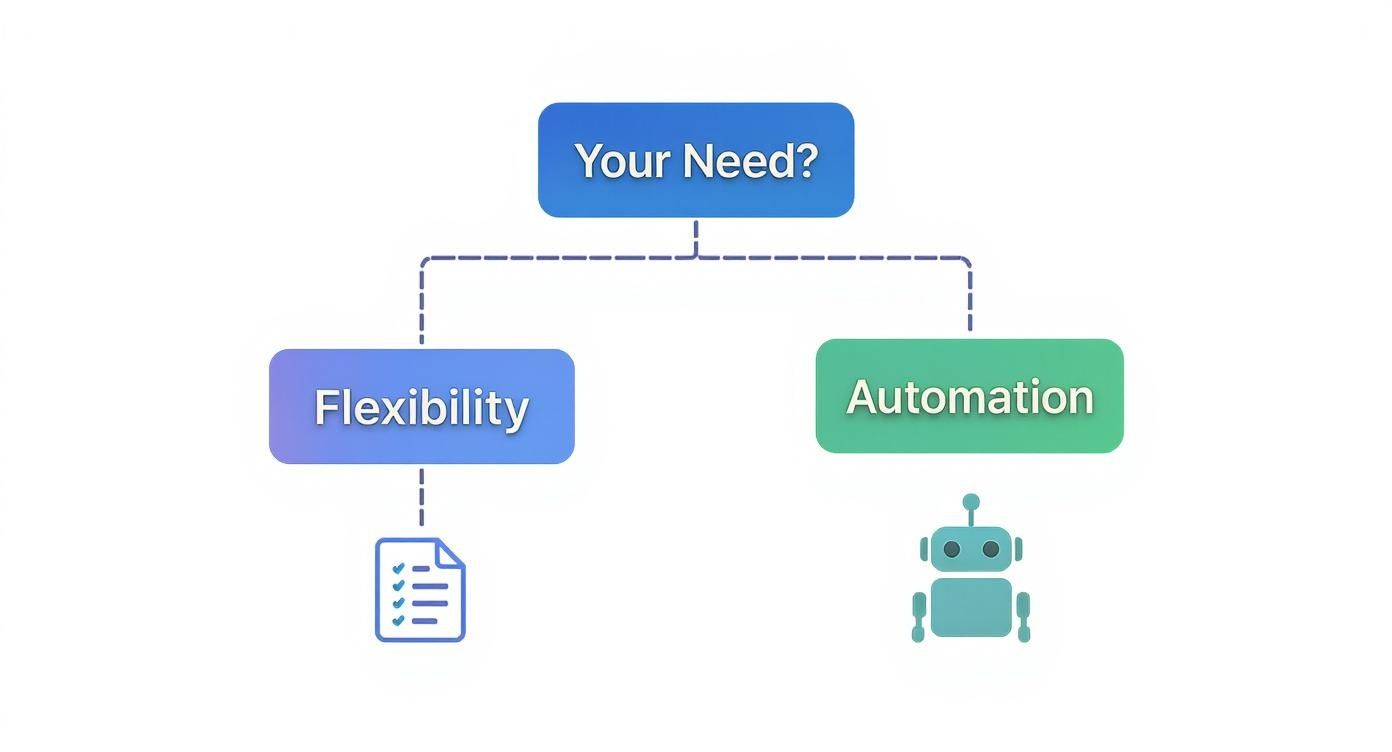
Here's the bottom line: if your priority is ultimate, hands-on control, stick with a spreadsheet. If you value speed, automation, and powerful features that give you back your time, a dedicated tracker is the clear winner.
The best job hunt tracker is the one you actually use. An amazing tool you never open is worthless compared to a simple spreadsheet you update every single day.
Both methods are designed to bring order to the chaos of a job search, they just take different roads to get there. To see exactly what a specialized tool can do, our guide on how to use a job application tracker breaks down the features designed to make your search smarter, not harder. The real goal is to turn your job hunt from a frantic scramble into a structured, strategic campaign.
How to Turn Your Tracker into an Analytics Tool
A great job hunt tracker does more than just list where you've applied. It becomes your personal command center, an analytics dashboard that shows you exactly what’s working and what’s not.
Think of it this way: you’ve moved from just logging your workouts to analyzing your performance data to train smarter. This is the point where you stop blindly applying for jobs and start strategically optimizing your entire search.
https://www.youtube.com/embed/PJEyOwDrv1g
Every application you send out, every email you get back (and every one you don't), becomes a piece of the puzzle. By collecting this data consistently, you build a feedback loop that helps you answer the tough questions. Is my resume actually good? Am I wasting time on the wrong job boards? Is all this networking leading anywhere?
Identifying Your Key Performance Indicators
To get real answers, you need to define your Key Performance Indicators, or KPIs. These are just the specific numbers that measure how effective your job search really is. You don't need a math degree for this; a few simple calculations can uncover some seriously powerful insights.
Here are the most important KPIs to get a handle on:
- Application-to-Interview Rate: This is your holy grail metric. It tells you how many applications it takes to land a single interview. If the number is low, it might be a sign your resume isn't making it past automated screening systems or isn't grabbing a recruiter’s attention.
- Source Effectiveness: This one’s a game-changer. It shows you which channels are actually delivering results. By tracking where your interviews come from—LinkedIn, referrals, company career pages—you can stop wasting energy on platforms that go nowhere.
- Response Rate: This is the percentage of applications that get any kind of human response, even if it’s a rejection. A rock-bottom response rate could mean your applications are vanishing into a digital black hole, never even seen by a real person.
Calculating these is super simple. For your Application-to-Interview Rate, just divide the number of interviews you’ve landed by the total applications you’ve sent. If you've sent 50 applications and scored 2 interviews, your rate is 4%.
Your tracker is a mirror reflecting your job search strategy. The data doesn't lie. If the reflection shows something isn't working, you have the power to change your approach based on real evidence, not just guesswork.
Turning Data into Actionable Insights
Once you have these numbers, the real fun begins. It's time to interpret them and make smarter moves. Your data tells a story about your job hunt, and it's your job to listen.
For instance, a low Application-to-Interview Rate (anything below 5-10%) is a huge red flag that your application materials need a tune-up. That's your cue to start A/B testing your resume, rewriting your cover letter, or even targeting a completely different set of roles.
Or maybe your Source Effectiveness analysis shows that 75% of your interviews came from employee referrals, even though they only made up 10% of your total applications. That's a massive insight! It's telling you to double down on networking and spend way less time spamming the "Easy Apply" button on generic job boards.
The rise of AI is making this kind of analysis even more accessible. In the US, job seekers using AI-powered trackers have reported a 25% higher success rate in getting interviews compared to people sticking with old-school methods. As technology gets better, trackers will do more of this analytical heavy lifting for you. You can read the full report on how the workforce is changing and explore more about AI's impact on careers.
This data-driven mindset shifts your job search from a game of chance to a game of strategy, making sure every move you make is a smart one.
Automating Your Job Search Workflow
Ever tried managing a big project with notes scribbled on a dozen different sticky notes? That’s pretty much what a manual job search feels like. Using a job hunt tracker with automation is like finally swapping that chaotic mess for a smart project management tool—it handles all the boring, repetitive stuff so you can focus on what actually lands you the job.
The real goal here isn't just to be tidy. It's about getting back your time and sanity. Instead of sinking hours into copy-pasting details into a spreadsheet, you can spend that time networking, writing a killer cover letter, or actually prepping for the interview. It turns the job hunt from an admin nightmare into a focused, strategic mission.

This is what one-click automation looks like in the wild. A simple browser extension grabs all the job details for you, so you don't have to. Tools like this are a complete game-changer for a modern, efficient job search.
The One-Click Application Capture
The first, and biggest, time-saver is grabbing job postings in an instant. Most dedicated trackers, like Eztrackr, have a browser extension that works right on sites like LinkedIn, Indeed, or a company's own careers page.
Here’s how easy it is:
- Find a Job: You spot a role you're excited about while browsing a job board.
- Click to Save: Instead of highlighting, copying, and pasting, you just click the tracker's little extension icon in your browser.
- Auto-Population: The tool instantly pulls all the key info—company name, job title, location, even the full description—and saves it neatly in your tracker.
That one click replaces several minutes of manual data entry for every single job. When you think about the fact that most people submit between 100-200 applications, the time you save is massive. Plus, it guarantees you don't miss any important details.
Centralizing Your Documents and Notes
A smart job hunt tracker also becomes the command center for all your application materials. No more frantically digging through your downloads folder for the right version of your resume. You can link your documents directly to each job entry.
This means when a recruiter calls out of the blue, you can pull up their exact job post in seconds and see everything:
- The specific resume you sent them.
- The tailored cover letter you wrote for the role.
- Any notes you jotted down about the company.
Being that organized makes you look incredibly professional and prepared. It gives you all the context you need to have a confident, smart conversation at a moment’s notice.
Automation removes the friction between finding a job and successfully applying for it. It closes the gap where good opportunities are often lost to disorganization and missed deadlines.
And if you’re already using a spreadsheet, making the switch is easy. Modern tools are built for a smooth transition. You can learn more about how to import spreadsheets into a dedicated job tracker and get your workflow upgraded in minutes.
Never Miss a Follow-Up Again
One of the most nerve-wracking parts of job hunting is just remembering who to follow up with and when. A perfectly timed email can be the thing that pushes your application to the top of the pile. Automation takes all the guesswork out of it.
Modern trackers let you set automatic reminders. Applied for a job? Set a reminder to check in a week later. Just finished an interview? Set an alert to send a thank-you note within 24 hours. This creates a system that helps you keep the momentum going without feeling like you're spamming recruiters.
Automating your workflow also means making it easy to keep your pipeline full. For example, you can discover new opportunities on Web3 job boards and add them to your tracker with a single click. By building these kinds of automated habits into your process, you create a reliable system that keeps you on track and top-of-mind.
Seeing Your Job Tracker in Action: Real Stories, Real Results
Theory is one thing, but seeing a job hunt tracker in action is where it all clicks. Let's walk through a couple of real-world scenarios to show you just how powerful this simple tool can be. These stories bring the concept to life and offer some practical inspiration you can steal for your own search.
The A/B Test: How a New Grad 3x Her Interviews
First up, meet Sarah, a recent graduate diving into the crowded entry-level market. She was firing off dozens of applications every week but felt like she was shouting into the void. The responses were few and far between.
Instead of just cranking up the volume, Sarah used her tracker to get smarter. She built two different versions of her resume—one focused on her internship experience and another highlighting her academic projects. In her tracker, she simply added a column to note which resume she sent for each role.
A month later, the data was screaming at her: the resume emphasizing her internships had a 300% higher interview rate. This simple A/B test, made possible by her tracker, gave her the proof she needed. She switched her strategy, and the interviews started rolling in.
The Networker: How a Career Changer Built New Bridges
Now, let’s look at David. He was a mid-career professional trying to jump from marketing into the tech world. For him, the job hunt wasn’t about a high volume of applications. It was all about strategic networking and building new relationships over time.
David’s job tracker looked a lot different from Sarah's. He wasn't just tracking application dates; he was tracking people. He created fields to log:
- Networking Contacts: Who he met, where they connected, and the key takeaways from their conversation.
- Follow-Up Dates: Simple reminders to ping people every few weeks to keep the connection warm.
- Referral Status: A quick note on who had offered to refer him and when they did it.
His tracker basically became a personal CRM. It made sure no promising connection ever went cold and helped him nurture leads over several months. For a career change that’s all about who you know, this organized approach was the secret sauce that led to informational interviews and, eventually, his first job in tech.
These stories prove that an organized game plan works for everyone. It’s especially true for younger job seekers fighting for attention in saturated fields. A 2025 survey found that a whopping 58% of job seekers aged 18-29 now use digital trackers to manage their search. That’s a massive clue about their importance in today's competitive landscape. You can discover more insights into how Gen Z is navigating the modern labor market.
Whether you’re sending 100 applications or nurturing 10 key contacts, a job hunt tracker molds to fit your needs. It’s the framework that holds any successful job search strategy together, no matter where you are in your career.
These examples show that a tracker is so much more than a to-do list—it's a dynamic tool for testing strategies, managing your network, and making decisions based on actual data. To help you build a structure that works right out of the gate, check out our guide on creating the perfect job application tracking template.
Job Hunt Tracker: Frequently Asked Questions
Is a job hunt tracker really necessary?
Look, let's be honest. Juggling dozens of job applications is a recipe for disaster. We've all been there—forgetting which company you're talking to, mixing up interview times, or sending the wrong version of your resume. These little slip-ups feel awful, and worse, they can make you look unprepared and cost you a real shot at a great job.
A good job application tracker is your command center. It turns that chaos into a clear, strategic plan. You’ll know exactly when to follow up, you'll walk into every call and interview with all your notes right in front of you, and you'll never have to second-guess if you sent the right resume again. It's about more than just being organized; it's about projecting confidence and genuine interest. And trust me, recruiters notice that stuff.
Can a job tracker really make a difference?
Absolutely. A messy job search gets messy results. An organized one gets you interviews.
It’s not just about avoiding mistakes, either. A job hunt tracker gives you cold, hard data on what’s working and what isn’t. By keeping an eye on simple numbers, like your application-to-interview rate, you can quickly figure out if your resume is falling flat or if you’re just applying for the wrong kinds of jobs.
This structured approach also does wonders for your sanity. When you know exactly where every application stands, that constant, nagging anxiety starts to fade. You get your confidence back, which frees you up to focus on what actually moves the needle—acing interviews and making connections. You stop scrambling and start running a smart, data-driven campaign to land your next role.
Ready to stop juggling and start strategizing? Eztrackr gives you everything you need—from saving applications in one click to powerful analytics—so you can get organized, stay on track, and land your next great job faster. Start tracking your success today at https://eztrackr.app.