7 Applicant Tracking System Resume Tips to Boost Your 2025 Job Search
Applicant tracking systems filter up to 75% of resumes before a recruiter ever reads them. Optimizing your resume is no longer optional. These applicant tracking system resume tips close the gap between you and the offer letter.
In this listicle you’ll learn:
- Standard formatting tactics to ensure parsing accuracy
- Keyword strategies drawn directly from job descriptions
- Skills section layouts compatible with ATS algorithms
- Reverse chronological methods that spotlight your strongest roles
- File formats that guarantee system readability
- Bullet point structures packed with action verbs and metrics
- Professional summary templates infused with critical keywords
Who benefits: recent graduates launching careers, professionals in transition refining applications, and HR teams seeking consistent pipelines.
No matter your industry – tech, finance, healthcare, nonprofit – these tips adapt to your needs.
Follow this guide to customize each resume, track compatibility metrics, and increase your interview invitations.
1. Use Standard Formatting and Simple Layout
ATS systems parse text sequentially and can misread columns, graphics, or unconventional symbols. A plain layout with common fonts ensures every keyword and section heading is captured accurately by applicant tracking system resume tips.

Keep fonts like Arial, Calibri, or Times New Roman and avoid headers, footers, text boxes, and tables that disrupt sequential parsing.
How It Works
Applicant tracking system resume tips emphasize simplicity because ATS engines read documents from top to bottom. A single-column layout prevents content from being skipped, ensuring your work history, skills, and education fields are indexed correctly.
Real-World Examples
- USAJobs plain-text submissions for federal applications
- Fortune 500 ATS platforms stripping out advanced styling in PDFs
- LinkedIn basic resume templates that pass parsing tests every time
Actionable Tips
- Save in .docx or PDF format according to the job posting’s instructions; test both versions if uncertain
- Use standard bullet points (-) created with your keyboard, not custom symbols or emojis
- Keep main text black and avoid colored text, italics, or underlines for core sections
- Run your resume through free ATS parser tools like Jobscan or ResyMatch to see exactly what an ATS reads
- Maintain 0.5–1 inch white space margins to improve human readability without breaking ATS flow
When and Why to Use
Implement standard formatting on every resume submission, especially for large corporations or high-volume recruiters. This approach minimizes parsing errors, so your qualifications land exactly where hiring managers and ATS algorithms expect them.
2. Incorporate Relevant Keywords from Job Description
Applicant tracking system resume tips emphasize matching the language used in the job posting directly with your resume content. By weaving in exact skills and terminology from the description, you signal to the ATS that your background closely aligns with the role requirements.

How It Works
ATS engines scan resumes for targeted phrases and assign relevance scores based on frequency and placement. Keywords in section headers, skills lists, and bullet points boost your ranking when they match the hireable criteria defined by the posting.
Real-World Examples
- A project manager includes “project management” in the summary and job titles to mirror the opening
- Software engineer lists “Python, Java, SQL” in a dedicated skills section to meet technology requirements
- Marketing professional embeds “SEO, SEM, content marketing” within achievement statements
- Healthcare specialist notes “HIPAA compliance” in process descriptions to match regulatory demands
Actionable Tips
- Copy the job description into a document and highlight repeated keywords
- Integrate keywords naturally in bullet points and achievement statements
- Create a precise skills section using exact terminology from the posting
- Avoid stuffing keywords that you cannot substantiate with concrete examples
- Tailor your resume for each application to reflect the most relevant keywords
When and Why to Use
Use keyword incorporation every time you submit to a large company or high-volume recruiter. This tactic aligns your resume with both human reviewers and algorithmic filters, increasing the likelihood your application is flagged for consideration. Learn more about Incorporate Relevant Keywords from Job Description.
3. Optimize the Skills Section with ATS-Compatible Formatting
A dedicated skills section is one of the first areas an applicant tracking system resume tip routine parses. By creating a clearly labeled, comprehensive skills section with ATS-compatible formatting, you ensure that your technical competencies and certifications are easily identified and indexed. This prevents important keywords from being overlooked during the initial screening stage.

How It Works
ATS engines scan for section headers like Skills, Technical Proficiencies, or Certifications to build a keyword database. A well-structured list under one of these headings signals relevance.
- Systems map each line item as a discrete entry, so clear separators (bullets or line breaks) prevent run-ons
- Grouping related tools under subheadings helps the ATS associate broader skill categories with specific software names
- Consistent naming (for example, “SQL” rather than “Structured Query Language”) matches job-post templates exactly
Real-World Examples
- Marketing resume: Content Management Systems: HubSpot, WordPress, Drupal
- Data analyst: Tools: SQL, Tableau, Power BI, Python, R, Excel
- Project manager: Project Management Software: Monday.com, Asana, Microsoft Project
- Healthcare professional: Certifications: RN, BLS, ACLS, Electronic Health Records (EHR)
Actionable Tips
- Group skills into 3–5 logical categories (for example, Programming Languages, Data Visualization, Automation Tools)
- List 15–25 skills total to balance coverage with readability
- Use both specific tool names and general skill labels (for example, “Adobe Photoshop” plus “Graphic Design”)
- Include proficiency levels for technical skills when relevant (such as “Advanced Python” or “Intermediate Spanish”)
- Audit and update your skills section quarterly as you gain new certifications or expertise
- Place your most relevant or unique skills at the top of each category
When and Why to Use
Implement this approach on every resume you submit to large companies or technology-driven roles. A properly formatted skills section boosts both ATS visibility and recruiter confidence by showcasing precise competencies. Learn more about Optimize the Skills Section with ATS-Compatible Formatting on eztrackr.app.
4. Use Reverse Chronological Order for Work History
Applicant tracking system resume tips consistently emphasize the reverse chronological format because ATS parse entries sequentially from top to bottom. By listing your most recent position first, you ensure that the system immediately captures your latest skills, job title, and achievements. This approach also matches recruiter expectations by keeping your strongest credentials front and center.
How It Works
Most ATS platforms index each role by reading the date followed by the title and organization name. When the newest role appears first, the algorithm assigns it greater relevance score, improving your chances of matching job keywords. In contrast, functional or combination formats can confuse parsers and may lead to skipped or misassigned entries.
Real-World Examples
- Senior Marketing Manager, ABC Company (01/2022 – Present)
- Marketing Coordinator, XYZ Corp (06/2019 – 12/2021)
- Intern, Marketing Firm (01/2019 – 05/2019)
- NOT RECOMMENDED: Functional format highlighting skills sections without dates
- NOT RECOMMENDED: Combination layouts that separate experience from chronology
Actionable Tips
- Stick to a uniform date style like MM/YYYY or Month YYYY for all entries
- Always include both month and year to avoid parsing errors
- Focus on the last 10 to 15 years of experience to keep content concise
- If there is a gap longer than three months, be ready to explain in an interview or cover letter
- Audit your resume with tools like Jobscan to see how an ATS reads your dates
- Align dates exactly with your LinkedIn profile and personal website for consistency
When and Why to Use
Reverse chronological order is best for most individual job seekers, from entry-level candidates to senior professionals. It highlights your career progression and modern responsibilities for both applicant tracking system resume tips and hiring managers. Use this format by default unless you need to de-emphasize a history of short-term roles or pivot to a new field.
5. Save Resume in ATS-Compatible File Formats
ATS systems rely on specific file formats to extract text correctly. Choosing between .docx and .pdf can mean the difference between a parsed resume and a garbled one. Save your resume in a format your target company’s ATS supports to keep every keyword and section intact.
Keep your document in .docx by default to maximize compatibility, and switch to .pdf only when formatting precision is critical or when the job posting explicitly requests it.
How It Works
Applicant tracking system resume tips stress that most modern ATS engines parse .docx files by reading the document’s text flow. PDFs convert text into a fixed layout that some older or less sophisticated ATS versions cannot deconstruct accurately. Using a native Microsoft Word format preserves hidden text metadata and line spacing, ensuring titles, dates, and bullet lists are indexed properly.
Real-World Examples
- LinkedIn job applications prefer .PDF upload to preserve design on candidate profiles
- Workday systems at Fortune 500 companies reliably process .DOCX with full text extraction
- USAJobs requires .PDF submissions for federal roles but warns that custom fonts may not display
- Company career pages often list a “Preferred File Format” in the application instructions
Actionable Tips
- Check the job posting for specified file format preference before uploading
- Default to .DOCX if no preference is stated to ensure maximum ATS compatibility
- Only use .PDF when required or when you need to lock in advanced formatting
- Name your file descriptively: FirstName_LastName_Resume.docx (no special characters or spaces)
- Test your final file on free ATS parser tools like Jobscan or ResyMatch to verify readability
- Keep file size under 5MB to avoid upload errors on company portals
- Avoid exporting directly from Google Docs or Mac Pages; use Microsoft Word or a trusted converter
- Learn more about Save Resume in ATS-Compatible File Formats on eztrackr.app
When and Why to Use
Implement ATS-compatible file formats for every application, especially for high-volume recruiters or conservative industries. This simple switch reduces parsing errors and ensures your resume passes through applicant tracking system resume tips filters without losing critical content.
6. Structure Bullet Points with Action Verbs and Metrics
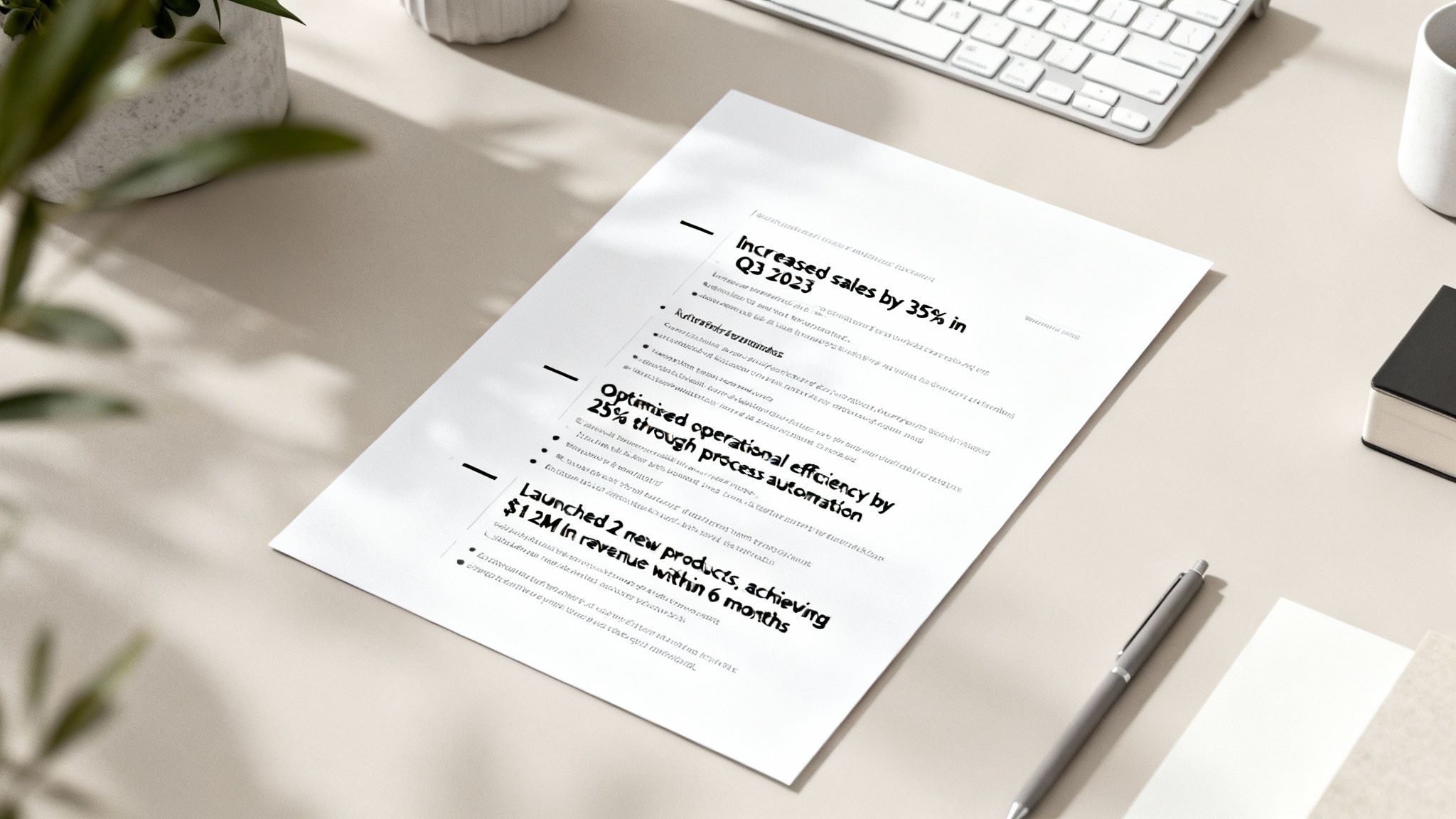
Crafting achievement statements with strong action verbs and clear metrics makes your resume more applicant tracking system resume tips–friendly and instantly quantifiable to hiring managers. By leading each bullet point with a dynamic verb and embedding specific numbers, percentages, or timeframes, you help ATS engines flag your achievements as high-impact contributions.
How It Works
ATS platforms scan for verbs and numerals to categorize accomplishments under “Impact” or “Results.” When your bullet points follow a “Verb + Metric + Context” formula, the parser accurately indexes each entry as an achievement, boosting your resume’s relevance score.
Real-World Examples
- STRONG: “Increased sales by 35% in Q3 2023 through improved customer retention strategy”
WEAK: “Responsible for sales and customer relations” - STRONG: “Reduced project timeline by 2 weeks and saved $50K via process optimization”
WEAK: “Managed projects and worked to improve efficiency” - STRONG: “Trained and mentored 12 junior team members, resulting in 90% internal promotion rate”
WEAK: “Provided training and mentoring to team members”
Actionable Tips
- Start with a powerful action verb like “Spearheaded,” “Accelerated,” or “Optimized”
- Include at least one quantifiable metric per major achievement
- Use actual numbers rather than vague descriptors (“increased” vs “grew by 18%”)
- Add business context: revenue impact, cost savings, headcount managed
- Vary verbs to avoid repetition and keep ATS parsing fresh
- Specify timeframes: “within 6 months” rather than “quickly”
When and Why to Use
Implement this structure for every role on your resume to highlight your direct impact. Recruiters and ATS alike favor resumes that clearly present measurable results, helping you stand out in high-volume applicant pools.
7. Include a Professional Summary or Headline with Keywords
A well-optimized professional summary or headline positioned at the very top of your resume is one of the first sections ATS systems parse. By weaving in relevant keywords from your target position and spotlighting your most valuable qualifications you significantly boost your chances of passing the initial ATS screening. Think of this section as your elevator pitch for both algorithms and recruiters.
How It Works
Applicant tracking systems typically scan the opening 50–100 words for role titles and high-value terms. A clear headline or summary packed with relevant keywords signals a strong match to the ATS ranking algorithm. This targeted approach ensures your core competencies are indexed before experience and education details are evaluated.
Real-World Examples
- HEADLINE: Senior Marketing Manager | Digital Marketing | SEO/SEM Specialist | Team Leadership
- SUMMARY: Results-driven Project Manager with 8+ years leading enterprise software implementations. Expertise in Agile methodology stakeholder management and cross-functional team coordination. Proven track record delivering projects 15% under budget.
- HEADLINE: Full Stack Developer | Python | JavaScript | Cloud Architecture
- SUMMARY: Data Analyst with 5 years experience in SQL Tableau and Power BI. Specialized in ETL processes and business intelligence. Led 12 analytics implementations generating $2M+ in cost savings.
Actionable Tips
- Start with your target job title or key role as the first element
- List 3–5 most important keywords drawn directly from the job posting
- Include years of experience if substantial (5+ years enhances credibility)
- Customize your summary or headline for each application to mirror exact phrasing
- Use industry-specific terminology and avoid generic buzzwords
- Keep it concise: 2–3 lines maximum for ATS compatibility
- Focus on your unique value proposition, not a laundry list of skills
- Avoid pronouns like I or me to maintain an objective tone
- Test your summary with ATS simulators such as Jobscan to see what gets parsed
Learn more about Include a Professional Summary or Headline with Keywords
When and Why to Use
Implement this technique on every resume submission, especially for competitive roles or high-volume applicant pools. A succinct, keyword-rich summary immediately boosts your ATS score and gives hiring managers a clear snapshot of your fit. Tailoring this section for each role dramatically improves your pass rate among applicant tracking system resume tips.
7-Point ATS Resume Tips Comparison
| Recommendation | Implementation Complexity (🔄) | Resource Requirements (⚡) | Expected Outcomes / Impact (📊) | Effectiveness / Quality (⭐) | Ideal Use Cases & Tips (💡) |
|---|---|---|---|---|---|
| Use Standard Formatting and Simple Layout | Low — straightforward formatting changes | Minimal — basic word processor/time to reformat | High parsing accuracy; fewer ATS errors | High ⭐⭐⭐ | All ATS submissions; tip: single-column, standard fonts, avoid graphics |
| Incorporate Relevant Keywords from Job Description | Moderate — requires per-application customization | Moderate — time to analyze postings, tools like Jobscan | Increased ATS ranking and visibility | High ⭐⭐⭐ | Use for targeted applications; tip: mirror exact phrasing, avoid stuffing |
| Optimize the Skills Section with ATS-Compatible Formatting | Low–Moderate — organize and label skills clearly | Low — maintainable list, optional spreadsheet | Better skill indexing; faster recruiter scan | High ⭐⭐⭐ | Best for skill-heavy roles; tip: group categories, list 15–25 aligned skills |
| Use Reverse Chronological Order for Work History | Low — apply standard ordering and consistent dates | Minimal — consistent date formatting and editing | Standard parsing; highlights recent/relevant experience | High ⭐⭐⭐ | Default for most applicants; tip: use MM/YYYY, avoid for major career changers |
| Save Resume in ATS-Compatible File Formats | Low — choose correct export format | Minimal — conversion/testing; check application requirements | Improved parsing when format matches ATS; varies by vendor | High when correct ⭐⭐⭐ | Default to .DOCX; use .PDF only if requested; tip: name file descriptively |
| Structure Bullet Points with Action Verbs and Metrics | Moderate — requires quantifying achievements | Moderate — time to gather metrics and reword bullets | Stronger recruiter impact; improved achievement detection | Very high ⭐⭐⭐ | Use for measurable roles; tip: Action Verb + Result + Metric, vary verbs |
| Include a Professional Summary or Headline with Keywords | Moderate — concise, targeted writing per role | Low — brief tailoring each application | Better early-stage matching; sets resume context | High ⭐⭐⭐ | Place at top of resume; tip: 2–3 lines, include 3–5 top keywords |
Take Charge of Your Job Search with ATS-Optimized Resumes
You’ve explored seven actionable applicant tracking system resume tips that turn your document into a targeted, ATS-friendly asset. From standard formatting to strategic keyword placement, each tip is designed to help you stand out in a crowded digital queue. Apply these insights to secure more interview invitations and move your career forward.
Key Takeaways
-
Use Standard Formatting and Simple Layout
Stick to common fonts and clear headings so ATS software parses your sections reliably. Example: Use “Experience” instead of a custom title like “My Career Journey.” -
Incorporate Relevant Keywords from Job Description
Mirror exact phrasing—such as “project management” or “data analysis”—to boost your match score. Example: Swap general terms like “leadership” for “team leadership” when that phrase appears repeatedly. -
Optimize the Skills Section with ATS-Compatible Formatting
List each skill on its own line or in a comma-separated list without graphics. Example: “JavaScript, Python, SQL” tells ATS you possess all three. -
Use Reverse Chronological Order for Work History
Place your most recent role at the top with clear dates in YYYY-MM format. Example: “2021–2023” improves date parsing over ambiguous “Spring 2021.” -
Save Resume in ATS-Compatible File Formats
Choose DOCX or PDF (text-based) to preserve keywords and layout. Example: Convert older DOC files into DOCX to prevent misreads. -
Structure Bullet Points with Action Verbs and Metrics
Begin each line with dynamic verbs like “spearheaded” and include quantifiable results. Example: “Spearheaded a 20% cost reduction initiative across 3 departments.” -
Include a Professional Summary or Headline with Keywords
Craft a 2-line summary that leads with your top credential and role target. Example: “Certified Digital Marketer with 5+ years driving 30% YoY campaign growth.”
Actionable Next Steps
- Review one resume section per day using a job description as your guide.
- Run your draft through an ATS simulator or keyword checker.
- Update formatting errors in a DOCX template to ensure compatibility.
- Refine bullet points weekly by adding new metrics and verbs.
Why These Tips Matter
Implementing these applicant tracking system resume tips translates directly into higher ATS match rates and faster recruiter outreach.
“Align your content with what ATS wants, and your resume becomes a recruiter magnet.”
Boost Your Confidence
Each small improvement builds momentum and keeps you proactive in your job search. Tracking your resume scores gives you tangible progress and motivates you to refine further.
Feel empowered to apply these strategies today and watch your application responses grow.
Ready for a smarter way to handle ATS compliance? Try Eztrackr to automate keyword matching, formatting checks, and real-time tracking. Sign up now at Eztrackr and transform your resume into an ATS-ready powerhouse.