How to Create a Resume: Quick Guide to Impress Employers
Building a resume that gets you hired isn't about following some old, dusty formula. The real secret? You need to do three things exceptionally well: get the format right, prove your value with numbers, and customize every single application for the job you want.
Nail these, and you'll create a document that not only flies past the automated gatekeepers but also grabs a real human's attention in seconds.
Why Your Resume Needs a Modern Game Plan

Welcome to the new world of job hunting. Learning how to create a resume today is less about listing your old job duties and more about playing a strategic game. You have to be smart enough to beat the recruiting software and compelling enough to make a recruiter stop scrolling.
The competition out there is no joke. The average small-to-medium business in the U.S. gets a staggering 180 applicants for every single hire. Let that sink in.
With that kind of volume, only about 5% of people who apply ever make it to the interview stage. It's a brutal reality that shows just how easily a mediocre resume can get you knocked out of the running. For a deeper dive, check out some of the latest resume statistics to see what you're up against.
Beating the Two Gatekeepers
Before your resume can land you a job, it has to get past two major hurdles.
First up is the digital bouncer: the Applicant Tracking System (ATS). This is the software that scans your resume for keywords, skills, and the right formatting. If your resume isn't built to be read by a machine, a human will probably never even lay eyes on it.
Once you’re past the ATS, you face the second gatekeeper—the recruiter. And they are busy. You get what’s known as the "seven-second scan," which is the average time a recruiter spends deciding if you’re worth a closer look. Your resume has to be clean, powerful, and instantly show why you’re the right person for the job.
A modern resume isn’t a historical document of your career; it’s a targeted marketing tool designed to solve a specific company's problem with your unique skills and accomplishments.
To win this game, you need a strategy built on three core pillars.
The Three Pillars of a Modern Resume
Here’s a quick look at the essential components of a successful modern resume that this guide will explore in detail.
| Pillar | Why It Matters | Quick Tip |
|---|---|---|
| Flawless ATS Compatibility | If the software can't read it, you're invisible. | Use standard fonts (like Calibri or Arial) and simple section titles ("Work Experience," not "My Professional Journey"). |
| Powerful, Quantifiable Achievements | Numbers prove your impact and make your value undeniable. | Instead of "Managed social media," try "Grew social media engagement by 45% in six months." |
| Sharp, Targeted Customization | A generic resume gets a generic "no." | Mirror the keywords and skills from the job description to show you're a perfect match. |
Getting a handle on this landscape is the first, most critical step. From here, we'll break down exactly how to build a resume that consistently beats both the bots and the hiring managers.
Choosing Your Resume Format and Structure
Before you even think about writing a single bullet point, you need to decide on your resume's format. This isn't just about aesthetics; it’s a strategic decision that frames your entire professional story for both the recruiting software (ATS) and the actual human on the other side.
Picking the right structure makes sure your best qualifications are impossible to miss. The goal is to choose a layout that tells your career story in the most compelling way for the specific job you’re after. For almost everyone, this boils down to three common formats.
The Reverse-Chronological Format: Your Steadiest Bet
This is the gold standard for a reason. It’s exactly what it sounds like: your work history listed from your most recent job backward. It’s clean, recruiters can scan it in seconds, and every ATS on the planet understands it.
If you've got a fairly consistent work history and you're aiming for a job in your current field, this is the format for you. It shows a clear, logical progression, which is why it's the go-to for over 80% of job seekers and hiring managers. No surprises, just a clear picture of your career path.
Functional and Combination Formats: For Career Changers
But what if your career path looks more like a winding road than a straight line? That’s where the other formats can be a lifesaver.
- Functional Format: This one is all about your skills, not your timeline. It pushes your work history to the background and puts a spotlight on what you can do. It's a smart move if you have significant employment gaps, are a recent grad with limited "official" experience, or are making a big career pivot.
- Combination Format: This is the hybrid model. It usually kicks off with a powerful skills summary, followed by a more condensed version of your work history. It gives you the best of both worlds—you get to show off those transferable skills right away while still giving recruiters the timeline they expect to see.
Think of your resume format as the director of a movie. It controls what the audience sees first and what message gets top billing. Pick a format that puts your best performance in the spotlight.
Creating an ATS-Friendly Design
No matter which format you land on, your resume absolutely must be readable by machines. An ATS doesn’t care about your cool graphics or unique layout. In fact, that stuff often causes parsing errors, which means your resume gets tossed before a human ever lays eyes on it.
If you’re looking for a solid starting point, a pre-vetted professional resume template can save you a lot of guesswork.
But whether you use a template or start from scratch, these are the non-negotiable rules for an ATS-friendly design:
- Stick to Standard Fonts: Use something clean and easy to read like Calibri, Arial, Helvetica, or Georgia. Keep the font size between 10 and 12 points.
- Avoid Columns and Tables: Many ATS programs read left-to-right, top-to-bottom. Columns can turn your carefully crafted sentences into a jumbled mess.
- Use Standard Section Headings: Don't get cute. Stick with universally understood titles like "Work Experience," "Education," and "Skills."
- Skip the Graphics: Logos, photos, icons, and fancy borders will just confuse the software. Keep it clean and text-based.
This intense focus on format is a direct response to how competitive the job market has become. The resume builder market has exploded to a value of $8.29 billion and is expected to hit $11.95 billion soon, all driven by the sheer volume of applications. With some jobs getting an average of 48.7 applications, you can't afford to get filtered out by a technicality.
Tools like Eztrackr's resume builder are designed to handle this for you, with templates built from the ground up to be ATS-compliant. This lets you focus on the important part: writing great content that proves you're the right person for the job. For a deeper dive, check out our complete guide on essential resume formatting guidelines.
Writing a Powerful Professional Summary
Think of your professional summary as the trailer for your career. It’s that quick, punchy preview—just three or four lines at the top of your resume—that has one critical job: to hook the recruiter and make them want to see the full movie.
Recruiters spend just seconds on that initial scan. This little paragraph is your best shot to grab their attention and convince them you’re worth a closer look.
This isn't the place for an old-school objective statement. Those focus on what you want ("Seeking a challenging role…"). A modern professional summary flips the script. It immediately tells the employer what you bring to them. It frames you as a problem-solver from the very first word.
Objective Statement vs. Professional Summary
Let's break down exactly why the professional summary has completely replaced the objective statement. The difference is in the focus—one is about your needs, while the other is about the employer's needs.
| Element | Objective Statement (Outdated) | Professional Summary (Effective) |
|---|---|---|
| Focus | On your personal goals and what you want from a job. | On the value and skills you bring to the employer. |
| Tone | Often passive and entry-level. | Confident, professional, and results-oriented. |
| Impact | Low. Doesn't differentiate you from other candidates. | High. Immediately showcases your key qualifications and achievements. |
| Example | “Recent graduate seeking an entry-level marketing position to utilize my skills and grow with a company.” | *“Proactive Digital Marketing Specialist with 3+ years of experience managing social media campaigns that increased engagement by 40%.”* |
As you can see, the summary is a powerful, evidence-based pitch. The objective is just a wish list.
The Winning Formula for Your Summary
Crafting a summary that gets results isn't about buzzwords; it's about structure. The best ones quickly answer three questions running through a recruiter’s mind.
- Who are you? Kick things off with your professional title and years of experience. Something like, "Results-driven Digital Marketing Manager with 8+ years of experience…" sets the stage instantly.
- What’s your special sauce? What problems do you solve? Mention your core areas of expertise. For instance, "…specializing in SEO, content strategy, and data-driven campaign optimization."
- Where’s the proof? This is the knockout punch. Hit them with a quantifiable achievement that proves you can deliver. A great example: *"…proven ability to increase organic traffic by 150% and boost conversion rates by 35%."*
When you weave these three elements together, you get a pitch that’s impossible to ignore.
From Generic to Game-Changing
Let’s see this formula in action. It’s the difference between being memorable and being immediately forgotten.
Before (Vague and Forgettable):
“Experienced project manager skilled in overseeing projects from start to finish. A good communicator who works well with team members to achieve goals. Looking for a new opportunity to apply my skills.”
This tells the reader almost nothing. It’s full of clichés and lacks any real substance. Now, let’s rebuild it with specifics and hard numbers.
After (Specific and Impactful):
“PMP-certified Senior Project Manager with over a decade of experience leading cross-functional teams in the SaaS industry. Expert in Agile methodologies and risk management, consistently delivering complex projects on time and 15% under budget. Spearheaded the launch of a flagship software product that acquired 50,000 users in its first six months.”
Now that gets a recruiter’s attention. It’s loaded with ATS-friendly keywords like "PMP-certified," "SaaS," and "Agile." But the real power comes from the metrics: 15% under budget and 50,000 users. That’s undeniable proof of value. When putting together your own summary, it helps to understand the core principles of how to write a summary that is both concise and powerful.
A great professional summary doesn’t just state your skills; it proves your impact with hard numbers. It shifts the narrative from "Here's what I did" to "Here's the value I created."
For a deeper dive into crafting the perfect opening, check out our guide on what to include in a resume summary.
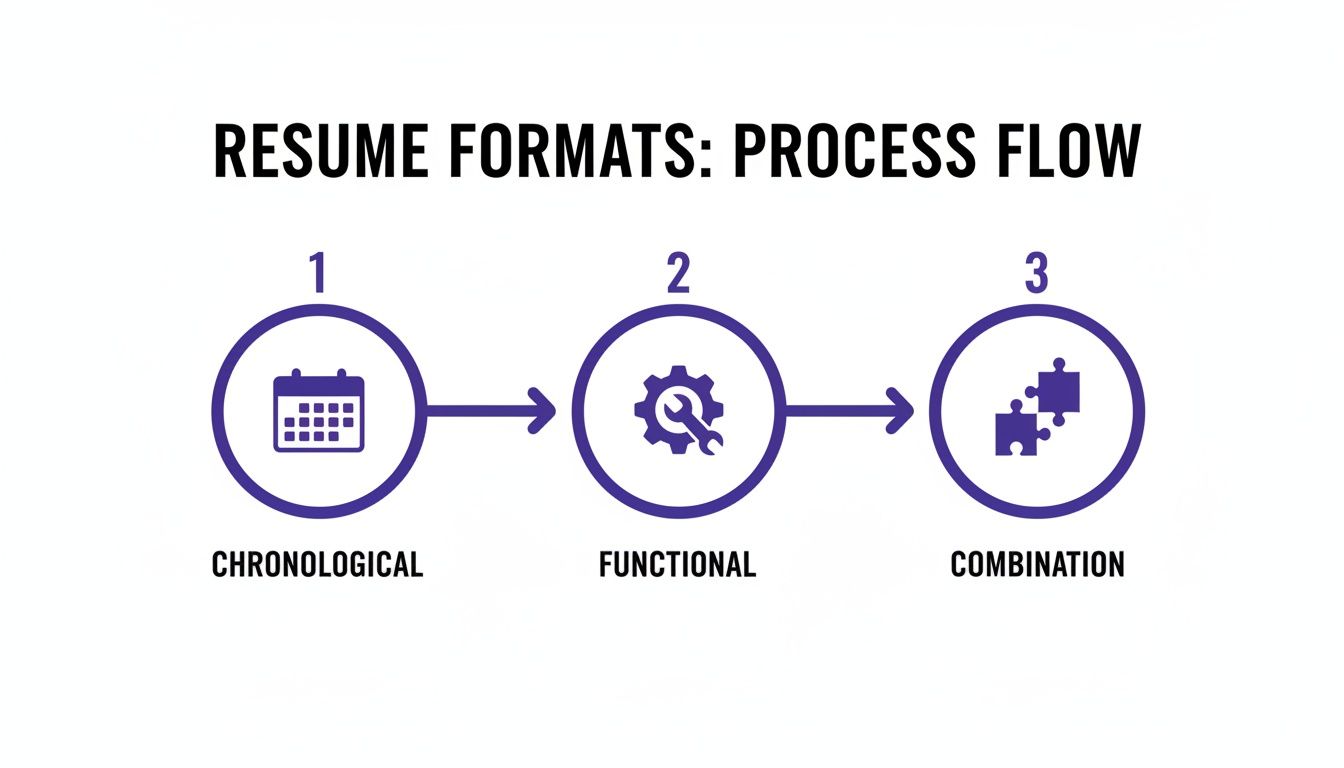
No matter which resume format you choose—chronological, functional, or a combination—that powerful professional summary is the critical first step that sets the tone for everything that follows.
This is the heart and soul of your resume. It's where you stop telling a recruiter what you did and start showing them what you're capable of.
So many job seekers get this part wrong. They fill their experience section with a laundry list of duties like "managed social media" or "responsible for customer service." A recruiter already knows what a project manager is supposed to do—what they don't know is how you did it better than anyone else.
Your resume needs to be a highlight reel of your career wins, not a passive job description.

The Magic of Quantifiable Results
Let's be honest: numbers cut through the noise. Every bullet point should tell a quick story of success, and the best stories are backed by hard data. It’s the single most effective way to prove your value.
Quantifying your achievements shifts the entire conversation from "I did this" to "I created this result." And trust me, even if you’re not in sales, you can find metrics everywhere. You just have to know where to look.
Think about these areas:
- Efficiency: Did you make something faster? Maybe you reduced project delivery times or streamlined a clunky workflow. By how much?
- Scale: How many people were on your team? How many customers did you help each day? What was the size of the budget you handled?
- Growth: Did you increase website traffic, social media followers, or customer satisfaction scores? Give the percentage.
- Cost Savings: Did you find a way to cut expenses? How much money did you save the company?
A Simple Framework: The CAR Method
A powerful little trick for framing these accomplishments is the CAR method: Challenge, Action, Result. You don't write this out literally, but it’s a great mental model to build your bullet points.
- Challenge: What was the problem or situation?
- Action: What specific thing did you do about it?
- Result: What was the measurable outcome?
Let's see it in action. A generic bullet point might say: "Wrote blog posts for the company website."
Okay, but… so what? Using CAR, you can reframe it. The challenge was low website traffic. The action was creating SEO-optimized content. The result? A big jump in visitors.
The New Bullet Point: "Authored and published 20+ SEO-focused articles on industry trends, resulting in a 45% increase in organic search traffic within six months."
See the difference? It’s specific, kicks off with a strong verb ("Authored"), and finishes with a metric that makes a recruiter lean in. If you want more inspiration, check out our guide on how to showcase resume accomplishments.
A great resume doesn't just list tasks; it proves your value. The formula is simple: start with a strong action verb, describe what you did, and end with the impressive, measurable result you achieved.
Tailor Every Bullet Point for Every Job
Your master resume might have tons of amazing achievements, but they won't all matter for every role. This is the final, most crucial step: customize your experience section for each application.
Comb through the job description and pull out the keywords and key requirements. What problem are they trying to solve with this hire? Now, reorder and rewrite your bullet points to speak directly to that need. If the ad is all about "lead generation," your bullet points about increasing sales leads better be right at the top.
This isn't just good advice—it's essential for getting past the Applicant Tracking Systems (ATS). In a market where a single corporate job posting attracts over 250 resumes, you have to play the game.
The need to beat these systems is why AI-powered resume builders have become so popular. It’s a market now valued at $400 million and expected to grow at a 20% clip through 2030. Tools like these help you match your skills to the job description, which can dramatically boost your chances of getting seen by a human. We're talking about improving ATS pass rates from under 25% to over 80%. Using a tool like Eztrackr’s AI resume builder automates a lot of this tailoring, making sure your most relevant wins are always front and center.
Getting Your Resume Past the Robots (ATS)
You’ve spent hours making your resume perfect, highlighting every achievement and skill. But there’s one last hurdle, and it’s a big one: the digital gatekeeper known as the Applicant Tracking System (ATS).
Most companies use an ATS to scan and rank resumes before a human ever sees them. If the software can't read your resume properly, it gets tossed into a digital black hole. It doesn’t matter how qualified you are.
This isn’t about cheating the system. It’s about understanding how it works so your expertise can actually be seen. Think of it as a final technical check-up to make sure your resume can do its job.
Choosing the Right File Format
This is the easiest mistake to avoid. While you might occasionally see a request for a .docx file, your best bet is almost always a PDF.
A PDF locks in your formatting, ensuring what you see on your screen is exactly what the hiring manager sees on theirs. No weird line breaks or font issues. More importantly, modern ATS software has zero trouble reading text from a well-made PDF.
On the other hand, these formats are almost guaranteed to get your application rejected by the system:
- .jpg or .png: These are images. The ATS can’t read text from a picture.
- .pages: This is an Apple-specific format that most corporate hiring software can't open.
- Google Docs links: Unless you're explicitly asked to share a link, always attach a dedicated file.
Submitting the wrong file type is like getting the interview address wrong. You won’t even get in the door.
Formatting That Passes the Test
Beyond the file itself, the way you structure your document matters—a lot. An ATS reads a resume like a simple text document: top to bottom, left to right. Anything too fancy can confuse it and garble your information.
Keep it clean and simple for both the robot and the human reader.
Use Standard Headings: Don't get clever. Stick with titles the software will recognize, like "Work Experience," "Education," and "Skills." A creative heading like "Where I've Made an Impact" might sound great, but the ATS won't know what to do with it.
Ditch Columns and Tables: This is a big one. Many ATS parsers read across the page, mashing text from two columns together into an unreadable mess. A single-column layout is always the safest path.
Keep Info Out of the Header & Footer: Crucial details like your name and contact information can be completely missed by the ATS if they're tucked away in the header or footer. Put everything in the main body of the document.
Use Simple Bullets: Stick to the basics—classic round or square bullet points. Fancy symbols or custom icons can turn into gibberish when the ATS tries to parse them.
If you want to dive deeper, our guide on ATS resume tips breaks down even more strategies.
Your resume has two audiences: a machine and a person. You have to satisfy the machine's need for simple, readable data before you can impress the person with your killer accomplishments.
How to Weave in Keywords Without Sounding Robotic
Keywords are the language of the ATS. The software scans your resume for specific words and phrases pulled directly from the job description to score your relevance. Your job is to sprinkle these keywords naturally throughout your achievements.
Start by dissecting the job posting. What skills, tools, and responsibilities do they mention over and over again?
Let's say you're applying for a social media manager role, and the description hammers on "content calendar," "audience engagement," and "analytics reporting."
A generic bullet point might look like this:
- Planned and posted content for social media accounts.
Here's the keyword-optimized version:
- Developed and managed a detailed content calendar to drive audience engagement, using analytics reporting to refine strategy and achieve a 25% growth in followers.
See the difference? The second version not only hits all the keywords but also frames them within a powerful, metric-driven accomplishment. You're speaking the company's language and showing them you have exactly what they're looking for.
This is where a tool like Eztrackr’s ATS-score feature becomes incredibly helpful. It can scan your resume against the job description and show you exactly which keywords you’re missing, letting you fine-tune your resume for a top score before you ever click "apply."
Burning Questions About Building Your Resume
Even when you think you have it all figured out, a few nagging questions always seem to pop up right when you're in the thick of writing your resume. Let's tackle some of the most common ones I hear from job seekers. Getting these details right really can be the difference-maker.
How Long Should My Resume Be?
The classic rule of thumb is one page for every 10 years of experience, and it holds up. If you're a recent grad or have less than a decade in your field, stick to one page. No exceptions. Recruiters are swamped, and they love a resume that gets straight to the point.
Thinking about a two-page resume? Only do it if you have a long, highly relevant career packed with major achievements that just won't fit on one page. Never, ever go to three. The real test is value—every single line has to earn its spot and prove you’re the right person for this specific job.
Should I Put a Photo on My Resume?
In the U.S., Canada, and the UK, the answer is a hard no. Don't do it. Anti-discrimination laws make photos a tricky subject for employers, but the bigger issue is the technology. Most Applicant Tracking Systems can't process images and will likely glitch, getting your resume tossed out before a human ever sees it.
A photo also invites unconscious bias, and you want to be judged on your skills and experience, period. The only time this rule bends is for certain creative roles (like acting) or in countries where it’s a cultural norm. For almost everyone else, a photo is a critical error.
Think of your resume as a professional marketing tool, not a social media profile. The goal is to present your qualifications cleanly and effectively, without any distractions or potential biases.
What’s the Best File Format for a Resume?
PDF. Always. Unless the application specifically demands a different format, send a PDF. There’s a simple reason why it’s the gold standard: it locks in your formatting. What you see is exactly what the hiring manager sees, no matter what computer or software they use.
Sometimes you'll be asked for an MS Word file (.docx), but be warned—it can look wonky on different computers. The good news is that modern ATS software handles text-based PDFs perfectly, making it the safest and most professional option by far. Stay away from image files like .jpg or proprietary formats like .pages, as they’re usually incompatible with hiring software.
How Often Should I Update My Resume?
You need to tweak your resume for every single job you apply for. This is non-negotiable. Customizing your resume to highlight the most relevant skills for that specific role is how you get noticed.
Beyond that, get into the habit of updating your "master" resume at least twice a year, even when you're happy at your job. It keeps your accomplishments fresh in your mind and makes you ready for any great opportunity that pops up unexpectedly. An up-to-date master document makes the tailoring process a whole lot faster.
Ready to stop guessing and start getting results? The Eztrackr AI resume builder and ATS-score tools take the guesswork out of creating a resume. Get instant feedback, optimize for any job description, and build a document designed to beat the bots and impress recruiters. Try Eztrackr today and see the difference for yourself.