Win Your Next Job with a Simple Resume Builder Free
A simple resume builder free of charge is hands-down the fastest way to get a professional, ATS-friendly resume into a recruiter's hands. These tools give you clean, proven templates and an easy-to-use interface, letting you build something polished in minutes, not hours.
Why a Simple Resume Builder Is Your Best Bet
In this job market, your resume is everything. It's your first handshake, your 30-second pitch, and your ticket to an interview, all rolled into one. But so many job seekers get bogged down fighting with complicated software or just staring at a blank page, not knowing where to start.
This is exactly where a simple, free resume builder changes the game.

Forget wrestling with formatting in Word or paying for a bunch of features you don't even need. A dedicated builder is designed to do one thing and do it well: help you show off your skills and experience as clearly as possible.
The Power of Simplicity and Speed
The biggest win here is focus. Instead of drowning you in a sea of design options that an automated system might just reject anyway, these builders give you professional templates that are proven to work.
This stripped-down approach lets you concentrate on what really matters—the words on the page. You can plug in your work history, skills, and accomplishments without a single thought about margins, fonts, or spacing. The builder handles all the design work, guaranteeing a clean, readable, and professional resume every time. A simple resume builder is an essential first step when learning how to build a smart resume strategy for competitive fields.
The real magic of a simple resume builder is that it removes friction. It transforms a stressful, time-consuming task into a straightforward process, giving you more time to focus on networking and interview prep.
And people are catching on. The global resume builder market is growing fast, valued at around $8.29 billion in 2024 and expected to hit $8.93 billion in 2025. That’s a whole lot of job seekers who rely on these platforms to get ahead.
Designed for Modern Hiring Practices
Let's be real—most resumes today are first read by an Applicant Tracking System (ATS), not a human. These bots scan for keywords and get tripped up by fancy formatting, weird fonts, or images. Using a free, simple resume builder immediately gives you an advantage because their templates are built specifically to be ATS-friendly.
Before we dive deeper, let's look at the key benefits in a nutshell.
Key Benefits of Using a Free Simple Resume Builder
A summary of the primary advantages that free resume builders offer to job seekers.
| Benefit | How It Helps You | Real-World Impact |
|---|---|---|
| ATS Optimization | Uses clean, single-column layouts and standard fonts. | Your resume gets past the initial bot screening and into a recruiter's hands more often. |
| Speed and Efficiency | Eliminates the need to fuss with formatting and design. | You can create and tailor multiple resumes for different jobs in a fraction of the time. |
| Professional Design | Provides templates created by hiring experts. | You look polished and professional, making a great first impression without any design skill. |
| Cost-Effective | It's completely free, with no hidden subscriptions. | You save money that can be better spent on other parts of your job search, like professional development. |
Essentially, a good builder takes the guesswork out of the technical side of resume writing, letting you focus on selling yourself.
Here’s what you really gain:
- ATS-Friendly Formatting: Clean layouts mean hiring software can actually read and understand your qualifications.
- Professional Appearance: The templates look sharp and competent without distracting recruiters with over-the-top designs.
- Increased Confidence: You can hit "send" knowing your resume is polished, error-free, and optimized for how companies hire today.
By choosing the right tool, you’re not just making a document; you're crafting the key that could unlock your next big opportunity. You can see what we mean by checking out the features of a powerful and intuitive resume builder to get started.
Picking a Template That Actually Fits Your Field
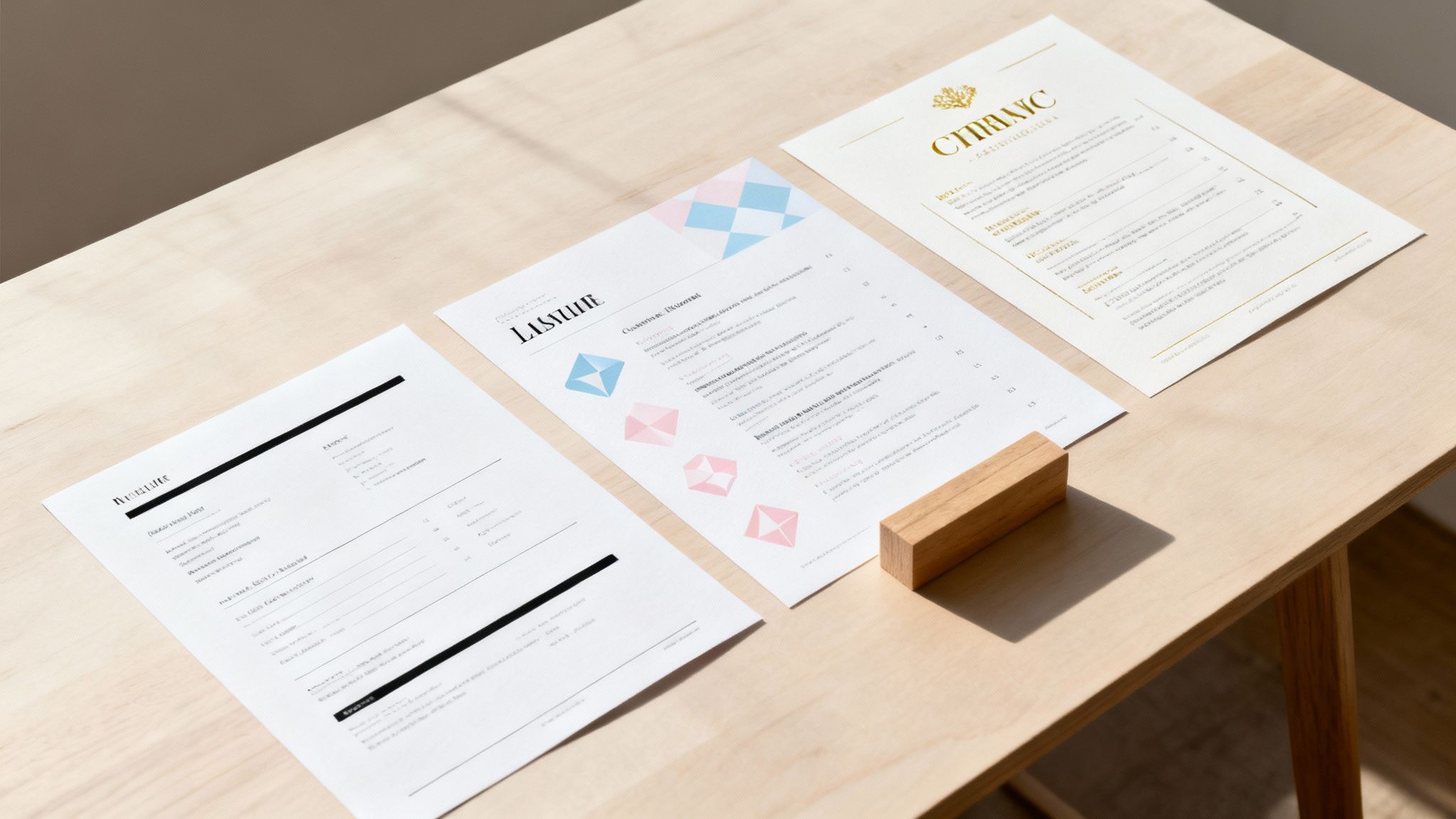
Before a recruiter even reads a single word, the look and feel of your resume have already made an impression. It’s your first handshake. A simple resume builder free of charge gives you a ton of options, but picking one at random is a rookie mistake. The right template isn't just about looking good; it's a strategic frame that puts your best qualifications front and center.
For example, a software developer gunning for a role at a tech startup should go for a clean, modern, single-column layout. It’s scannable, plays nice with automated screeners (ATS), and keeps the focus on hard skills. But a graphic designer? They might pick a template with a subtle creative flair—maybe a custom monogram or a unique heading font—to telegraph their design chops without making the document a chaotic mess.
Think of it this way: your template is part of your professional brand. A bad choice can signal you’re out of touch with the norms of your industry.
Align Your Template with Industry Norms
Every field has its own visual language, its own unwritten rules. What screams "hire me" at a creative agency might get your resume tossed in a finance firm. Nailing this is half the battle.
Here’s a quick cheat sheet to get you started:
- Corporate & Tech (Finance, Engineering, IT): Clarity is king. Stick to traditional, minimalist templates with classic fonts like Arial or Helvetica. The entire focus should be on your data, your accomplishments, and your technical skills. No fluff.
- Creative Fields (Marketing, Design, Media): You have a bit more room to play. Templates with a splash of color, an interesting layout, or even custom icons can work wonders. Just make sure the design helps your content shine, not overshadow it.
- Academic & Scientific Roles: These fields often have rigid formatting expectations. A simple, text-heavy template is your best bet, with plenty of clean space for publications, research details, and project breakdowns.
Your goal is to choose a template that looks professional to the person who is hiring you. When in doubt, you can almost never go wrong with a clean, modern, and simple design. It's a safe and effective choice every time.
Choose the Right Resume Format
Beyond the visuals, the actual structure of the template—your resume format—is what tells your career story. Any decent simple resume builder free to use will let you pick from the three industry standards.
- Reverse-Chronological: This is the one most recruiters know and love. You list your work experience from the newest job to the oldest. It's perfect if you have a solid, steady career progression without major gaps.
- Functional: This format flips the script, focusing on your skills instead of a timeline. It’s a good option for people changing careers, new grads with not a lot of work history, or anyone with significant gaps in their employment. A word of caution: some recruiters are wary of this format, so use it strategically.
- Hybrid (or Combination): This is the best of both worlds. It usually kicks off with a strong skills summary section, followed by your work history in chronological order. It’s a fantastic choice for seasoned pros who want to spotlight key technical skills while still showing a clear career path.
While a killer resume is a must, some jobs really benefit from a more visual showcase of your work. If that's you, you might want to explore the best website builders for a resume portfolio to really bring your projects to life.
Writing a Resume That Recruiters Actually Read
A sharp-looking template from a simple resume builder free of charge is a great first step, but it’s the words you fill it with that actually land you the interview. Your real goal is to go way beyond just listing job duties. You need to craft a compelling story about your achievements.
This is your moment to grab a recruiter’s attention and show them you’re the solution they’ve been looking for.

It all starts at the very top with your professional summary. Think of this as your 30-second elevator pitch—a short, punchy paragraph telling a hiring manager exactly who you are, what you excel at, and what you’ve already accomplished.
Forget those generic objectives. Your summary needs to be a highlight reel. For example, a technical content writer could say: “Technical Content Writer with five years of experience specializing in content development, brand messaging, and product marketing. Proven track record of delivering high-impact content that enhances web traffic and drives customer acquisitions.” Right away, the reader knows your specialty and your impact.
From Bland Duties to High-Impact Accomplishments
The single biggest mistake I see job seekers make is listing responsibilities instead of achievements. A recruiter already knows what a "Project Manager" does; what they want to know is what you did in that role. It’s all about shifting your experience from passive to active.
The secret? Quantify your impact whenever you can. Numbers cut through the noise and give concrete proof of the value you bring.
- Weak: "Managed social media accounts."
- Strong: "Grew organic social media engagement by 45% in six months by implementing a new content strategy across three platforms."
See the difference? One is a task. The other is a result. Every single bullet point on your resume should aim to be a result-driven statement that shows off a tangible contribution.
A great way to get in this mindset is to use the STAR method (Situation, Task, Action, Result). You don't need to write out the full story for each bullet, but thinking this way forces you to focus on the outcomes of your work.
Crafting Bullet Points That Shine
Let's put this into practice. Think about your last role and brainstorm your key contributions. Then, work on rephrasing them to put the result front and center.
Here’s a real-world example for a content writer:
- Before: "Wrote blog posts and web copy for a nonprofit."
- After: "Developed compelling content, including blog posts and web copy, that resulted in a 300% increase in web traffic and a 250% increase in newsletter subscribers."
This new version uses a powerful action verb ("Developed") and backs it up with hard numbers that are impossible to ignore. To get this right, it's a huge help to know the right resume keywords to use, which will align your accomplishments with what recruiters and their software are scanning for.
Remember, a simple resume builder provides the frame, but the words you choose are what will make a hiring manager pick up the phone. Your job is to turn every line into its own miniature success story.
Here’s a little secret most people don’t know: a robot is probably the first one to read your resume.
Welcome to the world of Applicant Tracking Systems, better known as ATS. These are the digital gatekeepers of the modern job market, sifting through mountains of resumes to find the best candidates for a role.
Your first challenge isn't impressing a human—it's getting past the bot. This sounds a bit dystopian, I know, but it’s actually pretty straightforward once you learn the rules of the game. The trick is to think like the machine you’re trying to beat. And that starts with keeping it simple.

This is exactly where a simple resume builder free of charge can be your secret weapon. These tools are built from the ground up with clean, ATS-friendly templates that the robots can easily parse and understand.
Keep Your Formatting Simple and Standard
The biggest mistake I see job seekers make is getting too fancy with their resume design. An ATS chokes on funky fonts, complicated multi-column layouts, and embedded graphics. To the software, it's just a jumbled mess, which often leads to your resume getting tossed into the virtual trash can before a person ever lays eyes on it.
To give your resume a fighting chance, stick to the basics:
- Use Standard Fonts: Stick with the classics like Arial, Calibri, or Times New Roman. No exceptions.
- Avoid Tables and Columns: A straightforward, single-column layout is always the safest route.
- No Images or Graphics: Your headshot, skill-level charts, or custom icons will either be ignored or cause a parsing error.
A resume that looks clean and maybe even a little "boring" to your eye is often perfect for an ATS. The system isn't looking for a design masterpiece; it's hunting for clear, organized information.
Master the Art of Keyword Matching
At its core, an ATS is a matching game. It scans your resume and compares it to the job description, looking for specific keywords and phrases. The higher your match score, the better your odds of making it to the next stage.
This means you need to get strategic. Comb through the job description for the role you’re targeting and pull out the most important skills, qualifications, and responsibilities.
For instance, if the job description mentions things like:
- "Experience with project management software like Asana"
- "Proven ability in SEO and content strategy"
- "Strong data analysis skills"
You have to make sure those exact phrases show up in your resume, especially in your skills summary and work experience sections. Using an ATS scanner can give you a massive leg up here, showing you precisely which keywords you're missing. You can get the full rundown in our guide on how a resume ATS scanner works.
Let AI Give You an Edge
The job search game is changing fast, and AI is becoming a huge part of it. The market for AI-powered resume builders was already valued at around $400 million in 2024 and is expected to grow by about 20% each year through 2030. These tools are no gimmick; they offer real-time feedback and keyword suggestions to help you craft a much stronger, more targeted resume. If you're curious about these trends, you can discover more insights about the AI resume builder market on FutureDataStats.com.
Ultimately, beating the resume robots isn't about luck—it's about strategy. By using a simple, ATS-friendly format and carefully tailoring your resume with the right keywords, you give yourself the best possible shot at landing it on a recruiter's desk.
The Final Polish Before You Hit Send
Alright, your resume is written, tweaked, and almost ready for the big leagues. This final once-over is what really separates the pros from the amateurs. It’s your chance to catch those tiny, almost invisible mistakes that can get an otherwise solid resume tossed right into the "no" pile.
First things first: proofread like your career depends on it—because it kind of does. A simple typo or grammatical flub is an instant red flag for recruiters. It screams "lack of attention to detail," which is a quality nobody wants in a new hire.
I've found the best trick is to read your resume out loud, word for word. It feels a little silly, but it forces you to slow down and you'll immediately hear awkward phrasing or catch mistakes your eyes just skim over. Another old-school tip? Read it backward. Starting from the last word and moving to the first helps your brain focus only on spelling, not the meaning of the sentences.
Getting Your File Ready for Submission
Once you're 100% sure it's error-free, it’s time to package it up for delivery. How you save and name the file matters more than you think. There are tons of free resume builders out there, so applicants have gotten used to a certain standard. Even when you're using a simple tool, these final steps are crucial. For a deeper dive into the market, you can learn more about the resume building tool market on CoherentMarketInsights.com.
Always, always, always save and send your resume as a PDF. It’s the universal standard for a reason. A PDF locks in all your beautiful formatting, so it looks exactly how you designed it, no matter if the recruiter opens it on a Mac, a PC, or their phone. Sending a Word doc is a gamble—if they don't have the same fonts or software version, it can turn into a jumbled mess.
Next up is the filename. This is a small detail that has a surprisingly big impact. A file named Resume.pdf is destined to get lost in a recruiter’s sea of downloads. Make their life easier with a clear, professional format.
- Good:
Jane-Doe-Resume.pdf - Even Better:
Jane-Doe-Marketing-Manager-Resume.pdf
It’s a simple habit that makes you look organized and considerate. That’s always a plus.
Before you finally hit that "apply" button, run one last diagnostic. For an extra layer of confidence, you can see how your resume stacks up against the bots. Running it through an online resume scorer gives you incredibly valuable feedback on its ATS-friendliness and keyword alignment. It’s the final gut check to ensure your resume is truly ready for both the robots and the humans on the other side.
Common Questions About Free Resume Builders
Let's be real, navigating the world of online tools can bring up some questions. When you’re using a simple resume builder free of charge, you want to know exactly what you’re getting into. So, let’s clear up some of the most common uncertainties so you can build your resume with total confidence.
One of the biggest hang-ups is whether "free" actually means free. We've all been there: you spend an hour crafting the perfect resume, pouring over every detail, only to get hit with a paywall right when you try to download it. It's frustrating.
A truly free resume builder should let you create, edit, and download your resume as a PDF without ever asking for a credit card. My advice? Before you invest any time, poke around and confirm you can actually download the final product. It'll save you a major headache later.
Are Simple Builders Good for ATS
Yes, and honestly, in many cases, they’re actually better. Applicant Tracking Systems (ATS) aren't impressed by fancy designs; they prefer clean, straightforward layouts that are easy for the software to read and parse. The best simple builders stick to professional, single-column templates because they're designed specifically for ATS compatibility.
The whole point is to get your information read correctly. To do that, you have to avoid any templates that rely on:
- Complex multi-column layouts that can scramble the scanning order.
- Embedded graphics or charts that the software simply can't read.
- Weird or script-like fonts that the system might not recognize.
By sticking to a simple, clean design, you’re making sure your skills and qualifications are what stand out—not some distracting formatting that could get your application tossed out by a robot before a human ever sees it.
What Is the Ideal Resume Length
The golden rule I always tell people is one page for every 10 years of relevant professional experience. If you're a recent grad or still early in your career, a single, powerful page is all you need. Think of it as a good thing—it forces you to be concise and focus only on your most impactful achievements.
For seasoned pros with a long and directly relevant work history, stretching to two pages is perfectly fine. A good simple resume builder free tool will help you organize your content efficiently to fit these guidelines, so you're not cramming text or leaving awkward white space. The goal is a polished, readable final document.
Ready to build a resume that gets noticed without the hidden fees? The Eztrackr AI Resume Builder helps you create a professional, ATS-friendly document in minutes. Start building your free resume now