A Guide to Naming a Resume for Recruiters and ATS
You’ve polished your resume, written a killer cover letter, and you're ready to hit "send." But wait—what’s the file actually named? If it's something like resume_final_v2.pdf, you're about to make a rookie mistake.
A small detail, sure, but it's the very first thing a recruiter or hiring manager sees. The professional standard is simple and effective: FirstName-LastName-JobTitle-Resume.pdf. This tiny bit of effort immediately signals you're organized and serious about the role.
Why Your Resume File Name Is Your First Impression

Before anyone even clicks to open your resume, they've already formed an impression based on the file name. A generic label like resume.pdf or document1.docx screams a lack of attention to detail. In a sea of applicants, that's an easy way to get overlooked.
Think about it from the recruiter's side. They're juggling hundreds of files. A clear, descriptive name like Jane-Smith-Marketing-Manager-Resume.pdf makes their job infinitely easier. They can find you, sort you, and remember you. It’s a simple act of professionalism that shows you’re considerate of their time.
Your resume's file name is the digital equivalent of a firm handshake. A sloppy, generic name is a weak grip—it doesn’t inspire confidence. A clear, professional name shows you mean business.
This isn’t just about looking good; it directly impacts your results. Tailoring your resume file name to match the job title you're applying for can boost your interview chances by an incredible 3.5×. Why? Because it immediately flags your application as relevant.
This principle of a strong first impression extends beyond just your resume file. A polished online presence is just as crucial. For example, your LinkedIn photo matters immensely, and there are great guides on creating a standout LinkedIn profile picture.
Your file name is the very first piece of communication in your application, so make it count. Pair it with a strong email or message by checking out our tips on https://www.eztrackr.app/blog/what-to-say-when-sending-a-resume to round out your professional approach.
How to Name Your Resume File So It Doesn't Get Lost
Ever wonder if the name you give your resume file actually matters? The short answer is yes—a lot more than you think.
Think about it from the recruiter's perspective. They're drowning in a sea of files. A generic name like Resume.pdf or UpdatedResume_2024.docx is an instant headache. It tells them nothing and can easily get lost in a folder full of identical names. Worse, it might even trip up an Applicant Tracking System (ATS), the software that often gets the first look at your application.
Your goal is simple: make your resume instantly identifiable to both a person and a machine. A clean, logical file name shows professionalism and makes the recruiter's job easier. That's always a good thing.
The Foolproof Naming Formula
The best way to name your resume is with a simple, consistent structure. I've seen this work time and time again. Use hyphens to separate the parts—never spaces, which can sometimes break when uploaded or sent as links.
Here are the three essential ingredients:
- Your Full Name: This is non-negotiable. Start with your first and last name so they immediately know who it belongs to. Example:
Jane-Doe - The Job Title: Add the specific role you're applying for. This shows you've tailored your application and helps recruiters who are hiring for multiple positions. Example:
Marketing-Manager - The Document Type: Finish with the word "Resume." It leaves no doubt about what the file is. Example:
Resume
Put it all together, and you get a clean, professional, and ATS-friendly file name:
Jane-Doe-Marketing-Manager-Resume.pdf
This format is a game-changer. For a deeper dive into making your entire document work with these systems, check out our guide with more applicant tracking system resume tips.
Should You Ever Add the Company Name?
Sometimes, adding a little extra detail can work in your favor. If you're emailing your resume directly to a hiring manager or a contact at the company, including their company name is a nice touch. It shows you went the extra mile.
It would look something like this: Jane-Doe-Resume-Acme-Corp.pdf.
However, if you're uploading your resume to a big, anonymous job portal, it's usually better to stick to the formula with the job title. The portal already knows which company you're applying to, so adding it to the file name is redundant.
A proper file name is more than just good housekeeping; it’s a crucial step in getting past the initial AI screening. By 2026, a staggering 83% of companies are expected to use AI to review resumes. These systems often index file names right along with the content, making a clear title a huge advantage. You can learn more about these current trends in resume statistics.
Practical Examples for Different Application Scenarios
Knowing the right formula for naming your resume is a great start, but the real trick is knowing how to adapt it on the fly. Where you’re sending your resume matters. A file sent through a huge online portal needs a different touch than one you’re emailing directly to a personal contact.
Tailoring your file name for the situation is a subtle but powerful way to show you’ve done your homework. Let's break down how this works in a few common scenarios.
For Online Job Portals
When you're up against hundreds—sometimes thousands—of other applicants on a big job board or a company's career page, clarity is king. The recruiter managing that portal is probably juggling dozens of open roles, so your resume needs to be instantly identifiable.
This is where including the exact job title becomes non-negotiable.
- Scenario: You’re applying for a Senior Accountant role at a big tech firm.
- Good:
Maria-Garcia-Senior-Accountant-Resume.pdf - Avoid:
Maria-G-Resume.pdforMyResume.pdf
A clear, descriptive file name like this helps both the recruiter and their Applicant Tracking System (ATS) file you correctly. It's a simple step that prevents your resume from getting lost in a digital black hole.
Think of it like this simple flowchart:
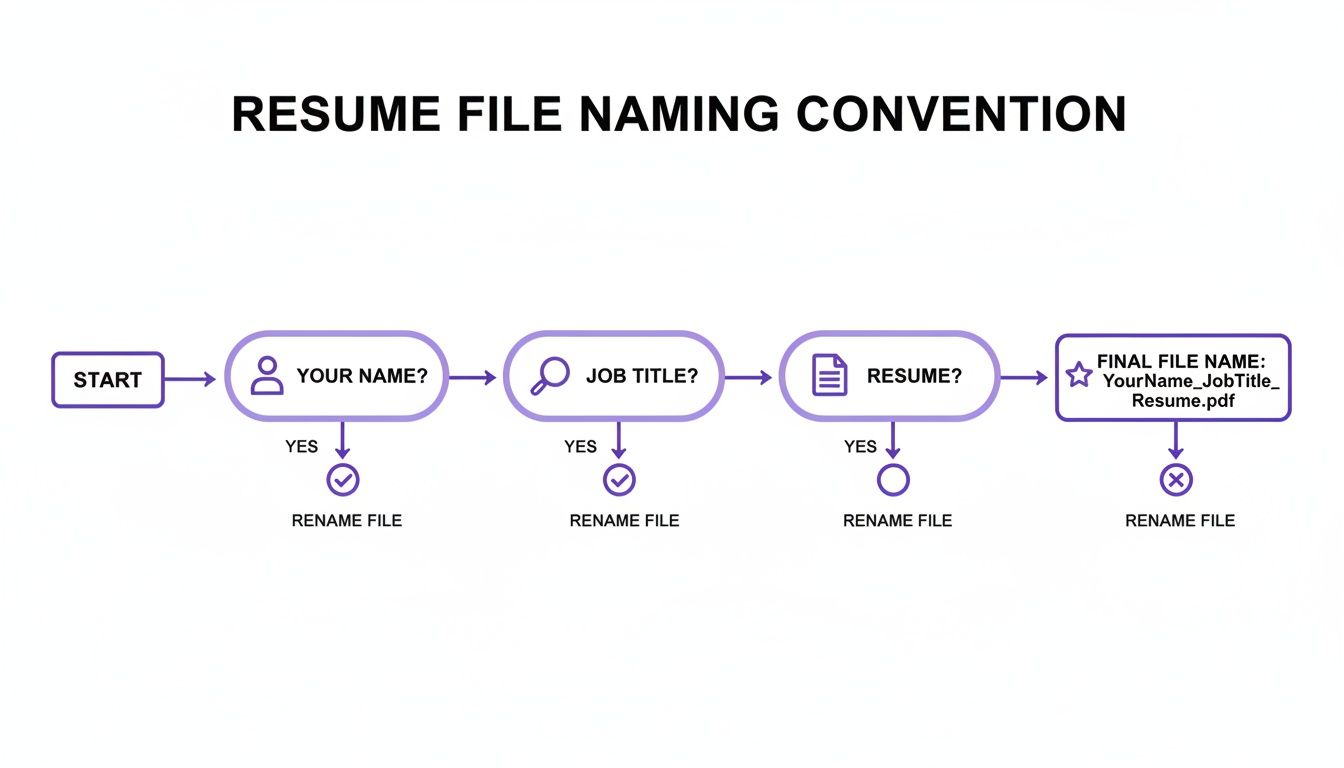
Stick to that Your Name + Job Title + Resume structure, and you'll have a professional, easy-to-sort file name every time.
For Direct Emails and Referrals
Things are a bit different when you have a direct line. If you're sending your resume straight to a hiring manager, a networking contact, or someone who is referring you, you have an opportunity to add a more personal touch.
In this case, adding the company name shows you’ve put in extra thought. It’s a small detail, but it signals that this isn't just another generic application you're firing off.
When a resume lands in my inbox, a file name like 'John-Doe-Resume-for-Eztrackr' immediately tells me two things: who it's from and that it was sent specifically to my company. It’s a small detail that makes a big difference.
Consider tweaking your format for these more direct channels:
- Networking Email:
Li-Chen-Resume-Acme-Corp.pdf(This immediately signals your interest in their company.) - Employee Referral:
David-Ortiz-Resume-Project-Manager-Referral.pdf(Adding "Referral" gives the recipient immediate context.)
These little adjustments show you're considerate and professional, making it that much easier for your contact to forward your resume to the right person.
Choosing the right file name is all about matching the format to the context of your application. To make it even easier, here’s a quick-glance table for the most common situations you’ll run into.
File Name Formats for Common Scenarios
| Application Scenario | Recommended File Name Structure | Example |
|---|---|---|
| Online Job Portal | YourName-JobTitle-Resume.pdf | Aisha-Khan-Data-Analyst-Resume.pdf |
| Direct Email to Recruiter | YourName-Resume-CompanyName.pdf | Ben-Carter-Resume-Innovate-Inc.pdf |
| Employee Referral | YourName-JobTitle-Referral-Resume.pdf | Chloe-Davis-UX-Designer-Referral-Resume.pdf |
| Networking Contact | YourName-Resume-For-CompanyName.pdf | Sam-Jones-Resume-For-NextGen-Solutions.pdf |
| Speculative Application | YourName-Resume-Field.pdf | Emily-White-Resume-Marketing.pdf |
By following these simple guidelines, you can be confident your resume will always make a great first impression before it's even opened.
Choosing the Right File Format: PDF vs. DOCX
Okay, you've nailed the filename. But the format you save it in? That's just as crucial. This isn't just a technical detail—it directly affects how a recruiter or hiring manager sees your resume for the first time.
Let's cut to the chase: PDF is almost always the answer.
Think of a PDF as a digital snapshot. It freezes your resume in time, perfectly preserving every font choice, margin, and design element you so carefully put together. It doesn't matter if they open it on a Mac, a PC, or a tablet; it will look exactly how you intended. It’s the gold standard for a reason.
So, Is There Ever a Time for DOCX?
Once in a blue moon, you'll see a job posting that specifically asks for a DOCX file. This usually means their Applicant Tracking System (ATS) is a bit older and is set up to parse Word documents more easily. If the instructions explicitly say "submit a .docx," then you absolutely should.
But you need to be aware of the trade-off. A DOCX file is a living document, which means its appearance can change dramatically depending on the software version or operating system it's opened on. What looks perfect on your computer could look like a jumbled mess on theirs.
A PDF locks in your visual presentation, guaranteeing a professional first impression. A DOCX leaves your formatting up to chance, risking a sloppy look that undermines your credibility before they’ve even read a word.
To play it safe, your resume should be robust enough to handle either format without falling apart. It's always a good idea to brush up on some solid resume formatting guidelines to ensure your document is clean and resilient.
Bottom line? Stick with PDF unless you're explicitly told otherwise. It’s the safest, most professional bet you can make.
Common Mistakes to Avoid When Naming Your Resume
Even if you have the perfect naming formula down, it’s shockingly easy to slip back into old habits. A tiny mistake in your resume's filename can make you look sloppy or, even worse, get your application automatically tossed out by a system before a human ever lays eyes on it.
Knowing what not to do is just as crucial as knowing what to do. I see job seekers make the same simple, avoidable errors time and time again. Let's walk through the biggest blunders so you can sidestep them completely.
Using Vague or Generic Names
A file named Resume.pdf or My-CV.docx is a huge red flag for disorganization. Picture a recruiter downloading ten files with that exact name on a busy afternoon. Yours instantly gets lost in the shuffle and could easily be misplaced or overwritten.
Your name has to be in the filename. It's the single most important piece of information.
- Instead of:
UpdatedResume.pdf - Try this:
John-Smith-Project-Manager-Resume.pdf
That simple tweak makes you instantly identifiable.
Including Confusing Version Numbers
We've all been there. Your folder is a graveyard of files like Resume_Final.pdf, Resume_Final_v2.pdf, and the desperate Resume_FINAL_THIS_ONE.pdf. While this system might work for your personal drafts, sending a file named this way tells a recruiter you’re disorganized and might not have even sent the right version.
Always send a clean, professionally named file with zero versioning history. Your final submission should look polished and intentional, not like a work-in-progress you accidentally dragged and dropped.
Keep all your drafts and different versions tucked away in a separate folder. The file you actually submit should always look like it was created specifically for that one application, even if you’ve tweaked it a dozen times.
Adding Spaces or Special Characters
Putting spaces in a filename seems harmless, right? But it can cause all sorts of technical headaches. When you upload a file or send it as a link, web systems often convert those spaces into ugly character strings (like %20). This can lead to broken links or frustrating upload errors on certain job portals.
Special characters like &, !, or # are even more problematic. They can completely trip up an Applicant Tracking System, causing it to fail when trying to read—or "parse"—your file.
- Avoid:
Jane Smith Resume & Portfolio.pdf - Correct:
Jane-Smith-Resume-Portfolio.pdf
Just stick to letters, numbers, and hyphens or underscores. Most people find hyphens a bit easier to read, and they play nicely with both humans and search algorithms.
How to Keep Your Applications Organized

When you're applying for multiple jobs, your resume folder can get chaotic fast. You have one version for that "Senior Analyst" role, and another you tweaked for the "Data Specialist" position. It's the perfect setup for accidentally sending the wrong file to the wrong company.
Having a disciplined approach to naming your resume is your first line of defense. But the second, and just as critical, is linking each custom file to its specific application. Without a system, all your hard work tailoring that resume can be undone with a single misplaced click. This is where a good application tracker becomes your best friend.
Moving Beyond Simple Spreadsheets
A solid tracking system does more than just list the companies you've applied to. It connects every piece of the puzzle, giving you a crystal-clear record of your entire job search.
Imagine being able to link the exact file you submitted, like John-Doe-Data-Specialist-Resume.pdf, directly to that application's entry. This creates a foolproof log, so you always know which version went where.
Pairing a smart file-naming habit with a robust tracking tool transforms your messy folders into a streamlined workflow. You can finally stop hunting for files and focus your energy on what really matters: prepping for interviews.
For anyone just starting to get organized, using a job search tracking spreadsheet is a fantastic first step to building this habit.
This kind of organized approach just screams professionalism and consistency. You'll never have to second-guess which resume you sent, letting you follow up with total confidence and clarity every single time.
Got More Questions? Here's the Final Polish
Let's tackle a few common questions that pop up when you're about to hit 'send'. Getting these details right is the final touch that makes your application look sharp and professional.
Should I Slap the Date on My Resume File?
It’s tempting, right? Something like Jane-Doe-Resume-2024-06.pdf is a lifesaver for your own records, helping you keep track of which version you sent where.
But for the copy you actually submit? Ditch the date. It keeps the filename clean and prevents any subconscious bias about how long you've been looking.
CV or Resume? What’s the Right Word?
Simple rule of thumb: mirror the employer's language.
If the job posting asks for a "CV," then FullName-JobTitle-CV.pdf is the way to go. If they say "resume," stick with that. It's a tiny detail that shows you're paying attention.
What About My Cover Letter File Name?
Keep it consistent! The goal is to make the hiring manager's life easier.
A great approach is FullName-CoverLetter-JobTitle.pdf. This pairs your documents neatly together in their downloads folder and makes it obvious what's what at a glance. No confusion, just clarity.