How to Automate Repetitive Tasks and Reclaim Your Time
You know that feeling? Staring at a spreadsheet, manually copying and pasting job details for the tenth time today. It’s a pain every job seeker knows well. The best way to deal with these repetitive tasks is to cut them out entirely. Tools like Eztrackr are built to do just that—they capture, organize, and manage all that application data for you, freeing you up for what really matters: networking and nailing interviews.
The True Cost of Manual Job Search Tasks
The modern job search isn't just a hunt for the right role; it's an administrative marathon. It feels productive to log every company name, job title, and application date into a spreadsheet, but that busy work is a silent killer of your momentum. The cost goes way beyond just a few lost hours.

This picture hits home for a reason. The real damage from all that admin isn't just the time you lose; it's the mental energy and focus that gets drained away from the activities that will actually land you a job.
Beyond Time: The Hidden Costs of Repetitive Work
Every minute you spend on manual tracking is a minute you aren't spending on something more important. These "hidden costs" pile up fast and can seriously slow you down.
Think about the real impact:
- Mental Drain and Burnout: Switching your brain from high-level thinking (like crafting a killer cover letter) to mind-numbing data entry is exhausting. That cognitive whiplash leads to burnout and kills your motivation.
- Missed Opportunities: When you're buried in spreadsheets, your follow-up game suffers. A quick thank-you note or a check-in email can be the thing that sets you apart, but administrative lag means you might miss that critical window.
- Costly Human Error: Let's be honest, manual data entry leads to mistakes. A typo in a hiring manager's name, the wrong application date, or a broken link in your notes can cause embarrassing slip-ups. Using a dedicated job hunt tracker is the simplest way to avoid these unforced errors.
The real enemy in a job search isn't rejection—it's the administrative friction that slows you down. Automating the small stuff gives you the momentum to push through and focus on what truly moves the needle.
The Strategic Advantage of Automation
It's easy to think of automation as some complex, technical thing, but that's a mistake. For a job seeker, it's a massive strategic advantage. This isn't just corporate jargon; it's a practical reality.
Studies show that 90% of knowledge workers felt their jobs improved after introducing automation. On top of that, employees estimate they could save a staggering 240 hours per year by automating repetitive tasks. Imagine what you could do with hundreds of extra hours to pour into interview prep, networking, or learning new skills.
This is exactly why tools like Eztrackr exist. They’re designed to eliminate these exact frustrations. When you can automatically capture job details, see your entire application pipeline at a glance, and even get help drafting documents, you stop being a data entry clerk and become the CEO of your own job search. That mental shift is the first step to working smarter, not harder.
Before you can start automating anything, you need to play detective. The real goal here is to figure out where your most valuable asset—your time—is quietly slipping away during your job search. It's almost never the big, obvious things. It's the small, repetitive tasks that bleed you dry.
Most of us have no idea how much time we sink into actions that feel insignificant. A minute to copy and paste job details, five minutes to hunt for the right resume version… it all piles up. To get a true picture of where your hours are actually going, you’ve got to do a quick personal audit.
The Simple Time-Logging Exercise
For just a day or two, keep a running log of what you're doing. Seriously, don't make this complicated. A notebook or the notes app on your phone works perfectly. The idea is just to scribble down the task and roughly how long it took.
Your log might end up looking something like this:
- 9:00 – 9:45 AM: Scrolled LinkedIn and Indeed, saved 5 jobs.
- 9:45 – 10:30 AM: Manually copied the details for those 5 jobs into my spreadsheet.
- 10:30 – 11:15 AM: Rewrote the first paragraph of my cover letter for that "Project Manager" role.
- 11:15 – 11:30 AM: Dug through my desktop folders to find the right resume to attach.
This little exercise is incredibly revealing. It hands you a clear, undeniable list of your biggest time sucks, which are your prime targets for automation.
A time audit isn’t about shaming yourself for being unproductive; it's about collecting cold, hard data. When you see that you spent 45 minutes just moving text from a job board to a spreadsheet, the need for automation suddenly becomes crystal clear.
After a couple of days, I promise, patterns will start to jump out at you. You’ll probably recognize one or more of these classic job search time drains.
Spotting the Usual Suspects in Your Workflow
Every job seeker’s process has its own quirks, but the bottlenecks tend to be universal. As you look over your log, keep an eye out for these specific, high-frequency tasks that are just begging to be automated.
See if any of these hit a little too close to home:
- The Spreadsheet Spiral: This is the big one. You find a great job, then you painstakingly copy and paste the company name, job title, application link, and key details into a spreadsheet. This administrative busywork can easily eat up 20-30% of your active search time.
- The Document Hunt: You’re ready to apply, but then you waste precious minutes digging through your computer, trying to find that one resume or cover letter you tailored for a specific type of role. It’s a moment of friction that completely kills your momentum.
- The Follow-Up Black Hole: You know you should follow up on that application from last week, but you can’t quite remember when you sent it or who the contact person was. So you end up scrolling through your sent mail, trying to piece together the clues.
- The Customization Loop: You tweak your resume for every single application—which is good! But the manual process of opening the file, making small edits, saving it as a new version, and uploading it is mind-numbingly repetitive.
Once you’ve nailed down your top 2-3 time-wasters, you have your starting point. Many of these issues are rooted in general workflow habits, and looking into broader time management tips for side hustlers can be a game-changer, since the principles of juggling multiple priorities apply perfectly here.
To help you get started, here's a checklist to run through your own process.
Your Personal Job Search Automation Checklist
Use this checklist to identify and prioritize tasks in your job search that are prime candidates for automation.
| Task Category | Specific Action | Time Spent per Week (Est.) | Automation Potential (High/Medium/Low) |
|---|---|---|---|
| Job Sourcing | Manually searching 5+ job boards daily | 3-5 hours | Medium |
| Application Tracking | Copying & pasting job details into a spreadsheet | 2-4 hours | High |
| Document Management | Searching for the correct resume/cover letter version | 1-2 hours | High |
| Resume/Cover Letter | Manually tailoring keywords for each application | 3-5 hours | Medium |
| Follow-Ups | Sifting through emails to find application dates & contact info | 1-2 hours | High |
| Interview Scheduling | Back-and-forth emails to find a meeting time | 1 hour | High |
This isn't just about identifying tasks; it's about seeing where small changes can give you back hours of your week.
Getting a visual on all this can also provide a ton of clarity. Some people find that mapping out their workflow helps them see exactly where things get bogged down. If you're a visual thinker, learning how to use a personal Kanban board can completely transform a messy search into a clean, step-by-step process. It shows you exactly where applications are getting stuck, shining a spotlight on your biggest automation opportunities.
By pinpointing these very specific pain points, you're officially ready to pick the right tools to fix them.
Now that you’ve pinpointed where your time is going, let's assemble the right tools to get that time back. Don't think of this as learning complicated software. Instead, you're building a small, powerful engine to run your job search for you. At the heart of this engine is Eztrackr, which was built from the ground up to tackle the most tedious parts of applying for jobs.
We’ll zoom in on a few key areas where a little automation gives you the biggest, fastest wins. By pairing Eztrackr’s features with a couple of other simple tools, you’ll create a system that just works. This is how you stop being a data entry clerk and start managing your career search like a pro.
Sourcing and Capturing Jobs Instantly
The first place most job seekers lose precious time is just finding and saving interesting roles. You scroll through endless job boards, and the moment you spot a good one, the manual labor starts. You're copying links, company names, and job descriptions into a spreadsheet. It’s a perfect—and perfectly boring—task for a machine to handle.
Instead of that copy-paste grind, the Eztrackr Chrome extension becomes your universal "save" button. When you find a promising role on LinkedIn, Indeed, or a company’s own careers page, one click is all it takes to grab everything.
- Job Title and Company: No more typos or missing details.
- Application URL: The direct link is saved, so you never have to hunt for it again.
- Full Job Description: The entire text is captured for easy reference and keyword analysis later on.
This one click replaces minutes of data entry for every single job you’re interested in. All that information flows straight into your personal Eztrackr dashboard, ready for you to manage.
If you’re new to this idea, it’s helpful to look at concepts like understanding sales automation. The same core principles of saving time and keeping things consistent apply directly to building your job search pipeline.
Generating Application Materials with AI
Once a job is saved, the next time-drain is creating all the documents. We all know that tailoring your resume and cover letter for each role is non-negotiable if you want to get past the applicant tracking systems (ATS). But man, is it repetitive.
This is where AI becomes your new best friend. By automating the creation of these documents, you recover a huge amount of time that was previously lost to administrative work.
Take Eztrackr’s built-in AI Cover Letter Generator as a perfect example. It scans the job description you just saved and cross-references it with your uploaded resume. In seconds, it produces a high-quality, tailored draft. This isn't some generic template; it's a solid starting point that's already 80% of the way there. All you have to do is sprinkle in your personal stories and specific achievements.
The goal of AI in your job search isn't to replace your voice. It's to do the heavy lifting. It builds the structure so you can focus on the artistry—the unique experiences that make you the right candidate.
The visual below breaks down a simple three-step method for finding these time-sucking tasks that are ripe for automation.
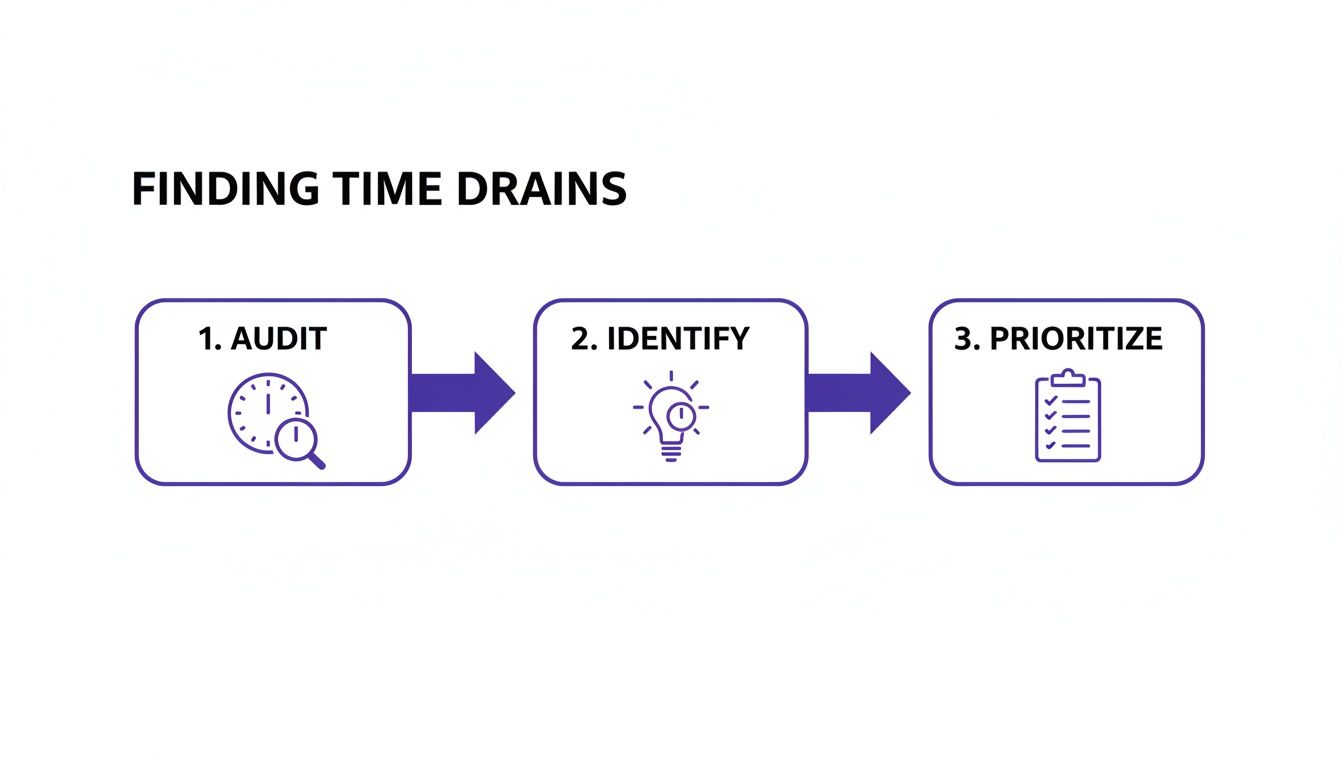
This process—auditing your tasks, identifying the repetitive ones, and prioritizing them for automation—is the foundation for building an efficient system.
Managing Your Application Pipeline Visually
Once the applications start flowing, the challenge becomes managing it all. A spreadsheet can quickly turn into a "spreadsheet spiral of doom"—a chaotic, hard-to-read grid where important follow-up dates and next steps get completely buried.
This is where Eztrackr’s visual Kanban board is a total game-changer. Every job you save with the extension instantly appears as a card in your "Saved" column. As you move through the process—applying, interviewing, negotiating—you just drag the card to the next stage. Simple.
This automated organization gives you immediate clarity. At a glance, you can see your entire pipeline, know the exact status of every application, and never miss a follow-up again. It turns a messy, stressful process into an orderly, manageable workflow. Our guide on AI-powered job search tools dives deeper into how visual systems like this create a command center for your entire search.
Integrating Complementary Tools
Eztrackr is the core of your system, but you can add other simple tools to automate even more. A text expander, for instance, is a fantastic sidekick for getting rid of repetitive typing.
You can set up shortcodes for phrases you use all the time in networking emails, LinkedIn requests, or follow-up messages.
- Typing
;tyemailcould instantly expand into your full thank-you note template. - Typing
;introcould pop in your standard professional introduction paragraph.
When you combine a central hub like Eztrackr with small, specialized tools like a text expander, you’ve built a truly powerful automation toolkit. You’re not just saving time; you’re creating a systematic, stress-free approach to landing your next great role.
Taking Your Job Search Automation to the Next Level
So, you've nailed the basics. You're automatically saving jobs and tracking applications, which already puts you miles ahead of the pack. But that's just the foundation. If you really want a serious competitive edge, it’s time to shift from just doing tasks to strategically optimizing your entire workflow.
This is where your job search transforms from a reactive chore into a proactive, data-driven campaign. It's about making your system smart enough that it starts learning and improving on its own.

This next phase is all about using data to make smarter moves and connecting different parts of your process so they work together seamlessly, without you having to micromanage every little thing.
Outsmart the ATS with Skill-Match Analysis
Let's be real: one of the biggest hurdles is just getting your resume seen by a human. Manually tweaking your resume for every single application to please the Applicant Tracking System (ATS) is a soul-crushing time sink. Thankfully, smart automation can handle this for you.
This is exactly what Eztrackr’s skill-match analysis tool was built for. Once you save a job, it instantly gets to work, comparing the job description against your resume. It spits out a match score and, more importantly, shows you the exact keywords and skills you're missing. This isn't just about saving time; it's about using automation to get critical intel.
Your goal isn't just to apply for jobs; it's to apply for the right jobs in the right way. Automated skill analysis ensures every application you submit is optimized for both human recruiters and the software that guards the gate.
Instead of spending an hour agonizing over a job description, you get an instant, actionable checklist. It’s a simple but incredibly powerful way to make sure you’re always putting your best foot forward, perfectly tailored for the role.
Build Powerful “If This, Then That” Workflows
The real magic happens when you start linking actions together, creating workflows where one thing automatically triggers the next. This "if this, then that" approach clears up so much mental space and makes it nearly impossible to drop the ball.
Think about how you can chain events together. For instance:
- Trigger: You drag an application card from your "Applied" column to "Interview" on your Eztrackr Kanban board.
- Action 1: A calendar event for the interview is instantly created.
- Action 2: That event is automatically populated with a link to your interview prep notes for that specific company.
- Action 3: A reminder to send a thank-you note is scheduled for 24 hours after the interview.
When you set up these kinds of conditional workflows, your system starts anticipating your needs. You're no longer just logging what you've done; your tools are actively helping you prepare for what's next. This makes the whole process of automating job applications feel less like a grind and more like you have a personal assistant.
Let Data Drive Your Strategy
A manual job search is fueled by guesswork and hope. An automated one should be fueled by cold, hard data. The most powerful strategy you can adopt is regularly checking your analytics to see what’s actually working and what’s a complete waste of time.
Eztrackr’s built-in analytics dashboard gives you the insights to make these calls. It visualizes key metrics, so you can spot trends without getting lost in a spreadsheet.
Here’s what you should be looking for:
- Top Application Sources: What if the data shows that 70% of your interviews come from applying directly on company sites, while LinkedIn Easy Apply has gotten you nothing? That’s a loud, clear signal to stop wasting time on Easy Apply and double down on direct applications.
- Volume vs. Success: Are you playing the numbers game, sending out hundreds of applications with a dismal response rate? The data might tell you to slow down and spend more time on quality, using the skill-match analysis to perfect each one.
- Time-in-Stage: If you see applications getting stuck in the "Follow-Up" stage for weeks, it's a sign your follow-up game needs work. Maybe it’s time to systematize it.
By paying attention to these analytics, you stop throwing energy at things that don't produce results. You can focus on the channels and tactics that are proven to work for you, making your job search smarter and more efficient with every application. That's the real endgame of automation—not just doing things faster, but getting better results with less effort.
How to Maintain and Optimize Your Automated System
Getting your automation toolkit set up is a massive win, but it’s not a "set it and forget it" deal. Think of your system like a high-performance car—it needs the occasional tune-up to keep running smoothly. This isn’t about adding more work to your plate; it’s about making small, smart tweaks to ensure your system grows with you.
Your automation should feel like a living part of your job search strategy. As you apply to different roles, get feedback, and fine-tune your approach, your automations need to evolve right alongside you. A little proactive maintenance keeps your workflow a powerful advantage instead of a static tool you eventually outgrow.
Conduct a Monthly Automation Check-Up
Once a month, block off just 30 minutes to give your system a once-over. This isn't a deep-dive audit. It’s a quick, focused check to see what’s working and what could be better, letting you make small adjustments that deliver big results.
During this quick review, ask yourself a few simple questions:
- Where are the bottlenecks? Are applications getting stuck in one stage of your Kanban board? That’s a clear signal of friction that might need a new automated fix.
- Are my templates still hitting the mark? Take a look at the performance of your AI-generated cover letters or follow-up emails. If you’re not getting the responses you want, it might be time to tweak your prompts or create fresh templates.
- What new repetitive tasks have popped up? Maybe you’ve found yourself sending more personalized LinkedIn connection requests. That’s a perfect new opportunity for a text expander shortcut.
This simple review is the key to how you automate repetitive tasks effectively for the long haul. It stops your system from getting stale and makes sure it's always serving your immediate needs.
Your automated system should never feel rigid. It’s a dynamic assistant that learns from your actions. Regularly checking in helps you teach it how to be even more effective, turning a good workflow into a great one.
Troubleshooting Common Hiccups
Even the best-laid plans can have a few quirks. Instead of letting them throw you off, it helps to know the quick fixes for common issues. Most problems are minor and can be sorted out in seconds.
Here’s how I handle a few frequent scenarios:
| Problem | Quick Fix |
|---|---|
| Incorrect Data from a Job Board | The Eztrackr extension is incredibly smart, but weird website layouts can sometimes trip it up. Just click into the card and manually edit the field. Takes five seconds. |
| AI-Generated Content Sounds Repetitive | Remember, your AI is only as good as its instructions. Try making your prompts more specific. Tell it the exact tone, skills, or experiences you want it to highlight. |
| Feeling Overwhelmed by Notifications | Automation should cut through the noise, not add to it. Dive into your notification settings and be ruthless. Turn off anything that isn't actionable and only keep the essential alerts. |
Tackling these little things as they come up is what optimization is all about. It keeps your workflow smooth and stress-free.
Evolving Your System for the Long Haul
As you move through your job search, your needs will absolutely change. What you need as a passive browser is totally different from what you need when you're juggling multiple interview rounds. Your system has to adapt.
Always be on the lookout for ways to scale your efforts. A workflow that saves you five minutes per application might not feel world-changing at first. But do that for 50 applications, and you’ve just gotten more than four hours of your life back. That’s four more hours you can spend on interview prep or networking.
Finally, keep an eye out for new features. Tools like Eztrackr are constantly being updated based on what users like you are asking for. A new feature might just solve a problem you didn’t even realize you could automate. Staying curious is how you build a system that doesn’t just save you time today but becomes a core part of your career toolkit for years to come.
Got Questions About Automating Your Job Search?
Jumping into automation can feel like a huge leap, and it’s totally normal to have a few questions swirling around. A lot of job seekers I talk to worry about their applications losing that personal touch or getting stuck in a tech nightmare. Let's walk through some of those common worries so you can get started with total confidence.
The point isn't to let a robot take over your job search. It's about bringing on a super-efficient assistant to handle the mind-numbing grunt work. That frees you up to pour your energy into the stuff that actually matters—networking, telling your story, and nailing the interviews.
Will Automation Make My Applications Sound… Robotic?
This is the biggest fear I hear, and it’s a good question. The answer is a hard no—as long as you do it right. Smart automation isn’t here to write for you; it’s here to handle the tedious mechanics so you have more time and brainpower for personalization.
Think about it: Eztrackr’s AI tools can whip up a strong, tailored first draft of a cover letter just by scanning the job description. That’s an amazing head start. But the real magic happens when you jump in for five minutes to polish it, weaving in your unique voice and specific career wins. You’re using automation as a powerful assistant, not a ghostwriter.
Here's how I see it: Automation builds the house, but you're the one who furnishes and decorates it. The foundation is solid and saves you a ton of time, but the final product is still 100% you.
How Much of a Tech Whiz Do I Need to Be?
Honestly, you don’t need to be a tech wizard at all. If you can install a browser extension or use a simple drag-and-drop tool, you've got this. Modern platforms like Eztrackr are built to be intuitive and user-friendly from the ground up.
The whole system is designed to be visual and straightforward. You can get a powerful workflow humming in just a few minutes without touching a single line of code. Trust me, the days when automation was just for developers are long gone.
Is It Really Worth It if My Job Search Is Short?
Absolutely. The time you save adds up way faster than you’d expect. Even if you're only applying for 20 or 30 jobs, the manual drag of it all is a real time-killer.
Just look at the classic workflow for one application:
- Manual Data Entry: Tediously copying and pasting company names, links, and dates into a spreadsheet.
- Document Chaos: Digging through folders for the right version of your resume.
- Follow-Up Guesswork: Jotting down notes and reminders on scraps of paper or a messy doc.
That whole song and dance can easily eat up 15-20 minutes for every single application. For 30 jobs, you’re looking at over 10 hours of pure administrative work. That’s time you could be using to practice interview questions or connect with people on LinkedIn. A quick 15-minute setup with a good tool gives you that time back. It's a massive win.
What's the First and Most Important Thing to Automate?
For pretty much everyone, the single biggest game-changer is automating your application tracking. Kicking that manual spreadsheet to the curb is where it all starts. It’s the foundation for every other efficiency you can build.
When you use something like the Eztrackr extension to save jobs directly to a visual board, you instantly kill off that soul-crushing data entry. It prevents you from making silly mistakes, like forgetting to follow up, and gives you a clean, centralized command center for your entire search. Once that core process is on autopilot, everything else gets a whole lot easier.
Ready to trade the administrative grind for more time to focus on what really lands you the job? Eztrackr is the toolkit you need to automate your job search, from tracking every application to generating killer cover letters. Start taking your time back today!