free resume builder ats friendly: Land more interviews
If you’ve ever shotgunned dozens of applications into the void, only to be met with deafening silence, the problem probably isn't you. It’s the invisible gatekeeper standing between you and the hiring manager: the Applicant Tracking System (ATS).
Failing to build a resume that can get past these bots is single-handedly the biggest reason qualified people get overlooked. Let's walk through how to create a resume that actually sails through the system and gets you noticed.
Why Your Resume Gets Ignored by Recruiters
Ever feel like your resume just vanishes into a black hole? It's a maddeningly common experience, and it has almost nothing to do with your skills and everything to do with technology.
Modern hiring isn’t just about impressing a person anymore. First, you have to pass a machine's test.
That initial gatekeeper is the Applicant Tracking System, or ATS. It’s the software companies use to manage the tsunami of applications they get for every single opening. Instead of a recruiter manually reading hundreds of files, the ATS does the first pass, scanning for keywords, skills, and the right formatting. If the software can't read your resume or doesn't find what it's programmed to look for, your application is tossed before a human being ever lays eyes on it.
The Sobering Stats Behind Resume Rejection
This isn't a small-time problem. It's massive. Over 98% of Fortune 500 companies now rely on ATS software to screen candidates. For anyone who doesn’t optimize their resume for these systems, this creates a huge barrier.
The numbers are pretty grim: an estimated 75% of resumes get rejected by an ATS before they even land on a recruiter's desk.
That means three out of every four people are knocked out of the running based on technicalities alone. It’s a game with a very specific set of rules, and most job seekers don't even know they're playing.
Key Takeaway: Your resume's first job is to be readable by software. If it fails this initial test, even the most incredible qualifications won't matter because no one will ever see them.
Common Mistakes That Trigger Instant Rejection
So, what trips up the ATS? Ironically, it’s often the little "creative" touches people add to make their resume stand out. These are the very things that make a resume unreadable to a bot.
I’ve put together a quick table outlining the most common mistakes I see and how to fix them.
Common ATS Rejection Triggers and How to Fix Them
| Mistake | Why It Fails ATS | Simple Solution |
|---|---|---|
| Complex Formatting | Columns, tables, and text boxes scramble the parsing order. The ATS reads left-to-right, turning your layout into gibberish. | Use a single-column layout. Keep it clean and linear from top to bottom. |
| Fancy Fonts & Graphics | Custom fonts, logos, images, or skill-rating bars are seen as blank space or junk characters by the software. | Stick to standard, web-safe fonts like Arial, Calibri, or Helvetica. No graphics. |
| Incorrect File Type | While PDF is the modern standard, some older, clunkier ATS platforms still prefer a .docx file. | Always check the job posting. If it specifies a file type, follow the instructions to the letter. |
| Non-Standard Headings | Creative titles like "My Journey" or "What I Do" confuse the software, which is looking for specific section headers. | Use standard, universally recognized headings: "Work Experience," "Education," "Skills." |
Understanding these common pitfalls is half the battle. You can dive deeper and see exactly how your current document performs by running it through a specialized tool. Check out our guide on using a resume ATS scanner to see where you stand.
By simply avoiding these basic mistakes, you dramatically boost the odds of your application landing in the "yes" pile.
Choosing the Right Free ATS Resume Builder
Trying to pick a free ATS-friendly resume builder can feel like walking through a minefield. You'll find tons of platforms that promise slick, eye-catching designs, but here's the catch: what looks good to a person often looks like a jumbled mess to an Applicant Tracking System.
And that’s how a perfectly good resume ends up in the digital trash can before a recruiter ever lays eyes on it.
The secret is knowing what to look for and, just as importantly, what to run away from. If a builder is pushing two-column layouts, using text boxes for your contact info, or has those little skill-rating bars, consider it a giant red flag. These design choices are notorious for confusing ATS parsers, which can scramble your information and make you look totally unqualified.
Distinguishing Style from Substance
A truly effective ATS-friendly builder isn't about flashy graphics; it's all about a clean, logical structure that software can easily digest.
You're looking for a builder that offers a solid foundation. Specifically, one with:
- Single-column templates: This is a deal-breaker. A single column ensures the ATS reads your resume from top to bottom, in the right order, without getting sections mixed up.
- Standard, web-safe fonts: Stick with the classics like Arial, Calibri, or Georgia. They're universally recognized by parsing software, whereas fancy custom fonts can turn your experience section into gibberish.
- Traditional section headings: The builder should use straightforward titles the ATS is programmed to find, like "Work Experience," "Education," and "Skills."
A great ATS-friendly resume builder doesn't trap you in a template that looks pretty but bombs the tech test. It gives you a scannable, solid framework that lets your skills and experience do all the talking.
Think of it like this—you’re at a fork in the road the moment you hit "submit."
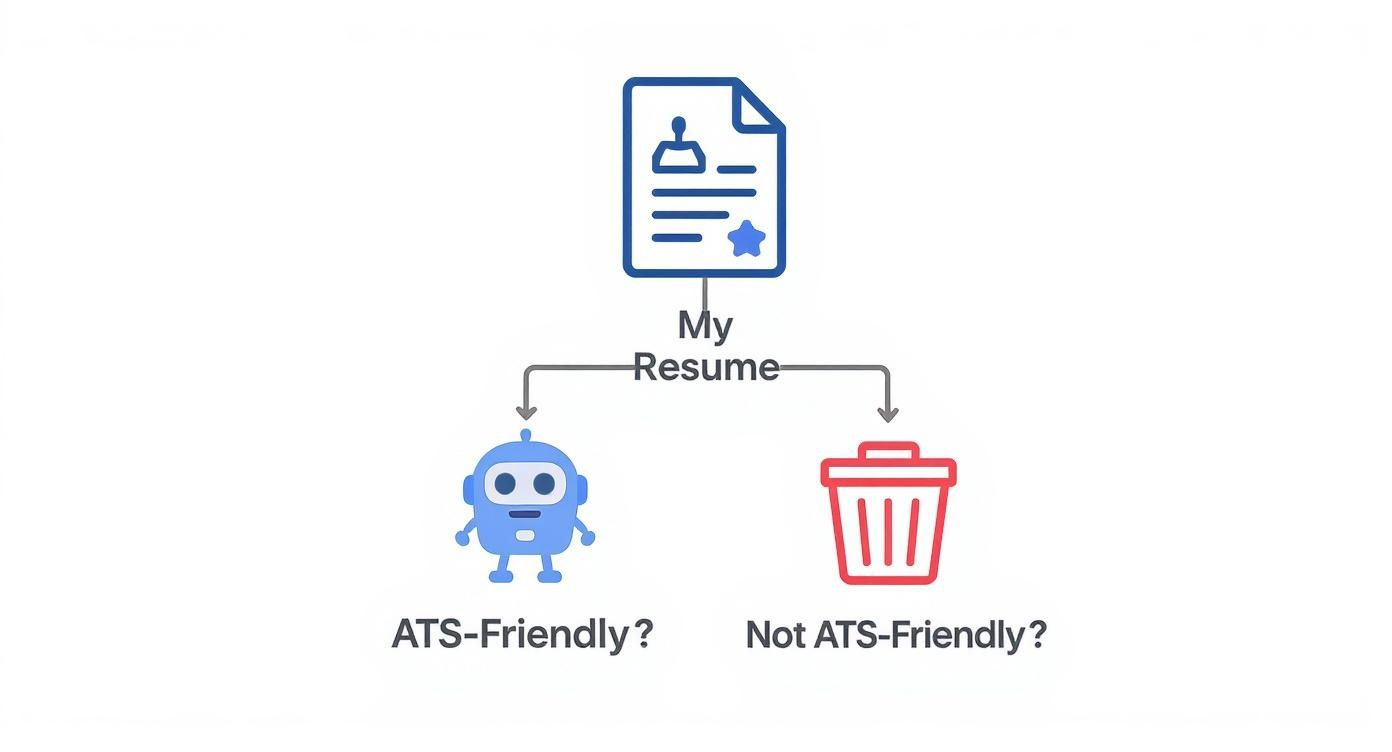
As the image shows, if your resume isn't built for compatibility from the ground up, its journey ends right there.
Purpose-Built for ATS Success
Your best bet is to use a tool that was designed specifically to beat the bots. While many free builders are generic, a few are created with ATS compatibility as the number one priority. This means you can trust that every template has been pre-vetted to sail through that initial software screening.
For instance, these purpose-built tools will never use tables or text boxes to structure your resume because those are known ATS-killers. They stick to a simple, clean architecture that guarantees the software can read it correctly.
Using a tool like this gives you an immediate leg up. It cuts out all the frustrating guesswork of wondering if your format is the reason you're not getting any calls. To see what I mean, you can check out the features of a dedicated ATS resume builder and see how it simplifies the entire process.
Crafting Content That Beats the Bots

Alright, so you’ve picked out a solid ATS-friendly resume builder. Now comes the fun part: writing the stuff that actually gets you noticed by both the software and the human who eventually reads it.
This is where the real art lies. Your resume has to be stuffed with the right keywords, but it also needs to tell a compelling story about why you're the best person for the job. Think of it like this: keywords get you through the front door, but your achievements—laid out clearly and powerfully—are what get you the interview.
The Professional Summary: Your Elevator Pitch
That little paragraph at the top of your resume? That's your professional summary, and it's your single best shot at making a great first impression. This is not the place for a sleepy, generic objective statement from 2005.
Instead, make it a concentrated blast of your top qualifications, tailored specifically to the job you’re applying for. Rip key phrases straight from the job description. If they’re asking for "Agile project management," "client relationship development," and "data-driven decision-making," you better believe those exact phrases should be in your summary.
For example, a generic summary sounds like this:
"Experienced project manager seeking a new opportunity."
Boring, right? An optimized, keyword-rich summary packs a punch:
"Proactive Project Manager with 7+ years of experience leading cross-functional teams in Agile project management. Proven success in client relationship development and using data-driven decision-making to increase project efficiency by 18%."
See the difference? It immediately tells the ATS and the recruiter that you’re a perfect match.
Writing Work Experience That Proves Your Worth
Your work experience section is where you back up your claims. Don't just list what you were "responsible for"—showcase what you actually accomplished. Use powerful action verbs and, most importantly, numbers.
The ATS might flag your keywords, but a human recruiter is scanning for impact.
- Weak: "Responsible for managing social media accounts."
- Strong: "Managed 5 corporate social media accounts, increasing follower engagement by 45% and driving a 20% uplift in website traffic over six months."
This simple switch does two things at once: it gives concrete proof of your skills and naturally works in action-oriented keywords like "managed" and "increasing." If you need more inspiration on how to frame your achievements, check out our guide on ATS-friendly resume examples.
Balancing Hard and Soft Skills
Finally, your skills section needs to be a clean, scannable list that mirrors the job requirements. This is where direct keyword matching is absolutely crucial. Don't get fancy with skill-rating bars or other graphics—a simple bulleted list is all you need for an ATS.
If it makes sense for your field, break them down into categories like "Technical Skills" or "Languages."
To get an edge, it helps to think like a recruiter. Understanding how they write job descriptions can give you a major clue about which keywords to target. Learning about modern approaches, like these Web3 job description best practices, offers a peek behind the curtain.
This isn't just a hunch; it's backed by data. Tailoring your resume with keywords from the job description can boost your interview chances by up to 3.5 times. Weaving these terms into your summary, work experience, and skills section creates a document that speaks directly to what a company is looking for.
Using AI to Gain a Competitive Edge
Artificial intelligence isn't some far-off concept anymore; it's a real, practical tool that can give you a serious leg up in your job search. Think of it as your own personal career coach—one that can instantly dissect a job description, pull out the most important keywords, and help you frame your achievements in a much stronger way.
Using AI isn't about being lazy or dishonest. It's about being smart. These tools simply use technology to highlight your experience in the best possible light, making sure you tick all the technical boxes for an ATS while still telling a compelling story to the human on the other side. That's a huge advantage.
Get Your Applications Done Faster
The amount of time you can save with AI is genuinely staggering. We've all been there, spending hours tweaking, formatting, and re-writing a resume. With AI, you can shrink that timeline down dramatically.
Recent data shows the average time to build a resume plummets from 4-6 hours to around 25 minutes when using AI. That's a time savings of 80-90%, giving you back precious hours to spend on networking or prepping for interviews. You can see more on how AI is shaping resume trends in the full report on Hirective.com.
That kind of speed means you can apply to more of the right jobs without ever letting the quality slip. In a tough market, that's a game-changer.
Dramatically Improve Your ATS Pass Rate
More importantly, AI does wonders for your chances of actually getting past the initial screening. The same data shows just how big of an impact it can have.
The ATS pass rate for resumes made with AI-powered tools hits an incredible 94%. That’s a massive jump from the industry average, which hovers around just 45%.
What does this mean for you? It means your resume is far more likely to end up in front of a real person. The technology is built from the ground up to understand and navigate the picky, often frustrating rules of different Applicant Tracking Systems.
A tool like Eztrackr’s built-in AI, for instance, doesn't just slap a resume together. It actively analyzes the job description you’re targeting to make sure every bullet point is working for you.
This screenshot shows how the AI features are baked right into your job tracking workflow. This setup makes it incredibly easy to tailor your resume and cover letter for every single job you save, without starting from scratch each time.
And it’s not just about resumes. AI can help with other key documents, like an AI Cover Letter Generator. These tools can draft a personalized and compelling cover letter in minutes, keeping your messaging consistent and professional across your entire application.
When you use a free resume builder ats friendly with these kinds of capabilities, you aren't just saving time—you're building a smarter, more effective job search strategy.
How to Test and Score Your Resume
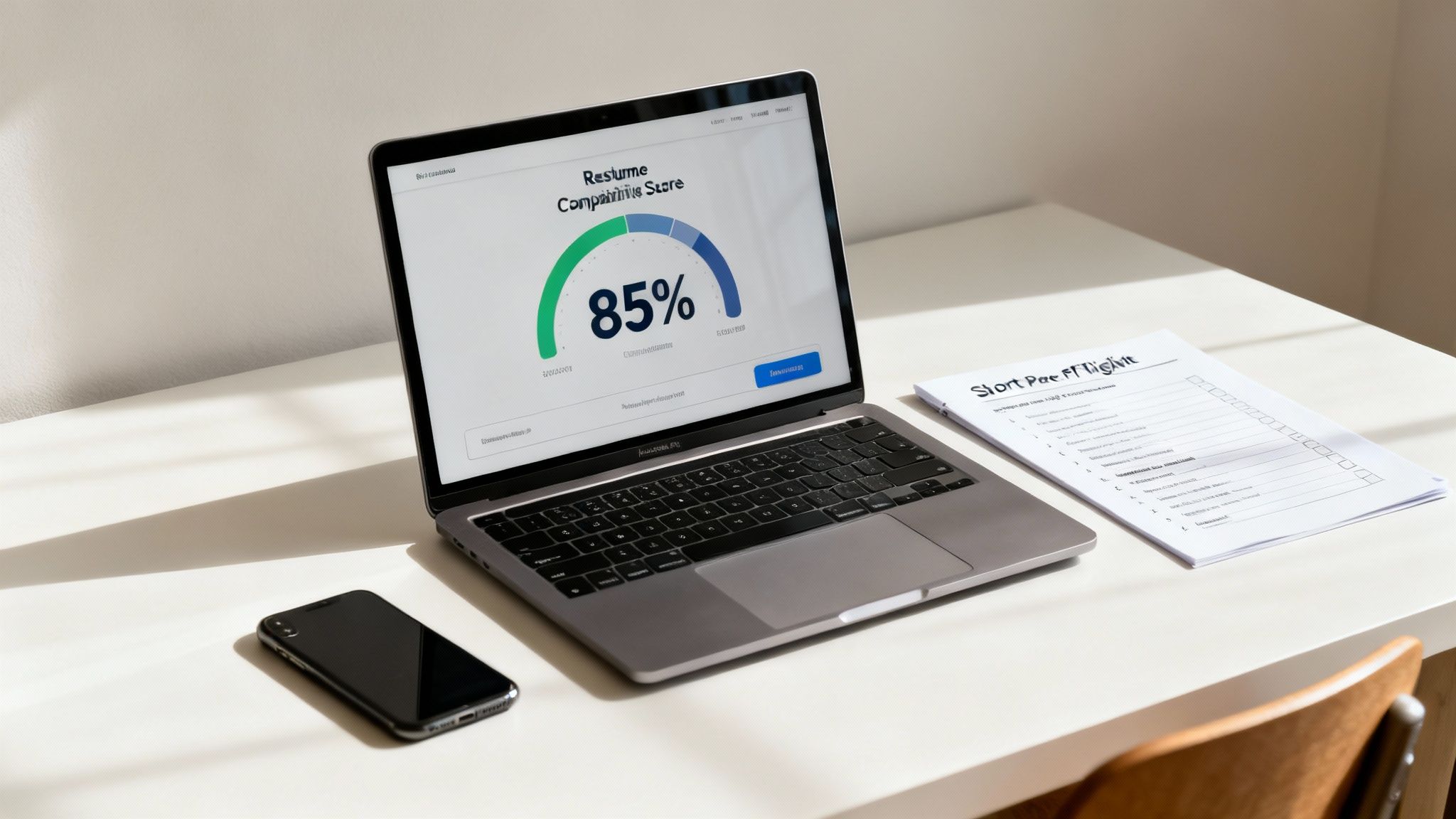
You’ve built your resume, packed it with keywords, and you’re feeling pretty good about it. But how do you really know if it’s going to make it past the robots? Don't just cross your fingers and hope. You need to prove it works before you even think about hitting "submit."
This is where the rubber meets the road. Using a free ATS checker takes all the guesswork out of the process. These tools act like a friendly ATS, scanning your document to give you a real, tangible compatibility score.
That score isn't just for show—it’s a direct measure of whether your resume will ever land in front of a human being. Think of it as your final quality check to make sure all your hard work wasn’t for nothing.
What’s in an ATS Compatibility Score?
When you run your resume through a checker, it spits out a percentage. This number shows how well the software could read your file and match your experience to the job description you're targeting.
So, what's a good score? Aim for 80% or higher. If you're coming in lower, it’s a red flag that something is off—either with your formatting or your keywords—and you’re at high risk of being automatically filtered out.
A few key things have a huge impact on that number:
- Keyword Match: Does your resume use the same language—the specific skills and qualifications—found in the job posting? The scanner is looking for an exact match.
- Section Parsing: Can the software actually find your "Work Experience," "Education," and "Skills" sections? If you’ve used clever headings like "My Professional Journey," you're just confusing the machine.
- Contact Info: Is your name, email, and phone number easy to find in the main body of the document? An ATS often ignores headers and footers completely.
- File Type: The tool checks if the file itself is even readable, ensuring no information gets lost in translation.
A low score isn't a failure. It's a diagnostic tool. It tells you exactly what to fix to give your application a fighting chance.
Your Final ATS Pre-Submission Checklist
Before you fire off that application, do one last quick audit. This is the pre-flight check that catches the small stuff that can bring your resume down. If you want to dig even deeper into your document's performance, a dedicated resume scorer can give you the detailed insights you need.
Run through this simple checklist to give your resume a final once-over.
| Check Item | Pass/Fail | Notes |
|---|---|---|
| File Type is .docx or PDF | Always check the application instructions. When in doubt, .docx is the most universally compatible format. | |
| No Complex Formatting | Confirm there are zero columns, tables, images, or text boxes used for layout. Simpler is always better. | |
| Standard Section Headings | Make sure you've used standard titles like "Work Experience" and "Education," not creative alternatives. | |
| Contact Info in Body Text | Verify your contact details are at the very top of the main document, not tucked away in the header or footer. | |
| Font is Web-Safe | Stick to the basics like Arial, Calibri, or Georgia. This guarantees your resume looks the same on any system. |
Learning to check your own resume is a game-changer. It gives you the confidence that your application is ready to clear that first hurdle and land exactly where it needs to be: in a recruiter’s hands.
Got Questions About ATS Resumes? We've Got Answers.
When you're trying to get your resume past the bots and into human hands, a lot of questions can pop up. Let's tackle some of the most common ones we hear from job seekers.
PDF or a Word Doc? What's the Best File Type for a Resume?
Ah, the classic format debate. The honest answer? Look at the job application first. If they ask for a specific file type, that’s your answer right there. No need to overthink it.
But what if they don't specify? In that case, a .docx file (a standard Word document) is usually your safest move. While most of the newer, fancier ATS platforms can read PDFs just fine, some older systems still get tripped up by them. A Word doc is basically the universal language of resume bots, so it drastically cuts down the risk of your information getting scrambled.
How Do I Know If My Resume Is Actually ATS-Friendly?
You can't just cross your fingers and hope for the best. The only way to be certain is to test it. Think of it like a quality check before you send your resume out into the world.
Running your resume through a dedicated ATS checker is the way to go. These tools mimic how an applicant tracking system scans your document. They'll give you a compatibility score and pinpoint any red flags, like:
- Formatting that the software just can't read.
- Key skills and phrases from the job description that you missed.
- Entire sections that the ATS might have skipped over.
As a rule of thumb, if you can get your score up to 80% or higher, you can feel pretty confident that your resume is in good shape to be parsed correctly.
Pro Tip: Using a free resume builder ats friendly tool gets you halfway there, but running the final document through a scanner is the crucial last step. It confirms everything—from your formatting to your keywords—is working together perfectly.
Is It Okay for My Resume to Be Two Pages Long?
Yes, absolutely. Let's clear this up: the one-page resume "rule" is more of a guideline for students or people early in their careers. An ATS doesn't care about page length; it only cares about readable text.
If you have 10+ years of solid, relevant experience, a two-page resume is often necessary to tell your full story. In fact, trying to cram all that experience onto one page can make it look cluttered and unreadable. The key is to make sure your most impressive achievements and the most important keywords are front-and-center on that first page.
Ready to build a resume that sails through any ATS? With Eztrackr, you get access to an AI-powered resume builder, a skill-gap analyzer, and an ATS compatibility scorer all in one place. Stop guessing and start landing interviews. Try Eztrackr for free today!