Cover Letter Generator AI: Use It Without Losing Your Job
You've found a role that fits. Your resume is updated, the job description is open in another tab, and you know you should explain why you're a strong match. Then the blank document appears. After several minutes of staring at the cursor, every opening sounds artificial, repetitive, or suspiciously similar to the last cover letter you wrote.
A cover letter generator AI can remove that first obstacle, but it can't supply the personal judgment that makes an application credible. The useful approach is to let AI create structure and momentum, then take control of the evidence, motivation, tone, and final wording yourself.
The Staring Contest With a Blank Document
The hardest part of a cover letter often isn't writing. It's starting.
You already have the raw material in your resume, but a resume and a cover letter perform different jobs. A resume shows what you've done. A cover letter connects selected parts of that experience to one particular opportunity. That translation requires decisions, and those decisions become difficult when you're applying repeatedly.
A job seeker might spend several minutes trying to write one opening sentence, delete it, write another, and eventually paste a safe phrase such as “I am writing to express my interest.” The sentence isn't necessarily wrong, but it tells the employer almost nothing. Worse, the same process has to be repeated for every role.

Use the draft as a starting surface
An AI generator changes the task from writing from nothing to editing something specific. You provide your resume, the role, the company, and any relevant experience. The tool then produces a preliminary structure that you can challenge, cut, and rebuild.
That shift matters because editing is easier when you can react to actual language. You may notice that the introduction is too formal, that the middle paragraph highlights the wrong project, or that the closing sounds unlike you. Those observations are valuable. They turn a vague writing problem into a series of concrete editorial choices.
Practical rule: Let AI solve the blank-page problem, not the identity problem.
A useful generator should help you organize the letter around the employer's needs, but it shouldn't invent your motivation or decide which achievements you're willing to stand behind. Before generating anything, collect three items:
- The role requirements: Identify the responsibilities and skills that align with your background.
- Your evidence: Select projects, outcomes, responsibilities, or experiences that support those requirements.
- Your reason for applying: Write a plain-language explanation of why this role interests you, even if the wording is rough.
Once you have those inputs, the generator becomes a drafting assistant rather than a substitute for thought. You can also use these cover letter best practices to check whether the final document has a clear purpose, relevant evidence, and an appropriate structure.
The best workflow ends with a human-curated letter. Read it aloud. Replace phrases you wouldn't use in conversation. Remove claims that sound impressive but don't point to anything concrete. If the letter could be sent to five different companies by changing only the employer's name, it's still a template, no matter how polished the prose appears.
Understanding How AI Cover Letters Work
Modern AI cover letter generators belong to the broader generative AI wave that accelerated after ChatGPT's release in December 2022. That release helped normalize instant text generation for job seekers, but the underlying idea is older than the current software category.
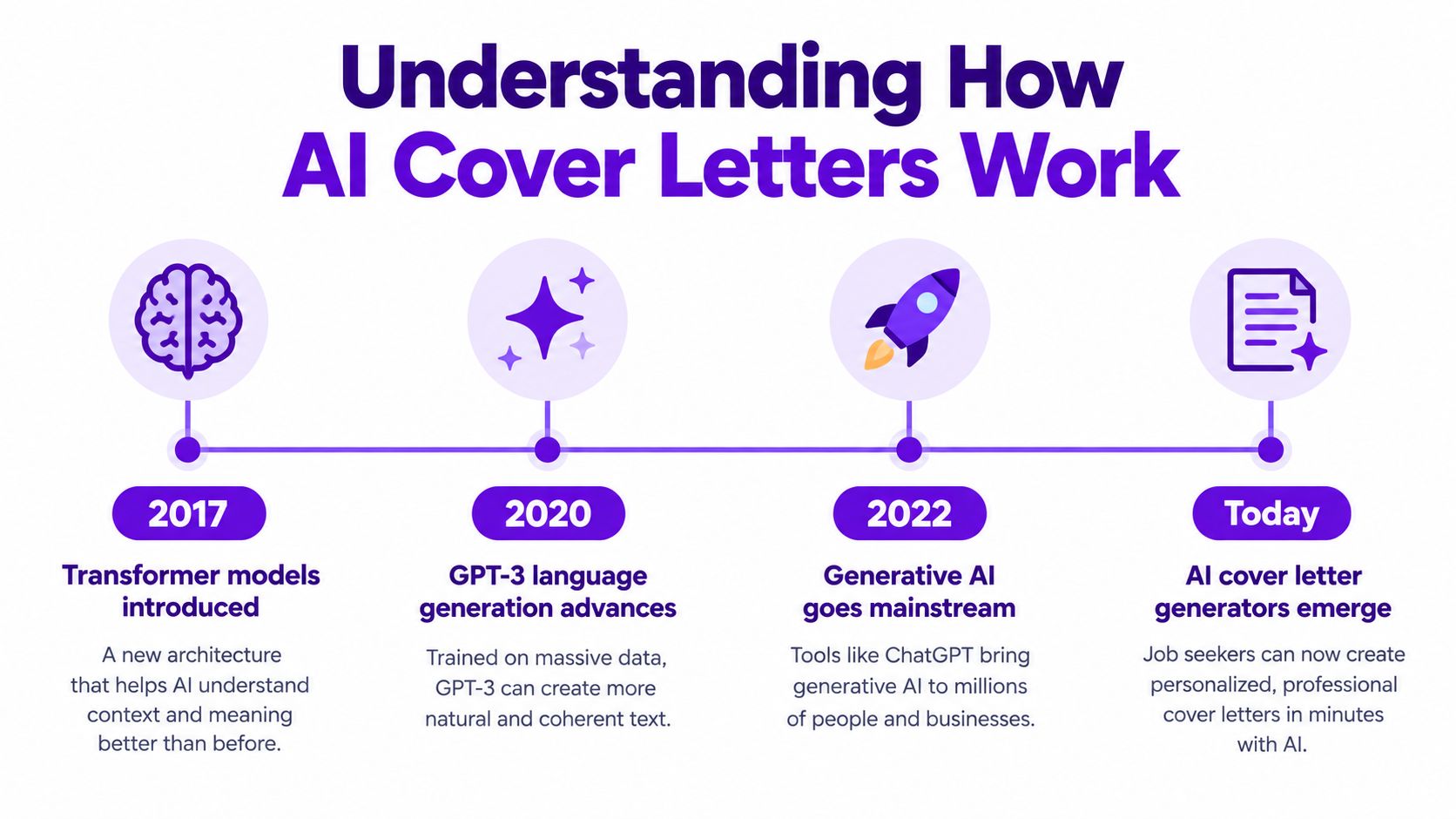
Wharton describes a historical example from 1482, when Leonardo da Vinci is said to have sent an early version of a cover letter and resume to the Duke of Milan. That places today's AI-assisted application document in a professional tradition that has existed for 500-plus years, even though the technology used to draft it became widely accessible only recently. The historical comparison appears in Wharton's discussion of AI and the cover letter.
What the generator actually does
At a practical level, the tool predicts and assembles language based on the information you provide. It looks for relationships between the job description and your background, then uses those relationships to suggest an introduction, supporting paragraphs, and a closing.
A stronger system doesn't merely repeat your resume. It tries to select relevant evidence and frame that evidence around the target role. The quality of the result depends on the quality of the context. If you provide only a job title, the output will rely heavily on familiar patterns. If you provide the full role description, relevant achievements, career context, and tone preferences, the draft has more useful material to work with.
That distinction explains why some generated letters feel smooth but empty. Fluency is not the same as relevance. A letter can be grammatically clean while failing to explain what the candidate has done or why that experience matters to the employer.
Why the market shift matters
The labor market has also started treating generative AI skills as a meaningful workplace capability. U.S. job postings that cited generative AI skills rose from 16,000 in 2023 to more than 66,000 in 2024, while the share of postings mentioning generative AI increased from 0.05% to 0.22% over the same period, according to the labor-market data cited in this analysis of AI cover letter generators. The figures describe job postings, not cover letter quality, but they show why AI-assisted workflows moved quickly from novelty to ordinary professional software.
The same principle applies if you're a beginner. AI can help turn scattered experience into a readable draft, but it can't make limited experience disappear. For guidance on framing coursework, volunteer work, projects, or transferable skills, this resource on cover letter advice for beginners offers useful context.
A generator should therefore be judged by more than the first output. Look for editable drafts, resume-aware inputs, job-description matching, tone controls, and transparent revision options. If the tool gives you attractive paragraphs but no control over the reasoning behind them, you'll spend more time correcting it than improving your application. A broader look at AI and the hiring process is available in this guide to AI in job hiring.
The Reality of Employer Perception
The fear that an employer will “know” you used AI is understandable, but it frames the problem too narrowly. The bigger risk isn't the use of a drafting tool. It's submitting a letter that contains generic enthusiasm, vague claims, and no evidence of personal judgment.
AI-assisted applications are now common enough to shape the hiring environment. iHire found that 29.3% of candidates had used AI to write or customize a resume or cover letter in the past year, compared with 17.3% in 2024. The same reporting found that 25.9% of employers were using AI in recruitment, compared with 14.7% in 2024. These figures are reported in coverage of employer reactions to AI-written cover letters.
| Metric | 2024 baseline | 2025-2026 current | Trend |
|---|---|---|---|
| Candidates using AI to write or customize a resume or cover letter | 17.3% | 29.3% | Increased |
| Employers using AI in recruitment | 14.7% | 25.9% | Increased |
The contrast is important. Candidates are using AI to keep up with the demands of customized applications, while employers are also adopting AI and becoming more alert to formulaic writing. Reporting from 2026 describes growing skepticism toward highly polished but generic letters, with some employers placing more weight on skills tests, portfolios, or verified credentials.
What sounds artificial
Hiring managers usually don't need a perfect detection system to distrust a letter. They notice when the document makes claims that the resume doesn't support, repeats the job description without adding insight, or uses an inflated tone that doesn't match the candidate's experience.
Watch for these warning signs:
- Empty enthusiasm: “I'm thrilled to bring my passion and expertise to your organization” says little without a specific reason for the interest.
- Unsupported strengths: Don't describe yourself as strategic, results-driven, or collaborative unless the letter demonstrates those qualities through an actual example.
- Keyword stuffing: A string of role-specific terms isn't the same as showing how you used those skills.
- Over-polished language: If every sentence sounds ceremonial, the reader may struggle to hear a person behind the application.
- False familiarity: Don't claim to admire a company's mission unless you can explain which part of its work matters to you.
The authenticity test: Remove the company name and job title. If the letter still sounds complete, it probably isn't tailored enough.
How much AI is enough
Use AI for structure, comparison, shortening, and controlled rewrites. Keep ownership of the facts and the personal interpretation. You can ask a generator to identify the strongest match between your experience and the role, then decide whether its choice is the one you want to emphasize.
A strong final letter may contain AI-assisted sentences, human-written sentences, and several sentences that began as AI drafts but were substantially revised. That mixture isn't a problem. The standard is whether the document accurately represents your experience and gives the employer a credible reason to continue the conversation.
If you can defend every claim in an interview, explain why each example matters, and recognize your own voice in the finished letter, you're using the technology as a tool. If you're hoping the tool can manufacture relevance without giving it real evidence, the result will usually expose that gap.
Maximizing Quality Through Smart Prompting
A request such as “write me a cover letter for this job” gives a generator too little direction. The system has to fill the gaps with familiar language, which is why basic prompts often produce letters that sound interchangeable.
Research cited in a labor-market study found that ChatGPT assistance improved overall cover-letter quality by 0.222 standard deviations on average. The largest effects appeared in the introduction and closing sections, at 0.253 and 0.281 standard deviations, while highly personalized sections were less affected, as reported in this review of AI cover letter generators.
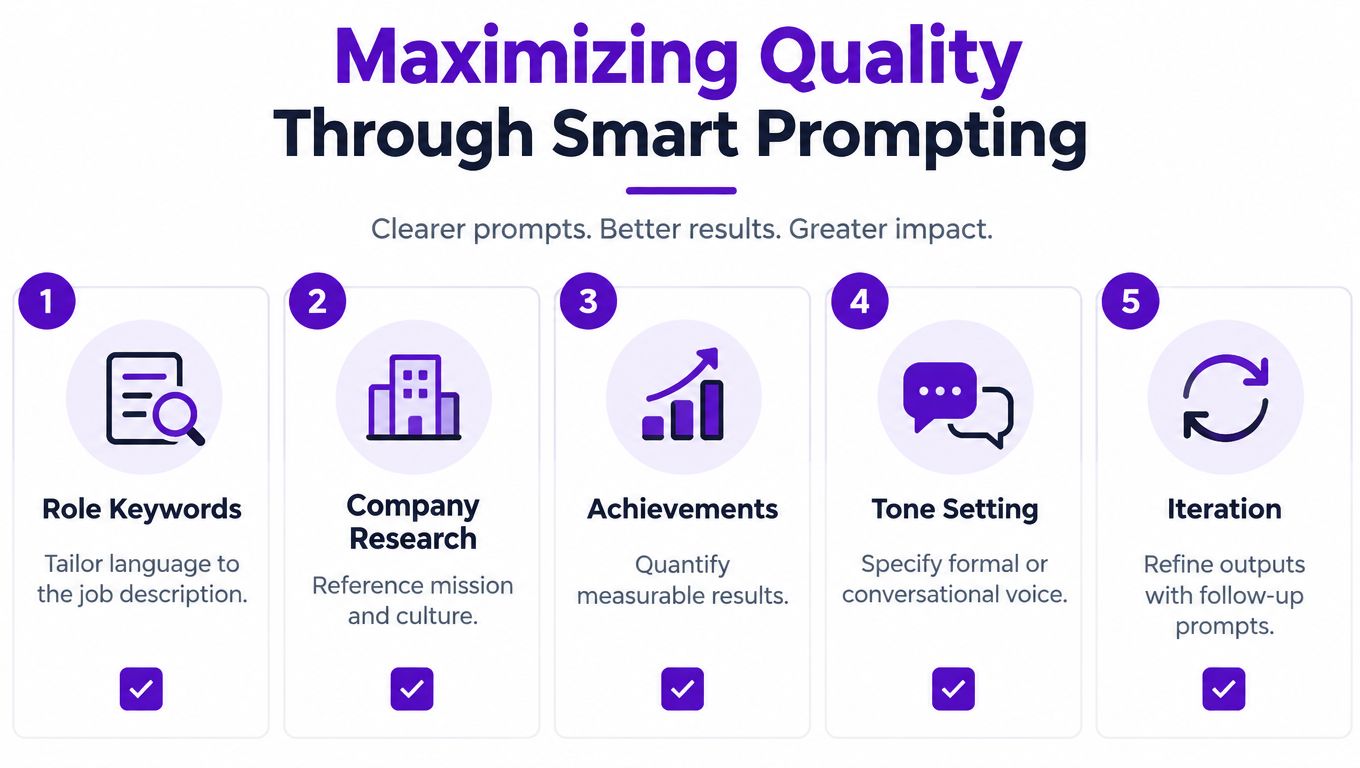
That finding points to a useful division of labor. Let AI help with the parts that benefit from structure and language control, especially the opening and closing. Protect the middle of the letter, where your motivation, achievements, and role fit need to be specific.
Give the model material it can't guess
Before you prompt, prepare a compact evidence brief. Include the exact job title, company name, relevant responsibilities, and the experience you want to connect to the role. Then add the details that generic generators usually lack:
- A concrete contribution: Describe what you owned, improved, delivered, supported, or learned.
- Relevant context: Explain the situation, constraint, audience, or problem behind the work.
- A truthful result: Include the outcome if you have one, but don't invent a metric just to make the paragraph sound stronger.
- Your motivation: State what attracts you to the work, product, industry, team, or challenge.
- Your boundary: Tell the tool not to add skills, employers, achievements, or responsibilities that aren't in your materials.
Instead of asking for a complete letter immediately, ask the generator to identify three plausible connections between your background and the job. Review those connections yourself. Choose the one that feels both relevant and defensible, then ask for a paragraph built around that evidence.
Use prompts in stages
A staged process gives you more control than a one-shot request:
- Extract: Ask the tool to list the role's main requirements in plain language.
- Match: Ask it to connect each requirement to a specific piece of your experience.
- Prioritize: Select the strongest match based on relevance, not how impressive it sounds.
- Draft: Request an introduction, one or two evidence-led body paragraphs, and a direct closing.
- Challenge: Ask which statements are generic, unsupported, repetitive, or too close to the job description.
- Rewrite: Revise only the weak areas, while preserving your preferred wording and tone.
This method also makes it easier to spot hallucinations. If the tool proposes an accomplishment you don't recognize, remove it immediately. A confident falsehood is more dangerous than an awkward sentence.
Use the job description as a source of language, not a script. This guide to targeting a job description can help you distinguish important requirements from filler wording. Then ask the generator to use relevant terminology naturally, without copying entire phrases into the letter.
Here's a practical prompt pattern:
Draft a concise cover letter for [role] at [company]. Use only the experience and achievements provided below. Connect [specific experience] to [specific responsibility]. Keep the tone [tone], avoid clichés, and flag any missing information instead of guessing. Make the middle paragraph evidence-led and leave room for me to add my personal reason for applying.
You can watch the following demonstration for another practical view of AI-assisted cover-letter drafting.
Integrating AI Tools Into Your Job Search Workflow
A generated letter becomes useful only when it stays attached to the correct role. Many candidates create several drafts in separate documents, rename files inconsistently, and later forget which version included which company detail. That administrative mistake can undo otherwise careful personalization.
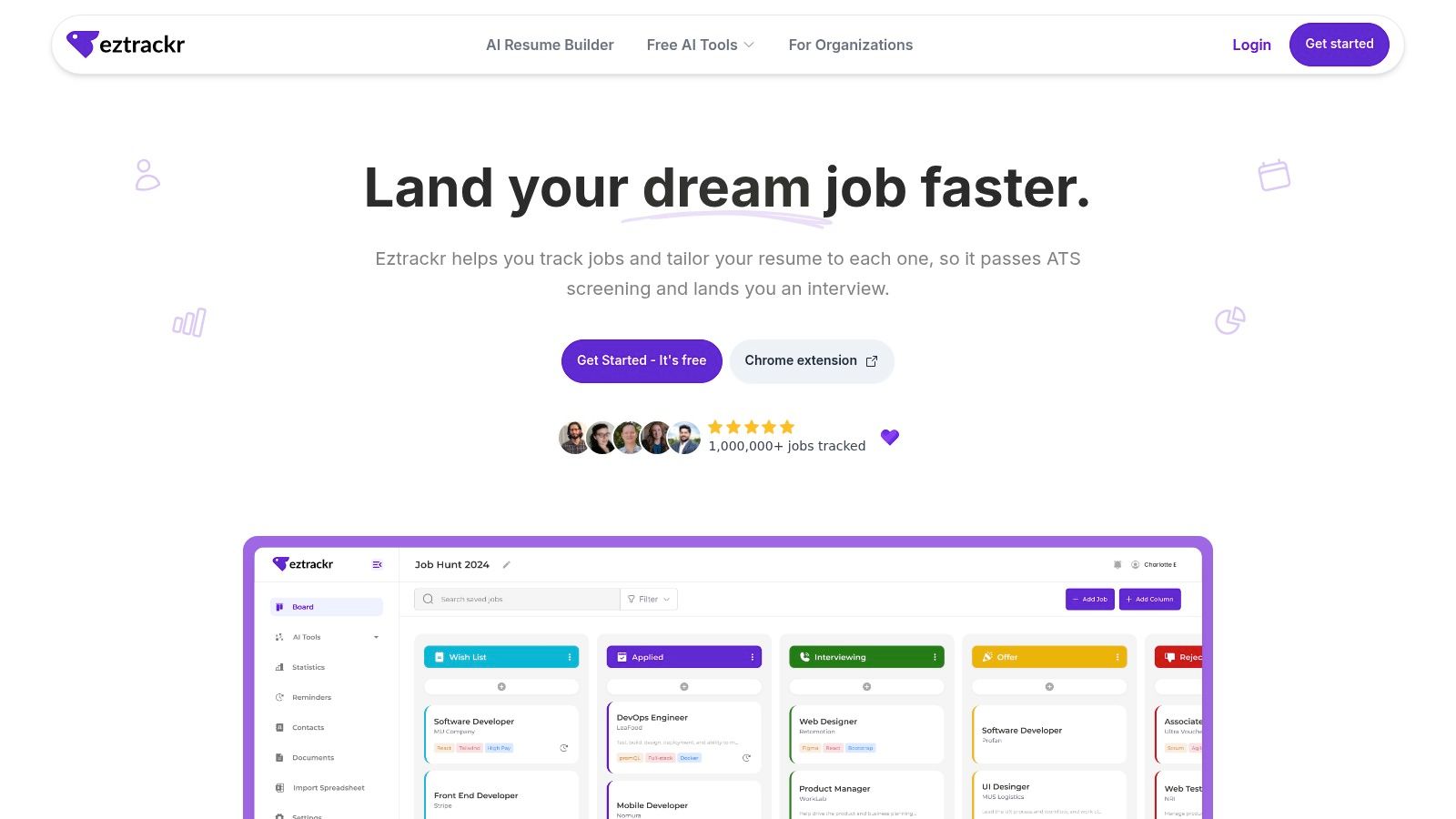
A job application tracker gives each application a home. You can save the job posting, connect the relevant resume and cover letter, record the stage, and keep notes about follow-ups. A platform such as Eztrackr combines job-posting capture, application organization, document linking, and AI-assisted materials in one workflow. It can also support resume personalization, interview-answer preparation, and progress tracking, so the letter doesn't become an isolated file.
A practical sequence
Save the opportunity first. Capture the job title, employer, description, source, and deadline before drafting. This creates the reference point for every later document.
Attach your source materials. Link the resume version you intend to submit. If your experience differs across versions, this step prevents you from writing a letter around an outdated document.
Generate a role-specific draft. Provide the job description and ask the AI to focus on the responsibilities that genuinely match your background. Don't generate a letter from the job title alone.
Edit before you track completion. Read the letter for factual accuracy, personal voice, and evidence. Mark the draft as ready only after you've removed unsupported claims and checked the employer's name, role title, and contact details.
Record the submission. Add the date, channel, version used, and any follow-up action. When an employer responds, you'll know exactly what they received.
Review patterns later. A tracker can help you see which roles are active, which applications need attention, and where your process is slowing down. That information is more useful than generating additional letters without a system for learning from them.
The same principle applies to the rest of your digital workflow. If you're evaluating tools for broader household or personal use, this overview of family-friendly AI tools provides a separate starting point. For job hunting, keep your process focused on traceability, accurate documents, and deliberate follow-up.
The purpose of integration isn't to automate every decision. It's to reduce the clerical work that distracts you from the decisions that matter, such as which roles deserve a custom-written application and which evidence best supports your candidacy.
Maintaining Ownership and Avoiding Pitfalls
Using AI doesn't make you lazy. Submitting text you haven't examined does.
The difference is editorial ownership. A generator can reduce the effort required to form sentences, but you still need to decide what the letter means, which examples belong in it, and whether the tone represents you. In fact, faster drafting raises the importance of editing because you now have more opportunity to compare alternatives instead of accepting the first usable paragraph.
An arXiv study reported that style personalization partially restored ownership by about +0.43, while a persona-framed coaching configuration for cover letters reduced ownership by roughly 0.85 points. The study also found that AI assistance lowered Raw NASA-TLX cognitive-load scores by approximately 0.88 to 0.91 on a 1 to 7 scale, according to the reported research on AI writing ownership and cognitive load.
The lesson is not that automation is harmful. It's that control over style and revision affects how connected you feel to the final document.
Keep the human decisions visible
Start with your own notes before asking for prose. Even a rough list of reasons, examples, and concerns gives you something to protect during editing. If the generator changes your meaning, you'll have a reference point.
Style controls can help, but avoid persona settings that force you into a character. “Confident,” “warm,” or “direct” can be useful instructions. “Write as a visionary industry leader” may push the output into exaggerated language that doesn't fit your experience.
Use the following review:
- Accuracy: Does every employer, title, skill, date, project, and result match your real background?
- Relevance: Does each paragraph help explain your fit for this specific role?
- Voice: Would you use these words in an interview?
- Evidence: Does the letter show what you did instead of relying on adjectives?
- Restraint: Have you removed inflated claims and unnecessary enthusiasm?
- Format: Is the document easy to read and compatible with the employer's submission requirements?
Protect the document from drift
AI revisions can slowly change a sentence's meaning. Save a clean version of your source notes and retain the final submitted copy. This document version management guide can help you keep drafts, revisions, and submitted files separate.
Don't ask the tool to make the letter “more impressive” without defining what that means. Ask for a shorter opening, a clearer connection to a responsibility, a less formal tone, or a stronger explanation of one achievement. Specific editorial instructions produce safer changes.
ATS compatibility also starts with restraint. Use clear headings, readable text, and the terminology that accurately reflects your experience. Don't force every keyword into the letter, and don't choose an elaborate design when the application system or employer expects a straightforward document.
Your final responsibility: If an interviewer asks about a sentence in the letter, you should be able to explain it naturally without rereading the document.
The right standard for a cover letter generator AI isn't whether it can produce a polished page in seconds. It's whether the tool helps you submit a more relevant, accurate, and recognizably personal application with less wasted effort. Let it carry the repetitive drafting burden. Keep the judgment, evidence, and voice for yourself.
Eztrackr brings job saving, application tracking, document linking, and AI-assisted cover letter creation into one workspace, so each draft stays connected to the role it supports. Visit Eztrackr to organize your next applications and turn faster drafting into a more deliberate job-search process.