ATS Resume Score Online: How to Read and Raise Yours
You paste your resume into a checker, wait a few seconds, and a number appears. Maybe it's 58. Maybe it's 72. Either way, the next thought is the same: did I just lose the job, or do I still have a shot?
That number is an ATS resume score online, and it is easy to misread. Hiring software uses it to sort a pile of applications against one posting. It is not a grade on your career, and it is not a prediction of whether a recruiter will call. Read it as a diagnostic, then decide which gaps are real and which ones would only inflate the number.
What an ATS Resume Score Actually Measures
Say you drop a resume into a free checker and the screen returns 58. The posting asked for stakeholder reporting, and your bullets say "updated leadership on results." You start rewriting the whole document before you know what the 58 even means.
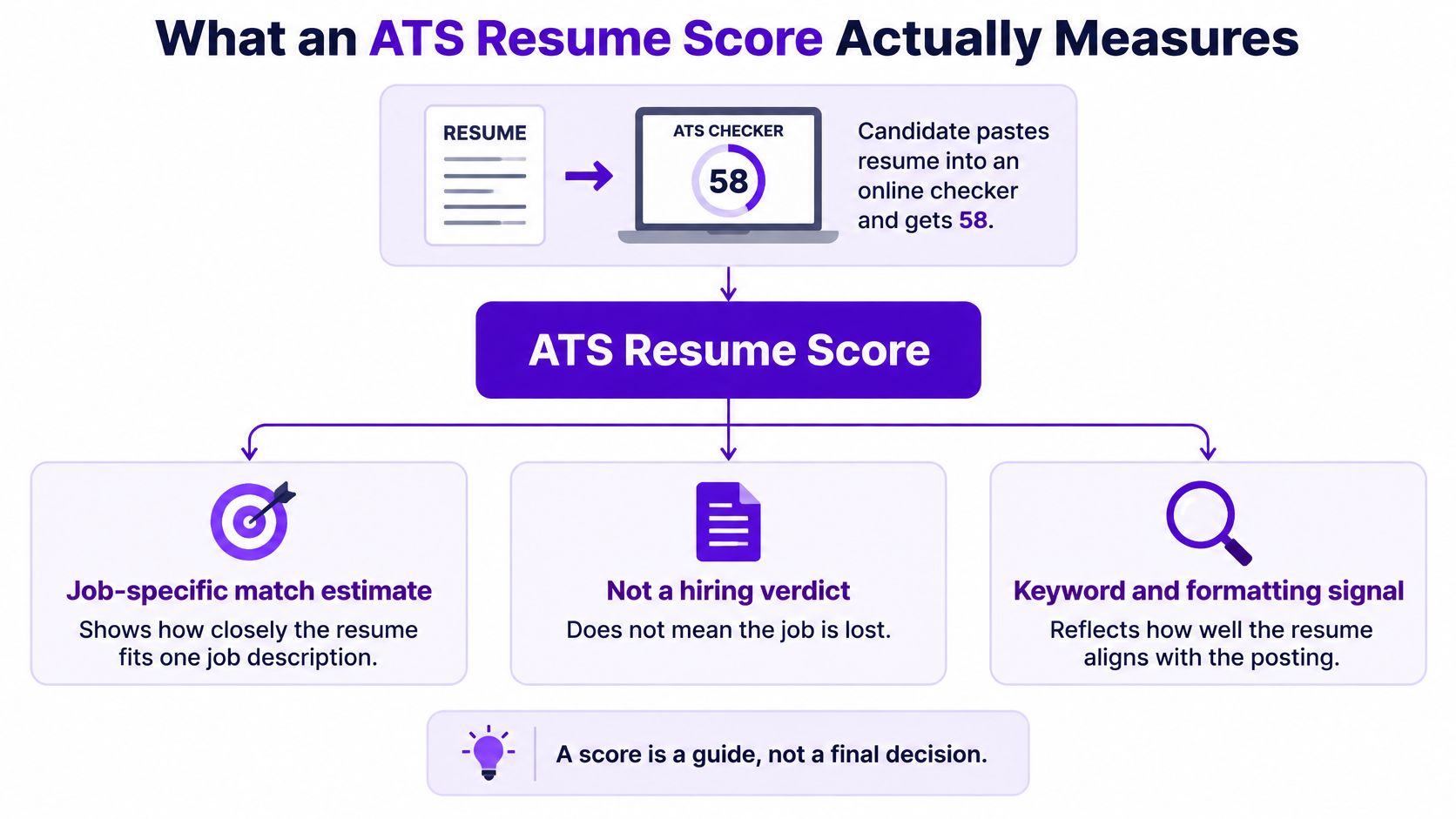
Treat that figure as a job-specific matching estimate, not a universal measure of resume quality. SHRM's look at how applicant tracking systems evolve describes the usual path: software parses an unstructured document into fields such as skills, employment history, education, credentials, titles, and dates, then compares those fields with the role requirements.
A useful analogy is a venue attendant checking a ticket against one night's guest list. The attendant isn't judging whether you're a good person. The attendant is checking whether this ticket matches this event. A different posting is a different list, so the same resume can score very differently tomorrow.
What a useful score should show
A useful tool discloses its scoring dimensions instead of hiding everything inside one total. These are the five worth reading:
| Dimension | What It Checks | Usual Fix |
|---|---|---|
| Keyword coverage | Whether job-description terms appear with supporting context | Add terms inside real accomplishment bullets |
| Required qualifications | Whether must-have skills, certifications, or years of experience are stated | Move them into the summary and the first bullets |
| Title and seniority alignment | Whether past job titles match the level of the role | Add an accurate title equivalent in parentheses |
| Chronology and section parsing | Whether employers, dates, gaps, and headings parse in order | Run the parsing checks later in this guide first |
Older systems lean on exact keyword matching, so a synonym or a neighboring term can get less credit even when the skill is the same. Newer NLP-based systems can read relationships among skills, roles, and certifications, but employers configure both kinds of software differently. A score that swings hard when you swap an equivalent phrase is a sign of brittle word-matching, which is a reason to treat the number as a clue, not a verdict.
If you want the mechanics behind that first pass, this walkthrough of how applicant tracking systems work covers parsing and ranking without the score hype. Recruiters who are matching candidates with AI still rely on a person to judge fit after the software sorts the pile.
Paste the exact job description, note which dimension dropped, and fix that dimension. Don't chase the total.
Read Your Score and Separate Myth From Fact
You tailor a resume for a particular opening, and the score rises after an edit. That change can show better alignment with the posting, but it does not prove you will pass screening or get an interview. There is no industry-wide passing score. 70% and 80% are not universal standards; tools and employers can weigh information differently.
Why the software exists
Recruiters may receive many applications for one role, so screening software helps organize and prioritize them before a closer review. It is a sorting aid, not a universal hiring rule.
The rejection myth
The claim that an ATS automatically rejects 75% of resumes before a person sees them has no documented independent study behind it. A 2026 statistical review traced the claim to a single vendor quotation from 2012 and found no underlying study. In a small 2025 sample of 25 U.S. recruiters, 92% said their ATS did not automatically reject resumes, according to the review of the claim. Those systems filtered or ranked applications, while a person made the decision.
Resumes analyzed by TalentTuner from January 2024 to November 2025 received an average ATS-style match score of 57.6% against their target job descriptions. That figure describes one analysis, not a universal benchmark or a hiring cutoff.
A score measures fit for one posting, not your worth as a candidate.
How to read a pattern
A score is most useful as a diagnostic: look at which result changed and consider what that dimension measures before editing.
| Score Pattern | Likely Cause | First Check |
|---|---|---|
| Low score, strong background | Dates, titles, or skills not parsed | Check whether the tool captured your experience accurately |
| Low score after rewriting | Required terms still missing from bullets | Compare the must-have list with the evidence in your bullets |
| High score, weak interview results | Keyword lists without supporting evidence | Replace lists with bullets that show results |
| Score drops after a synonym swap | Exact-match scoring | Use the employer's exact term once, in context |
| Scores differ between tools | Different weighting models | Compare the same posting across each tool's dimensions |
A higher total is not automatically a better resume. Adding terms that do not reflect your experience may raise a score while making your application less credible to a recruiter. Hidden white text and keyword dumps can also undermine trust, while an unusual layout can prevent the parser from reading your experience in the first place. Use the number to identify a specific gap, then keep edits accurate and relevant.
How to Run an Online ATS Check Step by Step
One clean pass beats five panicked rewrites. Work in this order, and keep the same posting open the whole time.
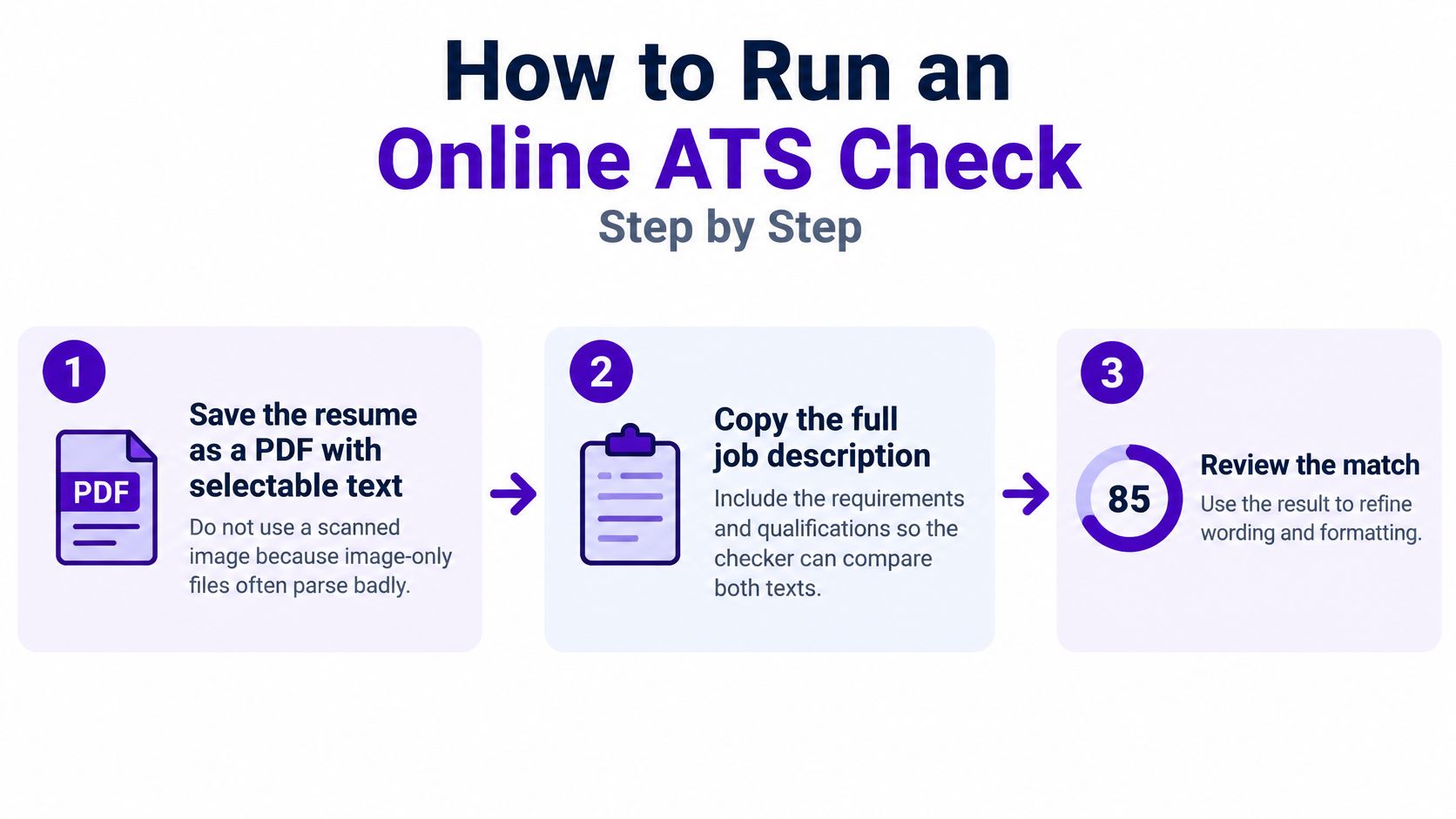
Save a text PDF. Export the resume as a PDF with selectable text, not a scan or a photo of a printout. Image-only files often parse badly because the software never receives words, only pixels. Highlight a sentence in the PDF. If you can't, the checker can't either.
Copy the full posting. Take the whole job description, including requirements and qualifications, not only the title and the opening paragraph. The lower half often holds the must-have tools, licenses, and years of experience that screening weighs most. A title-only paste produces a score about the wrong document.
Upload or paste. Load the PDF into an online scorer, or paste the resume text if the tool asks for it. Use one resume version per run so you can tell which edit moved the result.
Read dimensions before the total. Start with required qualifications, then keyword coverage, then parsing. A pretty total can hide a missing certification that the posting lists as mandatory.
List the missing must-haves. Write down every required term the score flags. Next to each one, mark whether you have real evidence. If you don't, leave the term off. Inventing a tool you haven't used is how a higher score becomes a bad interview.
Edit only evidenced bullets. Where you do have the work, place the employer's term inside a specific bullet: the platform, the method, or the deliverable, plus what changed. Keep the sentence something you would say out loud.
Rescore the same posting. Run the check again and compare dimensions, not just the headline number. If required-qualification coverage didn't move, the edit missed the gap.
One check covers one job. A second posting needs its own paste, its own missing-term list, and its own rescore. Reusing yesterday's customized file against today's posting is how strong experience gets marked as a weak match.
Check Whether Parsing Hides Your Experience
A recruiter may see a clear career history while an automated system reads scattered dates, misplaced skills, or no text at all. That gap can affect career changers, international applicants, and people with employment gaps, especially when a resume uses unfamiliar titles or formatting.
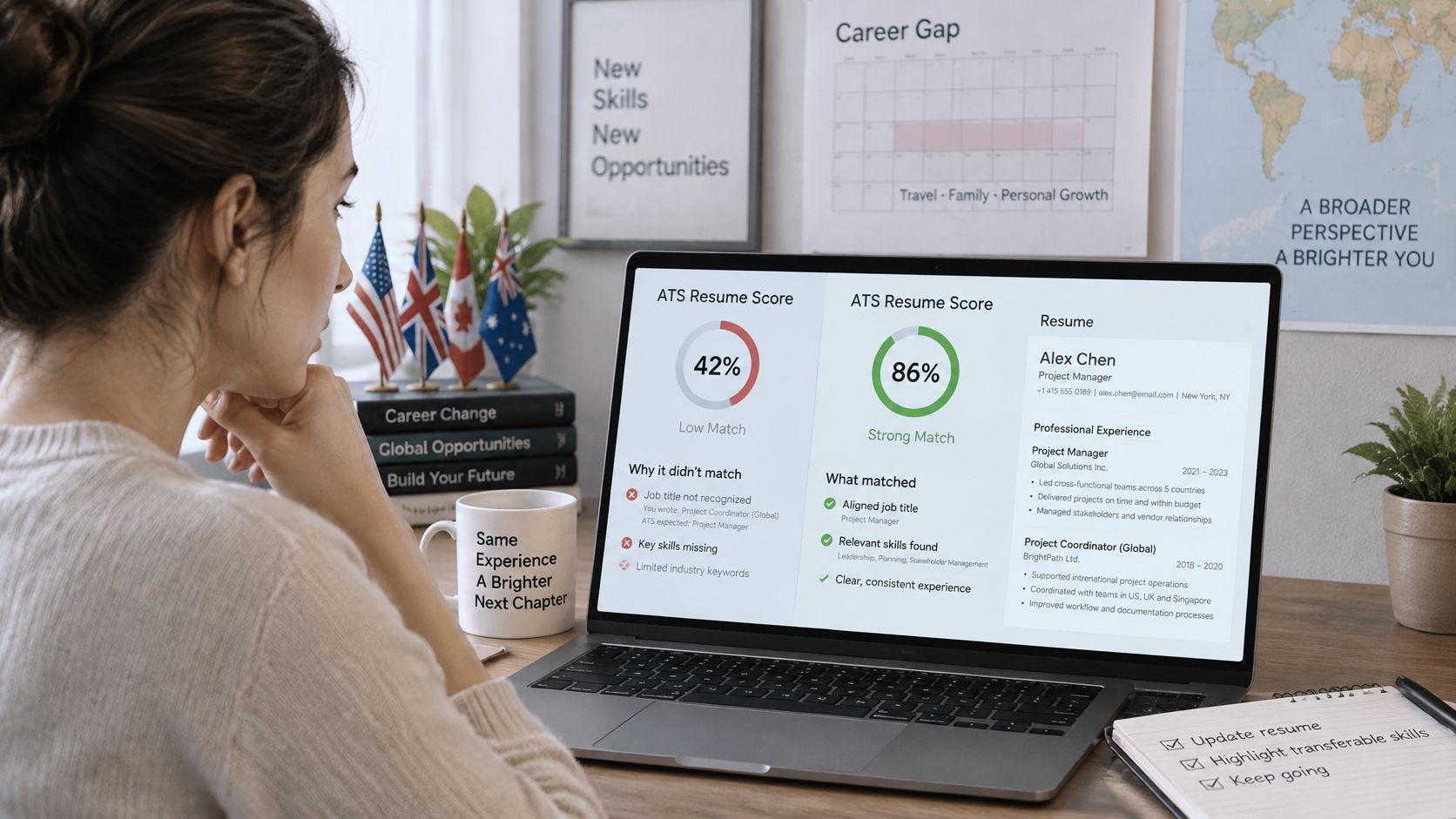
A 2025 European guidance report describes cases where resumes rated highly by professional recruiters received lower automated rankings, and applications in unsuitable file formats were filtered out. The score can reflect what the system managed to read, not the full value of your experience.
Run a parsing test
Compare the scorer's extracted text with your original resume. Check whether each detail appears in the right place and remains connected to the right role.
| Element | How to Test | Failure Sign |
|---|---|---|
| Job titles | Compare parsed titles with your original resume | A nonstandard title is missing or replaced by a generic one |
| Dates and gaps | Check each date range in the parsed output | Dates are dropped, merged, or attached to the wrong job |
| Credentials | Look for degrees and certificates under Education | A certificate shows up as a skill or disappears |
| Locations | Confirm city and country appear with each role | Locations are missing for remote or overseas roles |
| Portfolio links | Confirm each link is written as plain text | Links are absent from the parsed text |
| Reading order | Read the parsed text from top to bottom | Columns or sidebars merge into the wrong section |
Watch for details that look clear on the page but lose their meaning in extracted text. “Growth Ninja” may disappear or become a generic title. “Summer 2022” may be dropped or attached to the wrong job. A credential from another country might appear under Skills, while a portfolio link shown only as an image may not appear at all. Columns can also jumble a sidebar's skills with the text of a nearby role.
A score cannot establish whether a foreign credential is equivalent, explain a disability-related gap, or recognize skills gained outside corporate roles. Make the relevant experience explicit. For example, a teacher moving into operations can keep the teaching title and add “Scheduling and budget coordination” to describe transferable work in plain language.
If details disappear during upload, this guide to uploading a resume explains the file type and what the parser should return.
Correct parsing errors first, then check whether the remaining score gap points to missing content.
Fix the Gaps Without Stuffing Keywords
A higher score doesn't guarantee more interviews. Chasing the last few points can produce vocabulary-heavy bullets that hide the impact a recruiter wants to see.
AI use in hiring is rising and uneven, which is another reason not to treat one checker as a pass-fail gate. In 2025, 25.9% of employers reported using AI in recruiting, and 32.1% of those AI-using employers used it to screen applicants or resumes, according to iHire's State of Online Recruiting. Plenty of hiring managers still read the file themselves. Overfitting the vocabulary can win the sort and lose the person.
Screening is built to find structured, job-relevant information. It isn't built to reward a dense keyword list. Work in this order: mandatory qualifications first, title alignment second, keyword coverage third.
One bullet, rewritten
Take a marketing analyst posting that names Power BI.
- Before: "Worked on dashboards for the sales team."
- After: "Built a Power BI dashboard tracking weekly sales across 12 regions, cutting reporting time by 40%."
The second line names the platform, the method, and the result. The first line could describe almost anyone. Repeating "Power BI" in a skills dump, the summary, and three more bullets doesn't add evidence. It only makes the page sound generated.
For synonyms, use the employer's term once, in context, and keep your own term if it is more precise. If the posting says "CRM" and you used Salesforce, write Salesforce once and "CRM" once. Don't delete the product name just to mirror the ad.
If you lack a required skill, don't claim it. List adjacent work and a course or project that shows the learning, for example a SQL course plus a personal analysis you can discuss. Where to place those terms without stuffing them is covered in this guide to ATS resume keywords.
Practical rule: If you wouldn't defend the sentence in an interview, take the keyword back out.
Read each rewritten bullet aloud. It should still sound like a specific person describing real work.
Confirm Your Score Before You Apply
Before you hit submit, run three checks. Each must-have qualification appears with evidence you can discuss. The parsed fields match your original resume, including titles, dates, and credentials. The wording still sounds like you, not like a keyword list.
Run that check on the exact posting you're applying to. Postings change, and text copied last week can be stale. Job-specific scoring evaluates a resume against a specific job description and suggests personalized improvements. The Resume Scorer accepts PDF uploads up to 2MB, and creating a resume with Eztrackr is free. It's one option among checkers, not the only way to test a file. Pair the content check with a resume format that can pass an ATS so a layout problem doesn't undo the wording.
Apply when every must-have you list is backed by evidence in the resume. Stop chasing points that would require a claim you can't support.
Eztrackr helps you score a resume against the posting you're applying to, then track which version earns replies. Use the job-specific match and the parsing feedback before you send the next application, and skip edits that only inflate a number. Visit Eztrackr to run your resume against the role you want.