What is document version control: a simple guide to better file management
Ever found yourself staring at a folder full of files like Resume_Final_v2.docx, Resume_Final_for_Google_v3.docx, and Resume_THIS_ONE.docx, wondering which one is actually the right one?
That feeling of confusion is exactly what document version control is designed to eliminate.
At its core, version control is just a fancy term for a simple idea: tracking and managing multiple drafts of the same file. It creates a clean, organized history of your work, so you can see every change you’ve made, jump back to an older version, and never accidentally send the wrong document again. For something as critical as your resume, it's a total game-changer.
End Resume Chaos With Smart Document Management
That messy folder of resumes isn't just a minor annoyance—it's a real roadblock in your job search. When you can't be sure you're sending the right resume or cover letter, you're adding unnecessary stress to an already tough process. You risk sending a resume tailored for a marketing role to a software engineering job, a mistake that can instantly take you out of the running.
This is where adopting a version control mindset transforms your workflow from chaotic to confident. It’s about creating a system you can trust.
The True Cost of Disorganization
Hunting for the right file is a massive waste of time. In fact, professionals spend an average of 1.8 hours every day—that's 9.3 hours a week—just searching for and gathering information. Think about that. That's a full day of work, every single week, lost to digital disorganization. You can explore more about these findings and effective document version control methods to see just how much time a good system can save.
That lost time could be spent networking, prepping for interviews, or finding new opportunities—the stuff that actually lands you a job.
A good version control system acts like a personal librarian for your career documents. It organizes every draft, tracks every submission, and ensures you can always find the exact book you need, right when you need it.
We've all been there, digging through folders in a panic. Let's look at how a structured approach flips the script.
Manual File Tracking vs Organized Version Control
| Common Job Seeker Problem | How Version Control Solves It |
|---|---|
| Can't remember which resume was sent to which company. | Creates a clear link between each application and the exact document versions used. |
| Afraid to edit a good "master" resume for a specific role. | Lets you create and experiment with new versions (branches) without losing your original. |
| Accidentally deleted a great paragraph and can't get it back. | Provides a full change history, allowing you to "roll back" to any previous version. |
| Sending an old, un-proofread draft by mistake. | A clear naming system and log ensures you always grab the most recent, polished version. |
By moving from a reactive, messy process to a proactive, organized one, you reclaim control over your job search materials.
Ultimately, understanding what document version control is gives you a reliable framework to:
- Track Applications: Confidently know which specific resume and cover letter were sent to each employer.
- Safe Experimentation: Feel free to create tailored versions of your resume for different roles without losing your master copy.
- Build a Historical Record: Easily review past applications to see how your professional narrative has evolved over time.
Understanding the Core Ideas of Version Control
To really get what document version control is all about, it helps to break it down into a few core ideas. Forget the dense, technical jargon for a second. Let's think about this in a way every job seeker understands: crafting that perfect resume.
Each of these concepts builds on the last, creating a powerful system for managing all your career documents. In fact, many document management best practices are born from these exact principles.
Versioning: The Chapters of Your Career
At its heart, versioning is just the simple act of creating and labeling different drafts of a document. Think of your resume not as one static file, but as a story with different chapters.
"Resume_v1" could be your general, all-purpose version. But when you find a killer role at a tech startup, you create "Resume_v2_TechAnalyst"—a brand new, saved chapter in your career story, tailored specifically for that opportunity. Each version is a complete snapshot in time, preventing you from accidentally overwriting your solid "master" resume just to test a few new bullet points.
Change History: Your Document's Logbook
While versioning saves the big drafts, change history is the super-detailed logbook that records every single tiny edit you make. Imagine seeing the exact moment you added that new certification or rephrased a key accomplishment.
This is where things get really powerful. Modern systems automatically keep these detailed records, noting who made the change and when. This creates an automated audit trail, letting you see the document's entire journey. If you accidentally delete a crucial paragraph, the change history lets you turn back the clock and get it back instantly.
Branching and Merging: A Safe Space to Experiment
Now for the really clever part.
-
Branching is like creating a "what-if" world for your resume. You can create a branch to test out a radical new design or a completely different, skills-focused format without touching your main, approved version. It’s your own personal sandbox to experiment freely.
-
Merging is how you bring those successful experiments back into the main document. If that creative new format you built in your branch is a clear winner, you can merge those changes back into your master resume. This creates a new, better official version.
These two ideas work together to give you a safety net. Branching lets you innovate without risk, and merging ensures your best ideas actually improve your core documents. No more good work getting lost in a sea of confusingly-named files.
Choosing Your Version Control Method
So, how should you actually manage your documents? There’s no single right answer. The options run the gamut from simple habits you probably already use to incredibly powerful systems built for this exact purpose. The key is to find the method that fits your job search without overcomplicating things.
The Old Standby: Manual Naming
We've all been there. You finish tweaking your resume for a specific role and save it as Resume_For_Tech_Startup_FINAL.docx. Maybe you even have a Resume_FINAL_v2_really_final.docx lurking in your downloads folder.
This is manual naming, and while it feels like a step toward organization, it's a trap. It quickly leads to a cluttered desktop and a guessing game about which version is which. Worse, it offers no real history, making it dangerously easy to accidentally send an outdated resume to your dream company.
A Big Step Up: Cloud File Histories
Using cloud file histories in tools like Google Docs or Microsoft 365 is a major improvement. These platforms automatically save a running log of every single change you make, which is a fantastic safety net. If you accidentally delete a great paragraph or decide your last round of edits was a mistake, you can simply roll back to an earlier version. No more panic attacks over lost work.
But for a job seeker, this method has a critical blind spot. It tracks what you changed, but not where you sent it. You might have dozens of versions neatly stored in the document's history, but you'll have no idea which specific version went to which employer. That's a huge problem when you're trying to prep for an interview a few weeks later.
This decision tree gives you a simple way to think about when to create a new version versus just updating your main one.
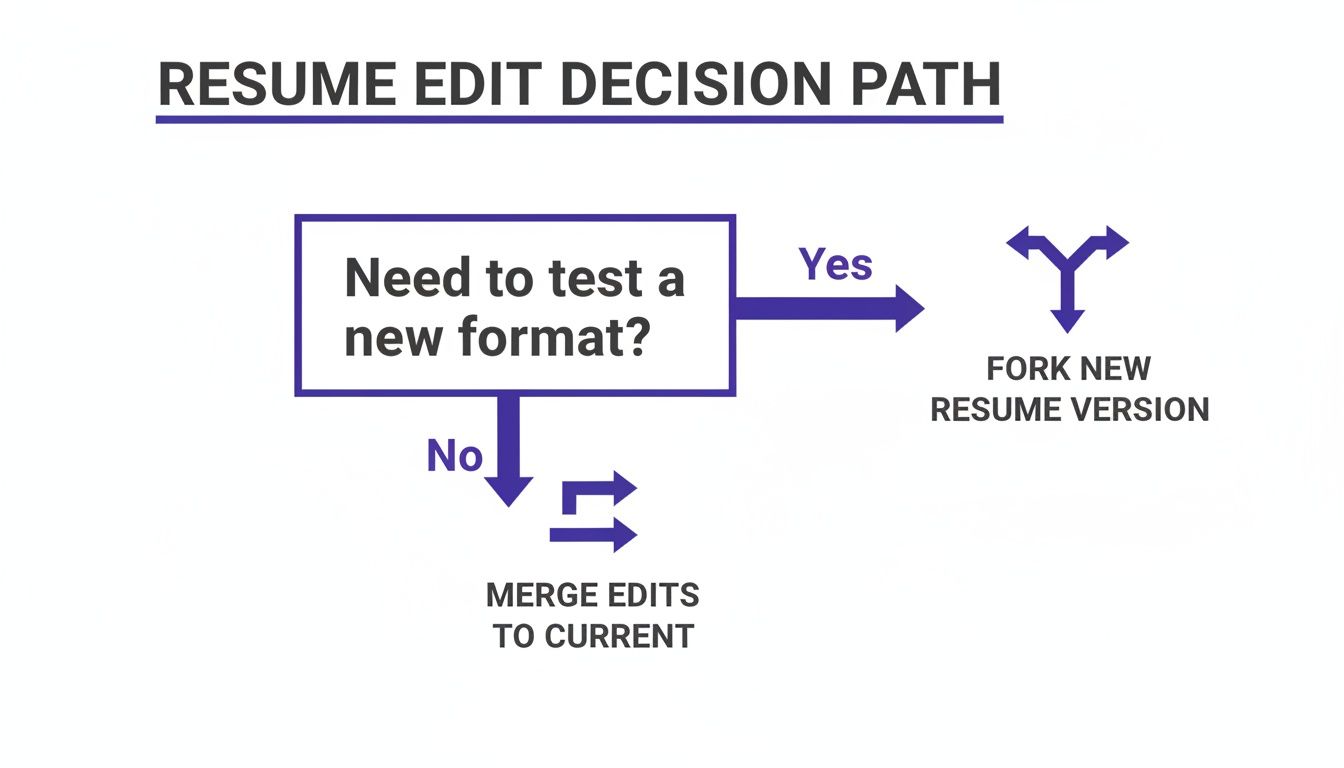
As you can see, a major overhaul is a good reason to "branch" out with a new file, while small tweaks can be merged right back into your master document.
The Pro-Level Options: Specialized Systems
For ultimate control, software developers use dedicated Version Control Systems (VCS) like Git. These systems are the gold standard, tracking every character change with military precision. But let's be honest—that's total overkill for managing resumes.
The sweet spot for job seekers is a Document Management System (DMS), especially one that’s part of your job tracker. This is where platforms like Eztrackr shine. They blend the simplicity of cloud storage with the powerful organization you need for a job search.
You can link a specific resume or cover letter directly to the application you used it for. This creates a perfect, unchangeable record of what you sent, where you sent it, and when.
A dedicated DMS turns your application history from a messy folder of files into a strategic database. It gives you the clarity you need to track, analyze, and seriously level up your job search.
Version Control Methods at a Glance
To make the choice clearer, here’s a quick breakdown of how these different methods stack up for a job seeker.
| Method | Best For | Key Advantage | Key Limitation |
|---|---|---|---|
| Manual Naming | Quick, one-off edits when you're in a hurry. | Simple and requires no special tools. | Highly error-prone; no real change history. |
| Cloud File Histories | Collaborative editing and general document work. | Automatic backups and easy rollback feature. | Doesn't link document versions to specific job applications. |
| Version Control System (Git) | Software development and complex technical projects. | Extremely powerful and precise change tracking. | Far too complex for typical job search needs. |
| Integrated DMS | Serious job seekers managing multiple applications. | Creates a direct link between a document and an application. | Requires using a dedicated job tracking platform. |
Ultimately, the goal is to create a system that works for you—one that eliminates guesswork and lets you focus on landing the interview.
By picking the right method, you can build a much stronger workflow. To take your organization to the next level, it's worth exploring some of the best workflow management tools that can work alongside these version control strategies.
How Version Control Transforms Your Job Search
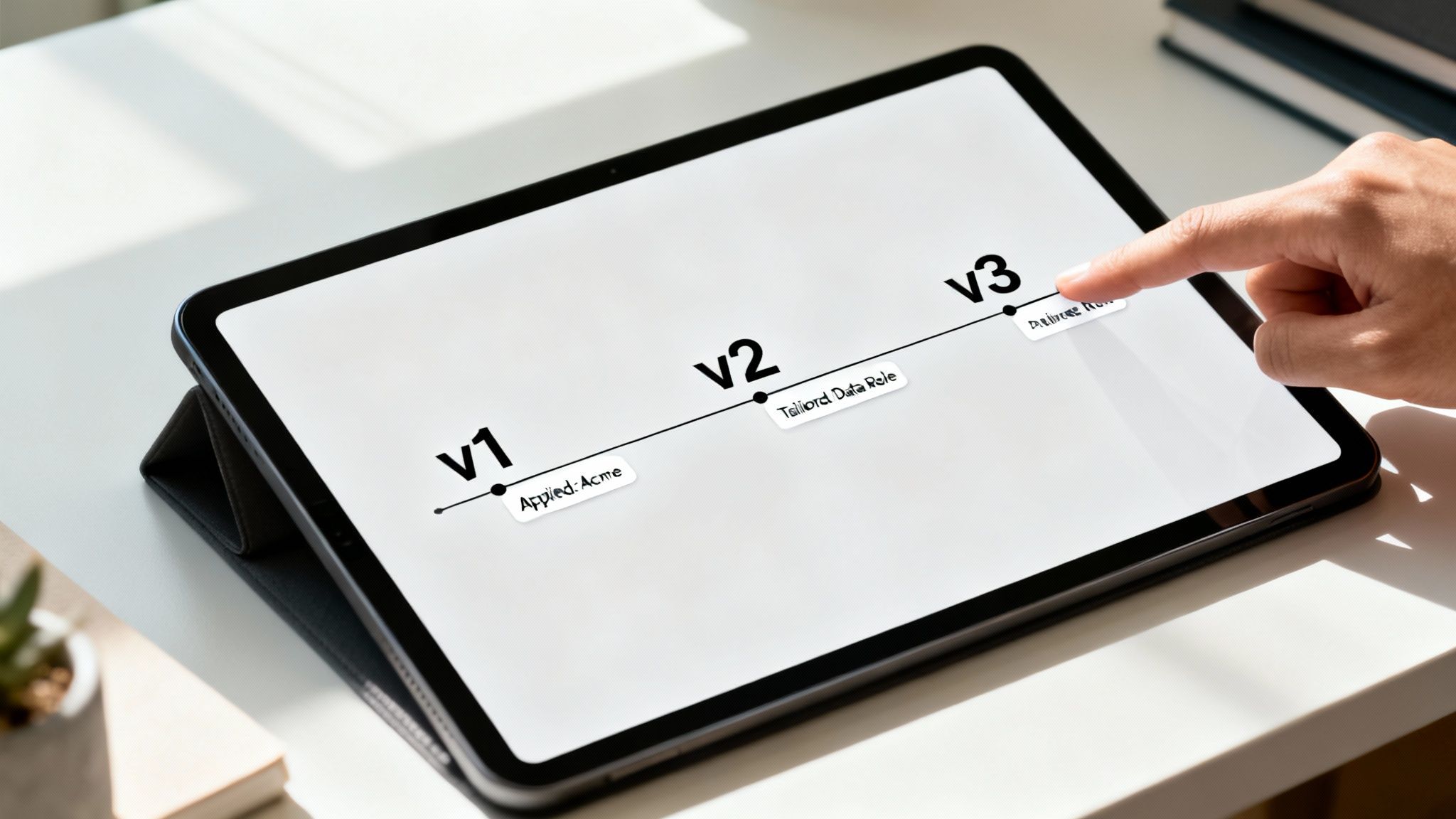
It’s one thing to understand the theory of version control, but it's another thing entirely to see how it can change your job search. For anyone on the hunt for a new role, adopting this mindset brings some serious, real-world perks that cut down on stress and get you better results.
You’re basically shifting from a chaotic, "I hope I sent the right file" approach to a structured, confident one.
The most immediate win? Kicking that application anxiety to the curb. You’ll never have to second-guess if you sent your creative-industry resume to that buttoned-up corporate gig. By linking a specific version of your resume to each application, you create a perfect, unchangeable record. This gives you total clarity and peace of mind when it’s time to prep for an interview.
Gaining Confidence Through Organization
Proper version control also gives you the freedom to experiment without fear. Want to try a radical new resume format for a startup? Or maybe a super-traditional one for a bank? Go for it. You can create a new version without worrying about accidentally overwriting or losing the master copy that’s been working for you.
Think of it as a safety net for your career narrative. Version control lets you confidently tailor your story for different audiences while always preserving the original, authoritative version of your professional history.
This system also builds a complete history of your entire job search. By looking back at past submissions, you can see how you’ve tweaked your skills for different roles, track your own professional growth, and refine your game plan for the next opportunity. It’s not just about being neat; it’s about being strategic.
A Real-World Example
Take Alex, a job seeker whose desktop was a graveyard of confusingly named files. The stress was constant, always worrying they’d sent a resume tailored for a data analyst role to a project manager position. After setting up a simple version control system, Alex could instantly see which document went where.
This newfound organization let Alex focus on nailing the interview instead of doing digital cleanup. The clear log of every submission didn't just boost their confidence; it also showed which versions of their resume were actually getting responses. This kind of clarity is a huge part of knowing how to track job applications the right way, turning a messy process into a powerful source of personal data. By applying these principles, you gain a massive advantage, making sure every single application you send is intentional and precise.
Putting Version Control into Practice
Knowing the theory is one thing, but the real magic of version control happens when you put simple, repeatable habits into action. You don't need complicated software to go from messy folders to a clean, organized system. It all starts with a few practical steps you can take today to make your job search way more effective.
The first change—and honestly, the most impactful one—is locking in a consistent naming convention for your files. This simple habit instantly brings clarity to your documents, killing the guesswork of figuring out which resume is which. A good file name is like a perfect label; it tells you everything you need to know at a glance.
A Simple Naming Convention That Works
The goal here is a file name that’s descriptive, short, and totally consistent. Ditch the generic names like Resume_Final.pdf and start using a structure that actually gives you useful info.
Here’s a template that’s an absolute lifesaver:
[DocumentType]_[YourName]_[TargetRoleOrCompany]_[VersionNumber]
Let’s see it in action. Say you're tailoring a resume for a Data Analyst role at a company called Innovate Inc. Your file would look like this:
Resume_JohnDoe_DataAnalyst_v1.pdf
And for the cover letter? Easy.
CoverLetter_JohnDoe_InnovateInc_v1.pdf
This structure tells you the document type, who it belongs to, its specific target, and the version. It's a tiny change that brings a massive amount of organization and peace of mind.
The Power of Master Documents and Branching
Here's another pro-level practice: keep a "master" resume. Think of this as your core document—the polished, all-encompassing version that details your entire work history and every accomplishment.
The golden rule? Never edit your master resume directly for a specific application. Always treat it like a pristine template.
When you find a job you want to apply for, just make a copy of your master resume. This simple act of copying is your version of "branching." Now you can safely edit this new "branch," tailoring it to the specific role without ever touching your original, approved document.
This approach gives you total freedom to experiment. You can chop out irrelevant bullet points, weave in keywords from the job description, or reframe your experience for that one company—all while your master copy stays safe and sound.
If you’re working with a mentor and getting feedback, tracking those changes is crucial. Version control becomes a huge help here, and learning about managing comments on PDFs for collaborative review can seriously improve that back-and-forth process.
Linking Documents for a Perfect Record
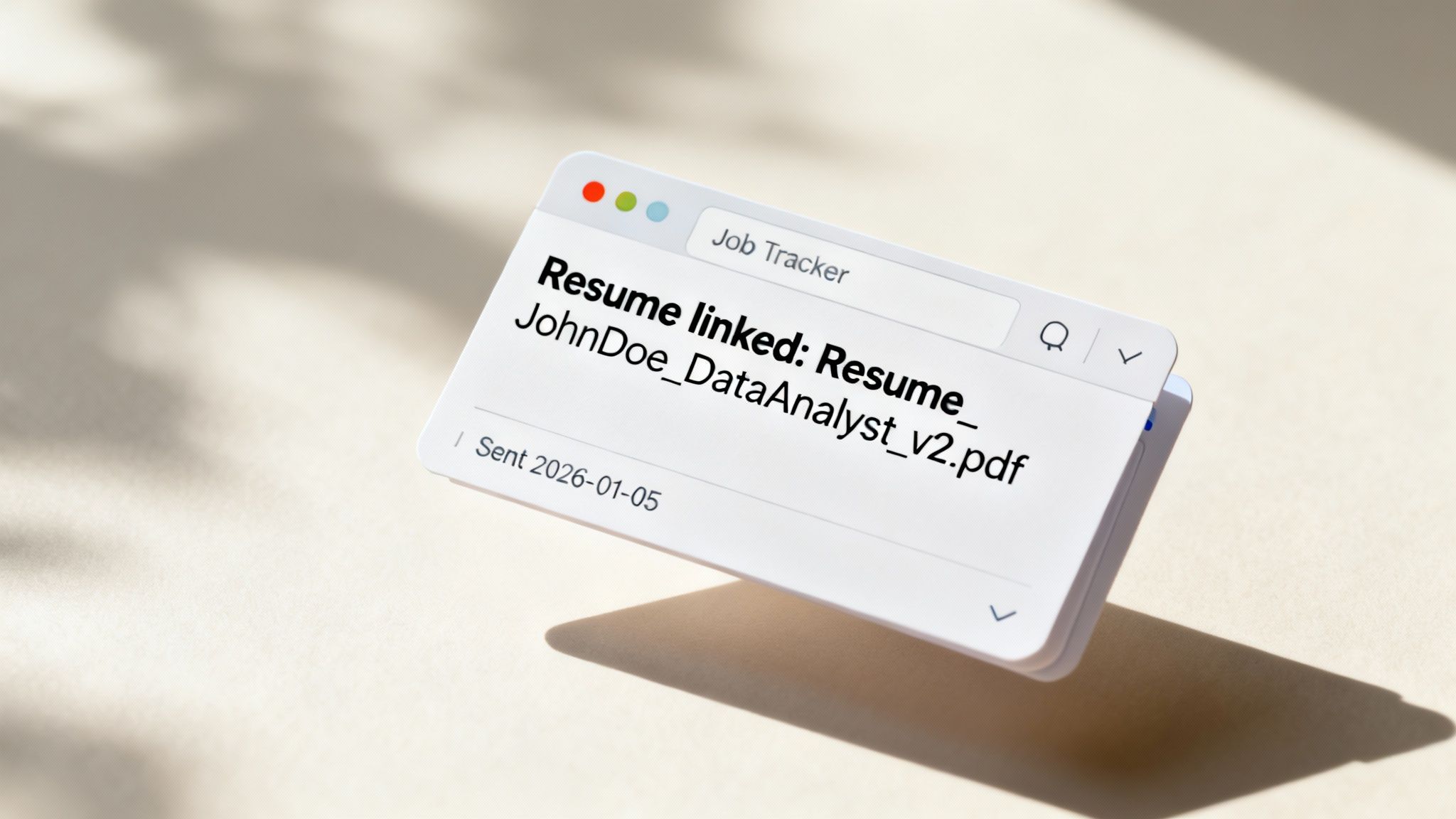
The final piece of the puzzle is creating an unbreakable link between your application and the exact documents you sent. A job tracker like Eztrackr is built for this. Once you’ve crafted your tailored resume and cover letter, you just attach those specific files directly to that job entry on your board.
This creates a perfect, unchangeable audit trail. Months down the line, when you finally get that interview call, you won’t have to scramble or guess which resume you sent them. You can pull up the exact file with a single click, making sure you walk into that conversation perfectly prepared and confident.
Putting Version Control to Work in Your Job Search
Alright, enough with the theory. Let's make this real. The great thing about version control is that you don't need a complicated system to get it right. Inside Eztrackr, you can build a rock-solid workflow in just a few minutes that turns all this talk into a real, stress-free process.
The goal is simple: always know exactly which resume you sent to which company. No more guessing games, no more "uh oh" moments.
Your 5-Step Eztrackr Workflow
Ready to build a system you can trust? Here’s how you can create and track a tailored resume for any job application.
-
Create Your "Master" Resume
First things first, create your main resume. Think of this as your template. Save it with a clear name likeResume_JohnSmith_Master_v1.docx. This is your single source of truth—the one you never edit directly for a specific job. -
Tailor a New Version
Found a job you want to apply for? Don't touch your master copy! Instead, make a duplicate. Use Eztrackr's AI tools to scan the job description and tweak this new copy with the right keywords and skills for that specific role. -
Give It a Smart Name
Now, save that tailored copy using the naming convention we covered earlier. Something likeResume_JohnSmith_DataAnalyst_v1.pdfis perfect. It tells you everything you need to know at a glance. -
Link It to the Application
This is where the magic happens. Hop into Eztrackr’s job tracker and find the application card for this role. Use the document linking feature to attach the exact PDF you just created (Resume_JohnSmith_DataAnalyst_v1.pdf).
This one action locks it in. You now have a permanent, unchangeable link between a specific application and the exact resume you sent. It’s the ultimate paper trail for your job search.
- Add a Quick Note for Good Measure
For total clarity, drop a quick note in the application card. Something simple like, "Sent tailored resume v1 and cover letter v1 on Oct 26," gives you a quick, at-a-glance confirmation of what you did and when.
That's it. Five simple steps. By making this little workflow a habit, you’re transforming version control from a vague concept into your secret weapon for a more organized, confident, and successful job hunt.
Frequently Asked Questions
Even with the best system in place, you’ll probably have a few questions pop up about version control as you get deeper into your job search. Here are a few common ones we hear, along with some straightforward answers.
What’s the Easiest Way to Get Started with Version Control?
Honestly, the simplest way to begin is with a smart, consistent naming system. No complicated software needed at first.
Start with a single master document, something like ‘JaneDoe_Resume_Master.docx’. This is your core template. Then, for every job you apply to, save a unique, tailored copy like ‘JaneDoe_Resume_AcmeCorp.pdf’. The final step is to use a tracker like Eztrackr to link that specific PDF directly to the application record. Just like that, you’ve got a perfect audit trail.
Is Google Docs’ Version History Good Enough for My Job Search?
Google Docs has a killer version history feature. It’s a real lifesaver because it automatically saves your changes, which means you can always rewind to an earlier draft if you make a mess of things.
But here’s the catch: it won't tell you which version you sent to which company. You’ll see a complete history of your edits, but you won't have a clear record of your submissions.
Your best bet is to combine the two. Use the automatic saves in Google Docs as your safety net, but link the final, exported PDF in a dedicated job tracker. This gives you the best of both worlds: a full edit history and an undeniable submission record.
When Should I Create a New Major Version of My Resume?
You only need to create a new "major" version—say, moving from v2 to v3—when you're making a big, strategic change to how you're presenting yourself professionally.
Think of it for moments like these:
- A Career Pivot: You’re targeting a completely new industry or a different type of role.
- Major New Accomplishments: You've just finished a huge project, earned a new degree, or added a game-changing certification.
- A Total Redesign: You’re overhauling the entire look and feel—the format, layout, and visual design of your resume.
Those small tweaks you make for individual jobs? They don't need a new version number. Just stick to your company-specific naming system for those.
Stop juggling messy folders and start organizing your job search with confidence. Eztrackr provides all the tools you need, from document linking to AI-powered resume tailoring, in one simple platform. Get started with Eztrackr today.