10 Best Resume Builder with Cover Letter Tools for 2026
You have one resume, a growing list of open applications, and a cover letter that either repeats the resume word for word or contradicts it. That creates avoidable errors: a different job title, an unsupported achievement, or a skill mentioned in the letter but nowhere in the resume. A good resume builder with cover letter support should pull both documents from the same candidate data, then adapt them to the target job posting.
That shared foundation saves time, but it doesn't remove the need for review. Applicant tracking systems have become a standard part of large-market recruitment. A 2025 analysis of resume statistics reported that 97.8% of Fortune 500 companies used an ATS, while 57% of hiring managers spent one to three minutes reviewing a resume. Clear structure and relevant evidence matter before a recruiter reads every sentence.
This list covers template-first builders, design-led tools, AI-led suites, and tracker-based platforms. Each tool is judged on whether its cover letter can reflect the same resume data and target job, along with AI features, templates, export formats, free-tier limits, and pricing transparency.
1. Zety
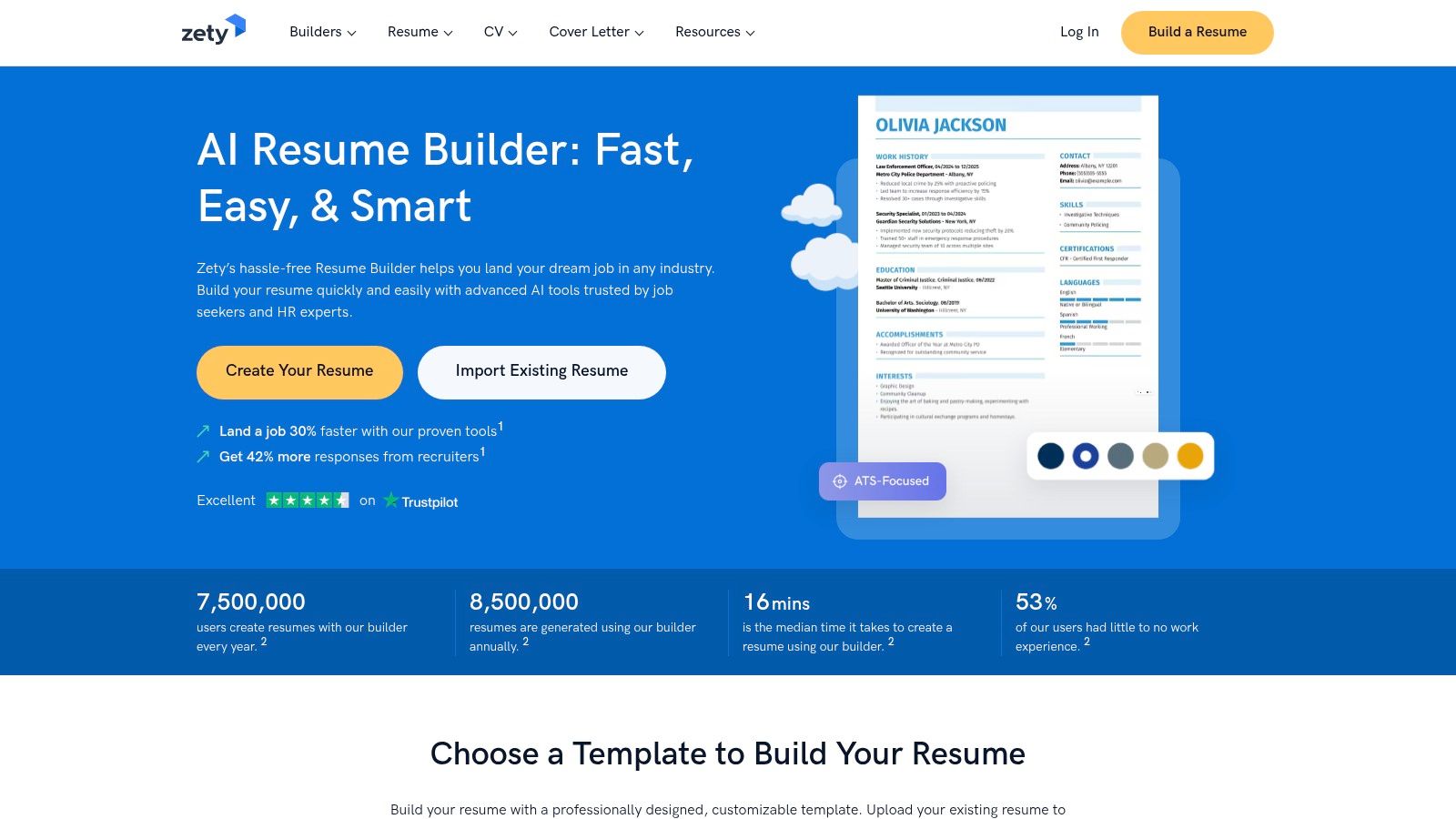
Zety is a strong starting point for applicants who want a guided process rather than a blank page. Its resume and cover-letter builders use coordinated designs, prompts, and content suggestions, so the two documents can look like a deliberate application set instead of unrelated files.
The built-in Resume Check tool adds practical feedback, including job-match suggestions and guidance on content alignment. That matters because a cover letter shouldn't introduce a completely different professional story. Zety's workflow makes it easier to reuse verified job titles, dates, skills, and achievements while adjusting the emphasis for each vacancy.
Where Zety works best
Zety is particularly useful for first-time applicants who need help deciding what to write and where to place it. The template library is broad, and matching cover-letter designs help maintain visual consistency. The interface also gives users more control than a pure one-click generator.
The main limitation appears at export. The free tier restricts downloads to TXT, while PDF, Word, and other formats are available on paid plans. Zety also offers a 14-day trial, which automatically renews into a paid subscription unless canceled, so the renewal date deserves attention before sign-up.
Practical rule: Build the full application first, then test the exact export format before you pay.
For a more structured workflow, compare Zety's approach with an ATS-focused resume builder that connects resume editing to job-specific application management.
Pros
- Guided workflow: Useful for applicants creating a resume and cover letter from scratch.
- Coordinated designs: Matching documents support a consistent presentation.
- Export choice: Paid plans provide PDF, Word, and TXT options.
- Pricing visibility: The pricing page makes plan differences relatively easy to compare.
Cons
- Limited free export: TXT-only downloads may not be enough for a finished application.
- Auto-renewal: The trial requires cancellation if you don't want the paid subscription.
2. Resume.io
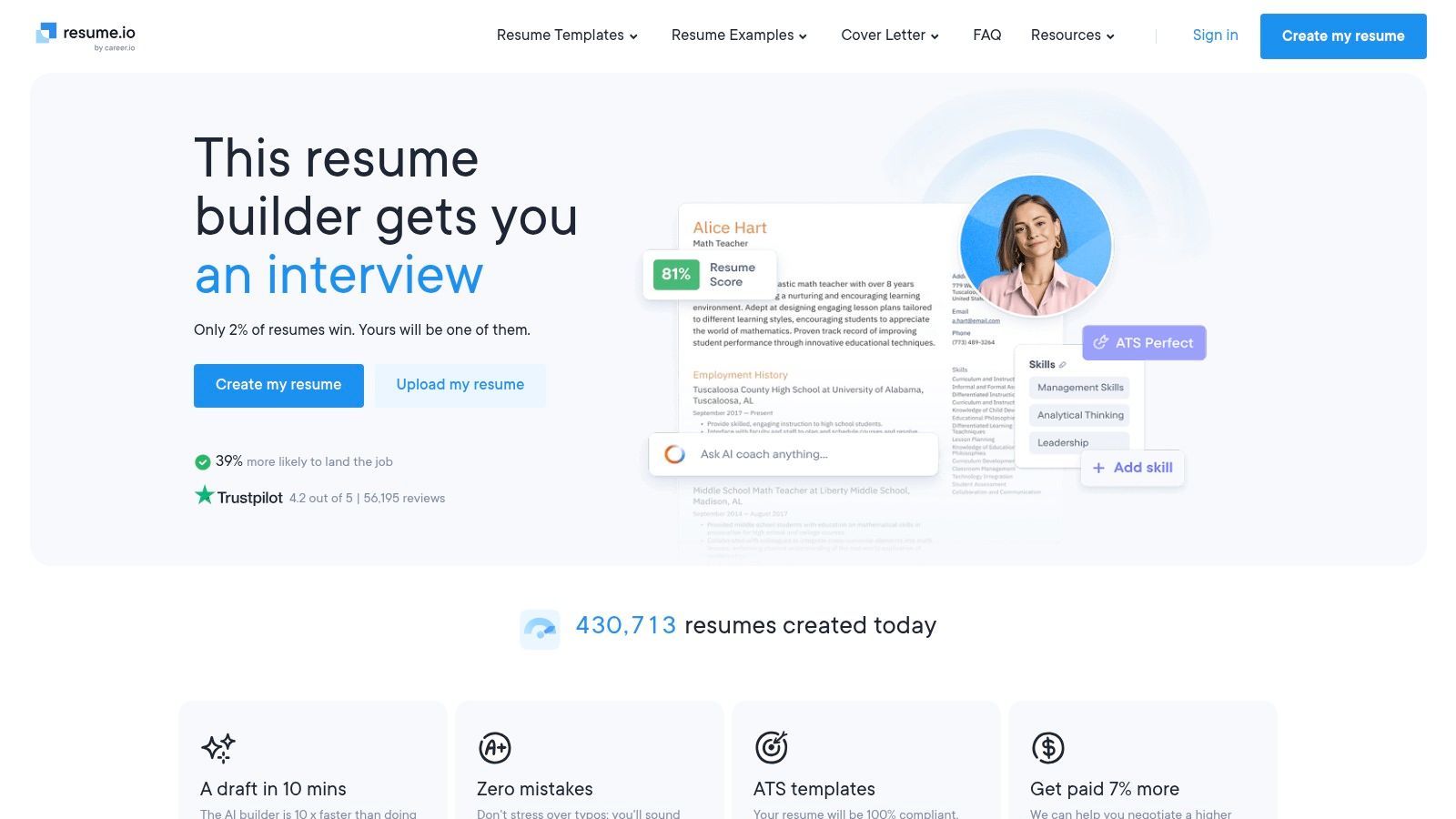
Resume.io keeps the editing experience simple and favors clean, single-column layouts. That makes it a practical option for applicants who want an attractive document without introducing complex graphics that can interfere with parsing.
Its resume and cover-letter tools use 30+ templates, with quick-start examples and role-oriented guidance. The platform also includes a Job Tracker and AI assistance, which gives it more utility than a standalone document editor. The best results come when you start with one structured profile, then adjust the evidence for the specific vacancy rather than accepting generic text.
A good low-friction choice
Resume.io is easy to learn and well suited to someone who needs a polished first application quickly. Its interview-preparation material and role examples can also help candidates who know their work history but struggle to describe it clearly.
The free plan supports one resume and one cover letter, but the download is limited to TXT. That distinction matters. A free account can help you draft and inspect the content, but it may not let you finish the application in the format an employer expects.
Pricing and trial conditions can vary by location, and some arrangements may auto-renew. Check the checkout screen, not just the headline offer. A tool can look inexpensive until the renewal terms become part of the decision.
Pros
- Simple editor: Fast to use for applicants who don't want extensive setup.
- ATS-safe layouts: Clean formats reduce unnecessary parsing risk.
- Application tracking: The integrated tracker keeps job details near the documents.
- Role examples: Helpful prompts can improve weak or vague bullet points.
Cons
- TXT-only free download: The free tier may not produce a submission-ready file.
- Variable terms: Trial and pricing details should be confirmed for your location.
Resume.io is strongest when convenience matters more than deep analytics. It isn't the best fit for someone who wants detailed evidence mapping between every job requirement and every resume claim.
3. ResumeGenius
ResumeGenius takes a wizard-style approach. Instead of asking you to design a document immediately, it walks through your experience, suggests bullet points, and helps assemble a first draft. That makes it useful for candidates who are staring at an empty document and don't know how to turn routine responsibilities into results.
The cover-letter maker follows the same guided logic. You can select examples and adapt them to a role, but the output still needs a factual review. Pre-written bullets can give you a starting structure, yet they can also encourage bland or overstated language if you accept them without checking whether they describe your actual work.
Fast drafting with a clear catch
The platform's large example library covers many common U.S. job types. That breadth is useful for a first pass, especially for students, career changers, and applicants who need help translating informal experience into professional wording.
The trade-off is originality. A hiring manager may see the same familiar phrasing across many applications, so replace stock language with specific evidence from your own work. The same principle applies to the cover letter. It should explain why your experience fits this role, not just restate the bullets above it.
ResumeGenius offers a short, low-cost trial before subscription. The trial auto-renews if you don't cancel, and the free tier typically limits formatted downloads to TXT. Before starting, decide whether you're testing the writing workflow or trying to export a finished PDF or Word file.
For additional guidance, use these cover-letter best practices to edit the generated draft.
Pros
- Guided drafting: Quickly produces a usable first version.
- Large example library: Offers prompts for many familiar job categories.
- Multiple paid exports: PDF, Word, and TXT formats are available on paid plans.
- Cover-letter support: The letter can be developed alongside the resume.
Cons
- Generic phrasing risk: Pre-written bullets need personal evidence.
- Trial renewal: Cancellation is required to avoid subscription renewal.
- Restricted free output: Formatted downloads generally require payment.
4. LiveCareer
LiveCareer is a career-document platform built for applicants who need more than one application file. Its edge is document breadth. From one account, users can create resumes, cover letters, and other materials such as interview follow-up letters. That makes it a practical choice when an employer expects several coordinated documents, rather than when you need the deepest possible tailoring for one role.
The resume and cover-letter builders support quick drafting through guided prompts, examples, and templates. The useful test is whether both documents draw from the same resume details and reflect the target posting. Matching fonts are secondary if the letter repeats facts inaccurately or ignores the employer's requirements. LiveCareer's U.S.-oriented FAQs and career resources may also help applicants who want straightforward application guidance.
Broad document support, lighter tailoring
LiveCareer fits applicants managing a coordinated application package. You can build a resume, draft its companion letter, and prepare follow-up documents without switching platforms. That workflow saves time when the application process involves several file types.
The trade-off is control. A template and content library can produce a polished starting point, but they do not decide which achievement best supports a specific vacancy. Check every suggested bullet and letter paragraph against your actual experience and the target job description. Remove claims you cannot verify, and adjust details that do not match the role.
Paid plans support downloads in formats such as PDF and Word, while the free plan commonly limits downloads to TXT. Offers and export rules can vary by location. Check the plan shown at checkout before assuming the document visible in the editor is available in the format you need.
Pros
- Broad document range: Supports resumes, cover letters, and follow-up materials in one account.
- Coordinated workflow: Uses one application profile across related documents.
- Template selection: Gives applicants options for different industries and experience levels.
- Paid exports: PDF and Word downloads are available on paid plans.
Cons
- Limited tailoring: Suggested content still needs careful editing for the target posting.
- Locale differences: Pricing and export rules may differ by region.
- Free download limits: TXT may be the only available free format.
5. Novorésumé
A polished resume can still weaken an application if its cover letter introduces different dates, job titles, or achievements. Novorésumé reduces the formatting work, but you still need to check whether the letter reflects the same resume data and the target posting.
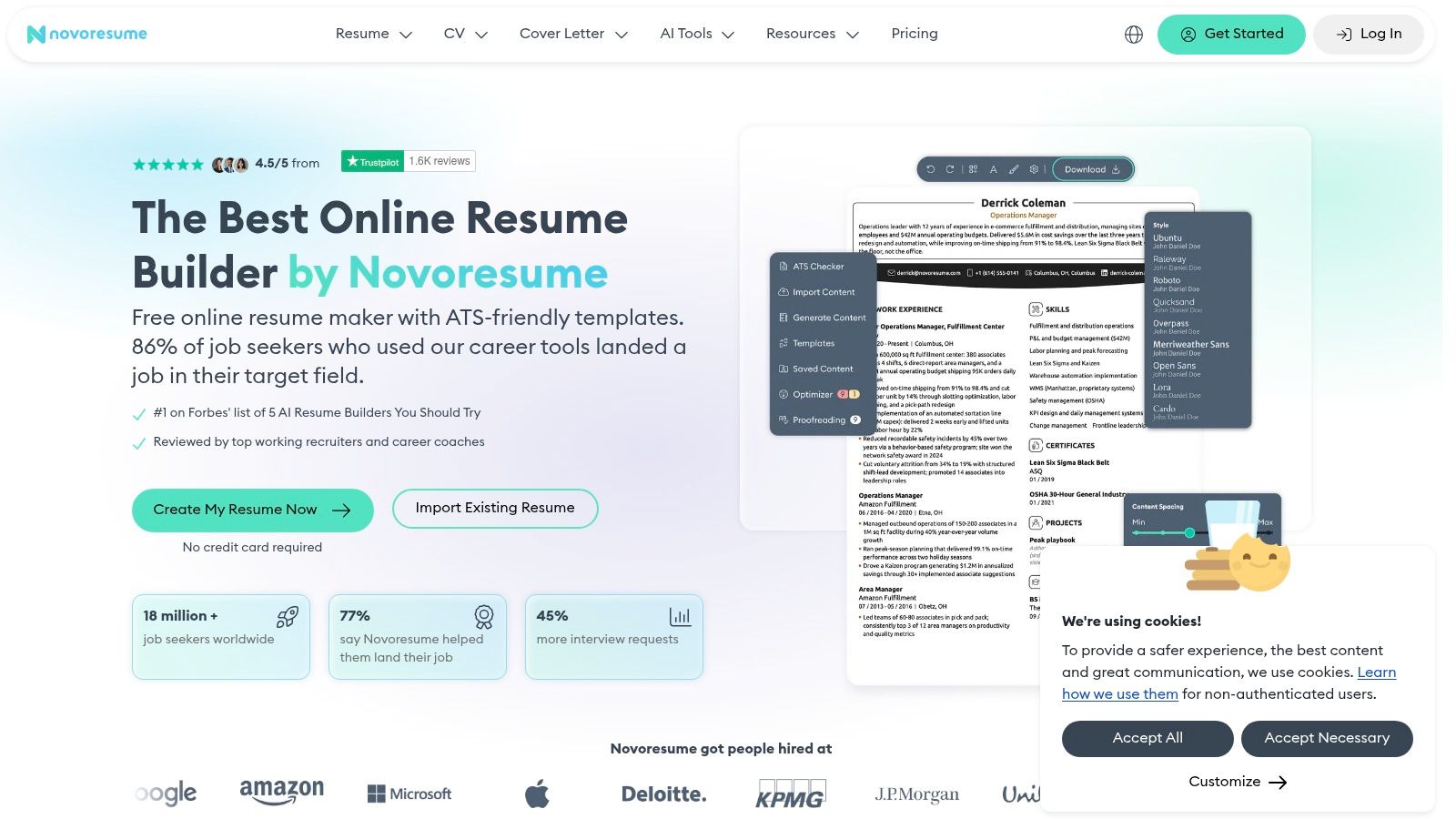
Novorésumé uses structured templates with live editing guidance. Its designs suit applicants who want a modern document without managing margins and spacing manually. Premium adds matching cover-letter templates, ATS-friendly formats, multi-page CV support, an ATS checker, and job-matcher tools.
The useful test is practical: can the builder turn one accurate profile and one job posting into a consistent application? Novorésumé's shared design helps the documents look related, while its guidance and matching tools help review wording. They do not replace a manual fact check. Remove unsupported claims and make sure each letter paragraph explains why your experience fits that specific role.
Good for short, targeted use
The free Basic plan supports one one-page resume and excludes cover letters. It lets you test the editor, but it does not let you finish a complete application for free. Premium is required for the matching letter and wider document features.
Pricing is offered in non-recurring periods, so users do not have to remember to cancel an auto-renewing subscription. That setup suits a short, targeted application campaign. It may feel excessive if you need one letter and already have a strong resume.
Choose Novorésumé for live guidance, coordinated formatting, and an integrated job-match check. Treat the free tier as an editor trial, not a complete application workflow.
Pros
- Live guidance: Suggestions appear during editing.
- Modern templates: Polished layouts reduce manual formatting.
- ATS tools: The checker and job matcher support practical review.
- No auto-renewal: Non-recurring pricing is easier to control.
Cons
- No free cover letter: Basic excludes the letter.
- One-page free limit: The free resume scope is narrow.
- Premium commitment: Paid access may exceed the needs of a single application.
6. Enhancv
A career change often leaves a resume with unrelated roles, projects, and skills. Enhancv is built for that situation. Its visual, story-driven editor gives applicants space to connect evidence, strengths, values, and motivation instead of presenting a plain job list.
Enhancv can generate a cover letter from the resume content and target job, while its tailoring tools help compare the application with the vacancy. That connection matters. A letter built from the same facts can explain the career move without inventing a separate story. Review every suggestion, then replace generic wording with evidence from the target role.
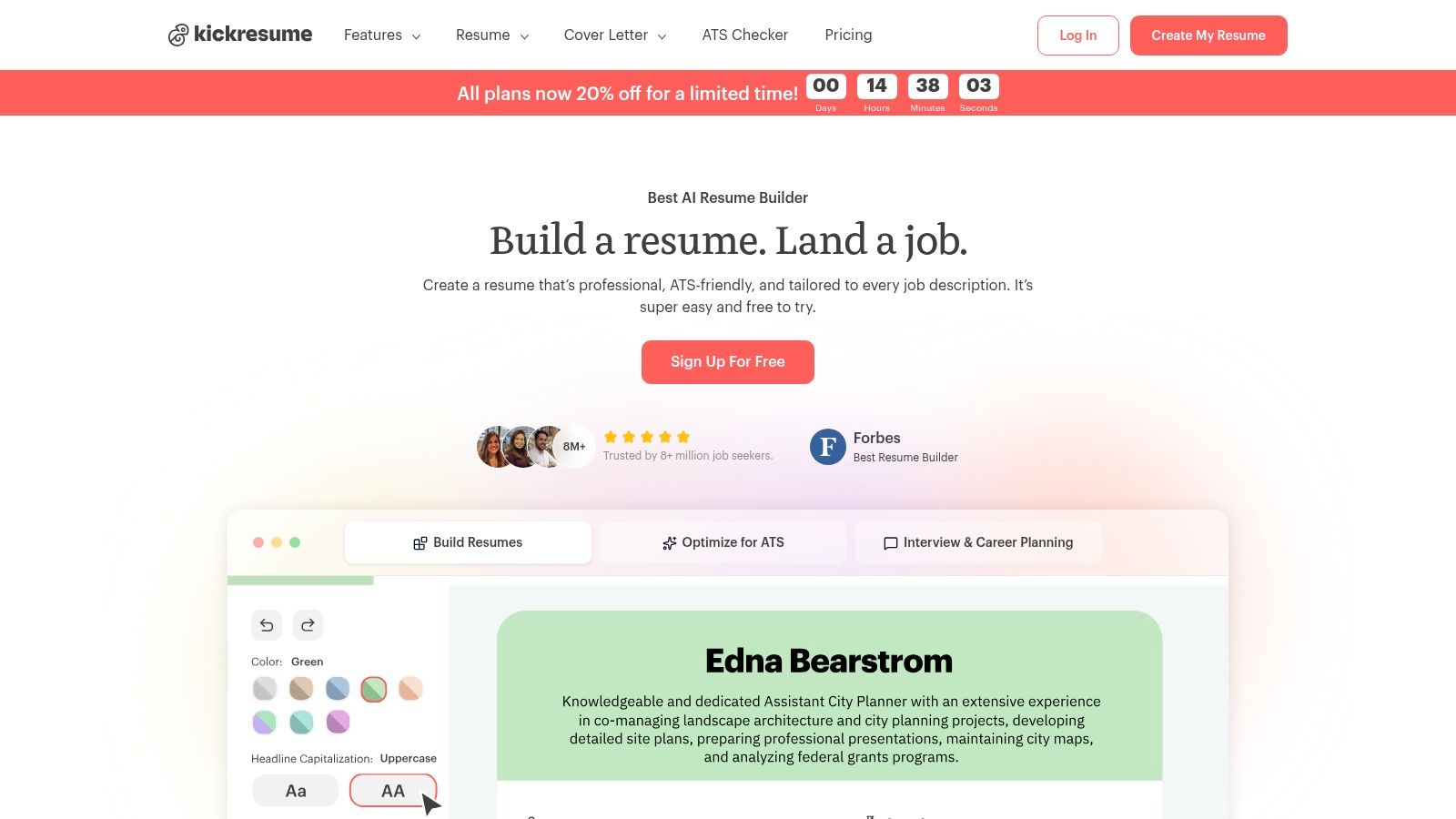
The editor offers real-time suggestions and ATS checks, so you can revise wording and structure without rebuilding the document. Those checks are useful guardrails, not approval from an employer's system. A highly visual file can still parse poorly.
Choose the template after checking the employer
Enhancv's design-heavy templates suit creative and brand-oriented roles. Traditional employers may respond better to a restrained layout. Use the ATS review, then inspect the exported file yourself. Check headings, dates, spacing, and text order before uploading it.
The free plan lasts 7 days, and paid Pro tiers are required for advanced exports. Enhancv emphasizes PDF, so confirm the application portal accepts that format. A polished design has limited value if the system requests another file type or misreads the layout.
The free access lets you test the workflow, but it may not cover a full application campaign. Judge it by whether the same resume data and vacancy inform both documents, then decide if the paid export is justified.
Pros
- Career-change support: Connects transferable skills, projects, and motivation.
- Integrated tailoring: Uses job details to guide resume and letter revisions.
- ATS review: Flags possible structure and wording problems.
- Visual control: Offers distinctive presentation options.
Cons
- Design risk: Some templates are too elaborate for traditional roles.
- Short free access: The free plan lasts 7 days.
- PDF emphasis: Confirm compatibility with the employer's system.
7. Kickresume
Kickresume is useful when an application needs more than a resume file. It combines resume and cover-letter creation with AI drafting, ATS checks, imports, mobile access, and a personal website builder. The broader feature set saves setup time, but it also creates more decisions than a document-only tool.
Its cover-letter writer can use your resume and target role as inputs. Matched template sets keep both documents visually consistent. LinkedIn and PDF imports reduce manual entry, though imported material needs editing. Older resumes often include outdated titles, vague bullets, or formatting that weakens the final application.
A practical choice for mobile drafting
The mobile apps suit applicants who edit between applications or work without a desktop. Student access programs and a 14-day money-back guarantee provide added flexibility. Advanced customization and premium templates require a paid plan.
Template choice should follow the employer and role. Expressive designs may suit creative positions, while conservative employers usually benefit from a restrained layout. The AI writer produces a quick starting draft, not a finished letter. Remove unsupported claims and rewrite wording that does not sound like you.
The free experience is useful for testing the workflow, but check whether it lets you complete one genuine application before paying. The main value is the connection between the same resume data, the vacancy, and both documents. A job-specific cover-letter generator is a useful comparison if direct vacancy matching matters more than templates or mobile editing.
Pros
- Matched document sets: Resume and cover letter can share a coherent design.
- AI writing: Speeds up first drafts and role-specific rewrites.
- Import options: LinkedIn and PDF imports reduce manual entry.
- Mobile access: Supports applicants managing documents away from a desktop.
Cons
- Premium restrictions: Advanced customization and templates require payment.
- Style selection: Some designs do not suit traditional employers.
- Editing burden: Imported and generated content still needs careful review.
8. Teal
A single application may need a different resume emphasis, cover letter, and follow-up status. Teal organizes those tasks around the target job rather than treating the documents as separate files.
Enter a job description, compare it with your resume, and use the shared information to shape a role-specific cover letter. This workflow matters more than a large template library when each application highlights different skills. You can keep one master resume, create targeted versions, and store the job details with the related documents.
Best when application volume creates the real problem
Teal's free tier includes cover-letter generation credits, so you can finish a real application before deciding whether to pay. That makes it more useful for testing than a plan that only lets you preview templates. The limit still matters for applicants producing many customized letters. Teal+ provides unlimited AI use and advanced analysis.
The job tracker is the platform's clearest advantage. Saved requirements, keyword comparisons, document versions, and application statuses stay in one workspace. That reduces the risk of submitting an outdated resume or losing the letter in a downloads folder. The trade-off is narrower design control on lower plans, while full visual options and advanced analysis require Teal+.
Check the renewal cycle before choosing weekly billing. A recurring plan can become an unnecessary job-search expense if you stop applying but forget to cancel.
Judge the free tier by whether it completes one genuine application, not by how many templates it displays.
Pros
- Shared job data: Resume tailoring and cover-letter generation use the target role.
- High-volume workflow: Tracking and version control suit applicants managing many opportunities.
- Useful free tier: Credits support a genuine application test.
- Keyword matching: Shows where the resume may need stronger alignment.
Cons
- Paid AI limits: Unlimited generation requires Teal+.
- Design restrictions: Lower plans provide less visual control.
- Weekly billing: Recurring charges require active monitoring.
9. Jobscan
A custom application can still fail if the resume and cover letter use different evidence. Jobscan addresses that gap by comparing your resume with the target job description and checking whether the language is clear enough for ATS processing.
Its Premium plan combines a resume builder with an AI cover-letter generator. Both documents can draw from the same resume data and job posting, so the letter can reflect the role instead of repeating generic claims. Resume scans, match reports, LinkedIn optimization, job matching, and Auto Apply tools extend the workflow beyond document design.
The main value is diagnostic. Jobscan identifies missing terms, weakly supported requirements, and places where your experience does not clearly match the vacancy. Use the score to find gaps, not to stuff keywords. Adding a skill you cannot demonstrate may improve a scan while weakening your credibility with a recruiter.
A practical test is whether the free access lets you complete one genuine application. Jobscan's free trial may exclude advanced capabilities, so check the current limits before building your process around it. Premium pricing is higher than many template-first builders. That cost makes more sense during a sustained search or career change, when close tailoring matters across applications.
For the document itself, review resume formats that support ATS parsing. Treat formatting guidance as a structural check, not a guarantee that every ATS will approve the file.
Pros
- Detailed matching: Highlights alignment with the job description.
- Connected documents: The resume and cover letter can use the same target role.
- Broader optimization: Includes LinkedIn and application-related tools.
- Educational resources: ATS tutorials explain the recommendations.
Cons
- Higher premium cost: More expensive than many basic builders.
- Limited free trial: Advanced capabilities may be unavailable.
- Score fixation: Users may chase keywords instead of proving relevant experience.
10. Eztrackr
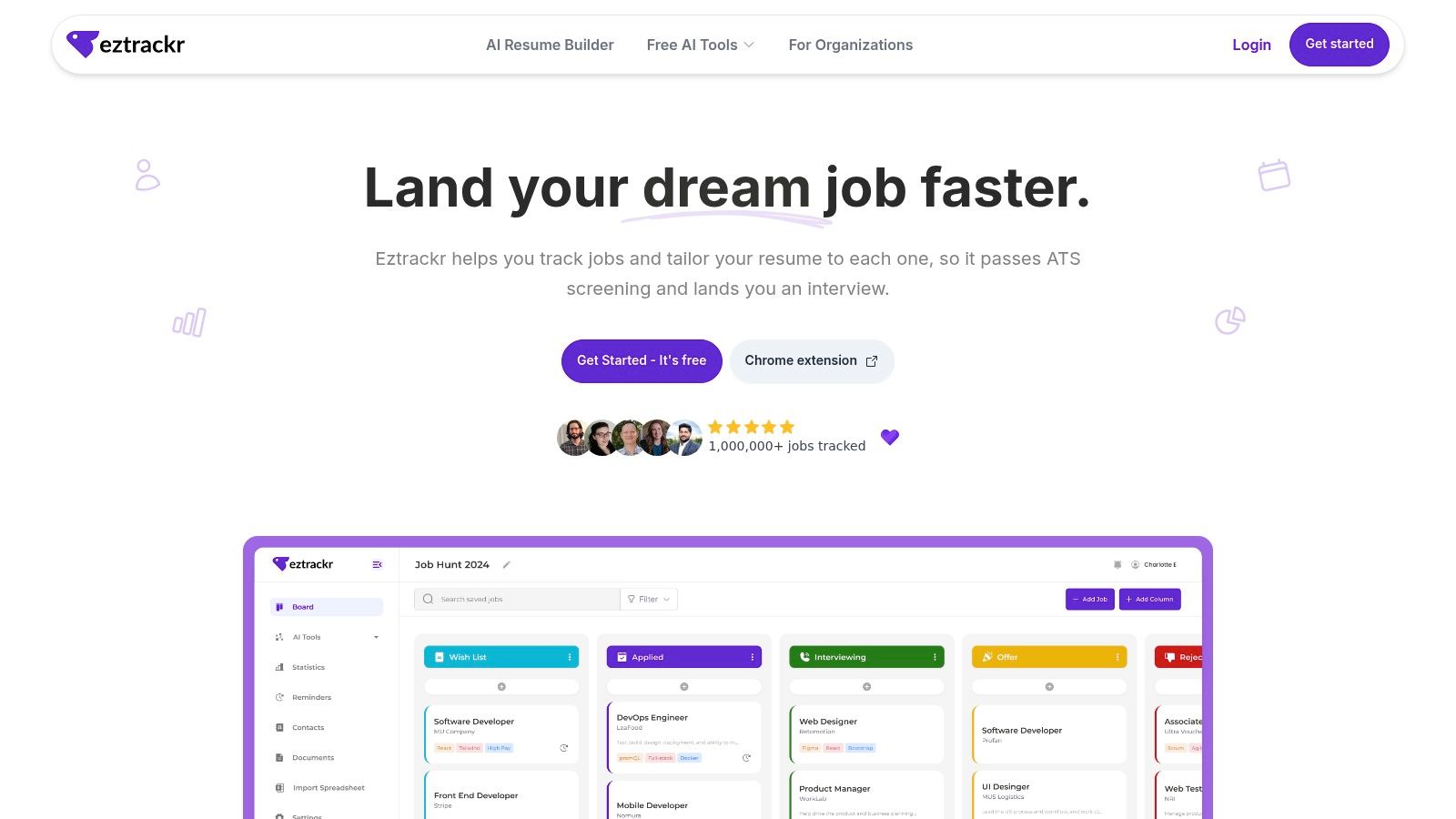
Eztrackr is a tracker-based platform first, with document creation built into the application workflow. That distinction matters if your problem isn't just writing a resume. It's remembering which version went to which employer, finding the job description later, and seeing whether your search is producing interviews.
Its Chrome extension saves job postings from major boards in one click and auto-parses the listing into a visual kanban board and timeline. You can import spreadsheets, attach documents to individual applications, and keep the job description beside the resume and cover letter created for it. That shared context is the key test for a resume builder with cover letter support.
Resume and cover letter from one application record
Eztrackr's AI tools can generate customized cover letters, interview answers, LinkedIn headlines, resume summaries, and ATS-oriented resumes. The cover-letter generator uses the resume and job description as inputs, with controls for length, focus, and tone. Its skill-match analyzer and resume scorer add another review layer before you submit.
That workflow supports the behavior candidates often skip. A 2024 recruiting survey reported that only 31.2% of surveyed candidates customized their resume for the specific position. Eztrackr makes customization easier to repeat because the job, source text, documents, and status live together instead of in separate tabs.
The platform also provides dashboards, conversion-rate views, volume tracking, Sankey charts, and trend reporting. Those tools help you decide whether to improve targeting, change the roles you pursue, or spend more time preparing for interviews. Sign-up is free, while Eztrackr Pro is listed without published pricing, so confirm the current plan details before relying on advanced features.
Where Eztrackr falls short
The Chrome extension is central to the workflow. Users who prefer native mobile apps or non-Chrome browsers may find the experience less convenient. AI output still needs human review, especially when a generated sentence combines separate facts or implies an achievement that the resume doesn't prove.
That review isn't optional. A 2025 hiring-manager survey found that 19.6% of surveyed U.S. hiring managers would reject an application containing an AI-generated resume or cover letter, and 54% said they were less likely to proceed with unedited AI content. Eztrackr is most useful when it accelerates research, matching, and drafting while the applicant remains responsible for accuracy and voice.
Pros
- One-click capture: Saves and parses listings from major job boards.
- Shared application data: The resume and cover letter can reflect the same job description and candidate profile.
- Broad AI toolkit: Supports resumes, letters, interview answers, summaries, and match analysis.
- Application analytics: Dashboards help measure search activity and progress.
- Document linking: Keeps the submitted files attached to the correct opportunity.
Cons
- Browser dependence: The Chrome extension drives much of the core workflow.
- Unpublished Pro pricing: Advanced plan costs aren't displayed on the site.
- Human review required: Generated content can still be generic or unsupported.
- Mobile limitations: Native mobile visibility may be more limited than desktop use.
Top 10 Resume Builders with Cover Letter, Comparison
| Product | Key features | UX / Quality | Value / Price | Target audience | Unique selling point |
|---|---|---|---|---|---|
| Zety | Guided resume + cover-letter builders, ATS check, multiple exports | 4★, structured & fast | 💰 Free TXT; paid PDF/Word; 14-day trial (auto-renews) | 👥 First-time job seekers, template users | ✨ Matched resume + cover-letter templates |
| Resume.io | 30+ templates, job tracker, AI assist, interview examples | 4★, clean, ATS-friendly | 💰 Free one resume/cover (TXT); paid downloads | 👥 Users wanting simple, reliable ATS layouts | ✨ Integrated job tracker & role-specific examples |
| ResumeGenius | Wizard-style builder, pre-written bullets, fast drafts | 3.5★, speedy draft creation | 💰 Low-cost trial → subscription; paid exports | 👥 Quick drafters, many US job types | ✨ Huge library of ready-made bullet examples |
| LiveCareer | Cover-letter builder, content library, many templates | 3.5★, straightforward | 💰 Free limited; paid multi-format downloads | 👥 Broad audience needing quick documents | ✨ Extensive template & example collection |
| Novorésumé | Design-forward templates, ATS checker, real-time tips | 4★, polished guidance | 💰 Free single-page; Premium for cover letters (non-recurring options) | 👥 Design-conscious professionals | ✨ Modern templates + transparent non-sub pricing |
| Enhancv | Story-driven layouts, resume-tailoring, ATS checks | 4★, deep design control | 💰 Free 7-day; Pro for advanced exports | 👥 Applicants focused on storytelling & design | ✨ One-click tailoring + real-time content suggestions |
| Kickresume | GPT-4.1 AI writer, ATS checker, website builder, mobile app | 4★, strong AI writing | 💰 Flexible plans; student access & money-back | 👥 Students, creatives & AI-first users | ✨ AI writing + personal website creator |
| Teal | Resume builder, AI cover letters, keyword matching, full job tracker | 4.5★, excellent organization | 💰 Generous free tier; Teal+ for unlimited AI | 👥 High-volume applicants & career changers | ✨ Best-in-class job-tracking + tailoring workflow |
| Jobscan | ATS scanner, resume match reports, LinkedIn optimizer | 4.5★, ATS optimization leader | 💰 Premium priced higher; free limited scans | 👥 Applicants needing rigorous ATS tailoring | ✨ Industry-leading keyword & match scoring |
| 🏆 Eztrackr | One-click Chrome save + auto-parse, Kanban & timeline, GPT-4 AI (cover letters, answers, resume scorer), imports & dashboards | 5★, centralized workflow & powerful analytics | 💰 Free sign-up; Eztrackr Pro (pricing not published) | 👥 Individuals, grads, career changers, recruiting teams | ✨ All-in-one job tracker + GPT-4 AI + rich analytics & one-click saves |
Pick the Builder That Fits How You Apply
The right choice depends less on template count than on how you manage applications. If you need one polished resume and one coordinated cover letter, a template-first tool such as Zety, Resume.io, ResumeGenius, or LiveCareer may be enough. These platforms reduce blank-page friction and make formatting easier, but their free tiers often limit you to TXT downloads or reserve the cover letter for paid plans.
Choose a design-led builder when presentation is part of the application. Novorésumé and Enhancv offer more visual control, live guidance, and storytelling features. That can help in creative fields or during a career change. It can also create risk when a role calls for a conservative, highly parseable document, so don't select a template just because it looks impressive.
An AI-led option makes more sense when you tailor many applications. Kickresume, Teal, Jobscan, and Eztrackr can connect the resume, cover letter, and target job more directly than a static template editor. The key is controlled personalization. AI should extract relevant requirements, map them to the evidence you have, and produce an editable draft. It shouldn't invent a metric, inflate a title, or add a tool you've never used.
Cover letters are most useful when they add evidence that the resume can't provide. A large application experiment that sent 7,287 applications found callback rates of 10.7% without a letter, 12.5% with a generic letter, and 16.4% with a customized letter, according to the reported cover-letter experiment. The result is a useful historical benchmark, not a guarantee for your applications. A generic letter adds little value, while a customized one can explain motivation, transferable skills, a referral, or a career transition.
Don't assume every application deserves a long letter. Survey evidence shows disagreement among job seekers, with 42.6% believing cover letters should be eliminated and 41.4% believing they remain useful, as reported in LinkedIn's cover-letter survey. Use a short, specific letter when the employer requests one or when it adds new evidence. Skip it when the posting doesn't allow one or when you would only repeat the resume.
Before paying, export a test document on the free tier and confirm the format you need. Check whether the cover letter uses the same resume data, whether the tool can read the target job posting, and whether trial terms renew automatically. If your search involves multiple roles, a tracker-based platform is worth considering because it preserves the connection between each job, its requirements, and the documents you submitted.
A headshot usually isn't the answer to a weak application. If you're considering one, review this practical guide on bringing a headshot to your job search before adding a photo to a resume or profile.
Eztrackr combines a resume builder, ATS-oriented scoring, skill matching, and an AI cover-letter generator that uses your resume and target job description. Its Chrome extension, document linking, kanban board, and application analytics keep every customized version attached to the right opportunity. Visit Eztrackr to organize your applications and create more consistent, job-specific documents.