Build the Ultimate Job Application Spreadsheet Template
We’ve all been there. You kick off your job search, full of energy, and the first thing you do is create a simple spreadsheet. Company, role, date applied—check, check, check. It feels organized, productive even. But a few weeks and dozens of applications later, that neat little list starts to feel more like a liability.
Why Your Basic Spreadsheet Is Hurting Your Job Search

As the applications pile up, that simple system starts to crack. You find yourself endlessly scrolling, trying to recall if you ever sent that follow-up email to the hiring manager at Acme Corp. A little knot of anxiety tightens in your stomach. Did you attach the right cover letter? What was the name of that recruiter you spoke to last week?
Suddenly, your once-helpful spreadsheet is creating more problems than it's solving.
The High Cost of Disorganization
This kind of manual chaos has real-world consequences. Imagine getting an unexpected call from a recruiter about a role you applied for a month ago. You’re scrambling to pull up your notes, trying to sound cool and prepared while your disorganized spreadsheet fails you. That awkward fumble can leave a terrible first impression.
Even worse is that sinking feeling when you realize you've applied for the same job twice or, worse, missed a critical follow-up deadline. These aren't just minor slip-ups; they are genuine missed opportunities that a better system could have easily prevented.
The modern job market is unforgiving. With application volumes skyrocketing in 2026, a basic tracker just doesn’t cut it. Recent stats show that nearly half of all job seekers (48%) now expect to fire off 100 or more applications before landing an offer. That number has doubled since 2022, all thanks to increased competition. For more on this, hiredaiapp.com has some great insights into the changing market.
From Simple List to Strategic Tool
Your spreadsheet isn't just a list—it's the command center for your entire job search. When it’s a mess, your strategy is a mess. Without a clear overview of your pipeline, you can't spot patterns or figure out what’s actually working.
A disorganized job tracker forces you to be reactive, constantly putting out fires instead of proactively managing your next steps. It turns your job search into a stressful administrative task rather than a strategic career move.
This guide is here to help you transform that basic list into a powerful job application spreadsheet template. We’re going to move way beyond simple columns and build a dynamic tool that puts you back in control of every single opportunity. You can also check out our guide on the fundamentals of job application tracking for more tips.
Designing Your Core Job Application Tracker
Let's be real—a job application tracker with just a 'Company' and 'Date Applied' column isn't going to cut it. That’s a list, not a strategy. What you really need is a command center, a single source of truth that shows you exactly where every application stands so nothing slips through the cracks.
The goal is to design a spreadsheet that tracks the entire journey of an application. Every column should answer a critical question, turning that simple sheet into a dynamic dashboard that actually helps you land a job.
Essential Columns for Your Job Application Tracker
Alright, let's start with the basics. These are the non-negotiable columns that form the foundation of your tracker. Think of this as the absolute minimum you need to stay organized and effective.
Here's a breakdown of what every solid job application tracker needs to include:
| Column Name | Data Type | Purpose & Example |
|---|---|---|
| Company Name | Text | The name of the organization. Example: Acme Corp |
| Job Title | Text | The specific role you applied for. Example: Senior Product Manager |
| Date Applied | Date | The exact date you hit "submit." Example: 2024-05-15 |
| Job Board Source | Text | Where you found the listing. Example: LinkedIn, Company Website |
| Direct URL | URL | A clickable link to the original job posting. Priceless for a last-minute review before an interview! |
| Application Status | Dropdown Menu | The current stage of your application. Example: Applied, Interviewing, Offer |
| Next Follow-Up Date | Date | When you plan to check in next. Example: 2024-05-22 |
| Contact Person | Text | The name of your contact. Example: Jane Doe, Recruiter |
| Contact Info | Text/Email | Their email or LinkedIn profile. Example: jane.doe@acmecorp.com |
| Notes | Text | A catch-all for important details. Example: "Interviewed with Mark, asked about Q3 roadmap." |
This setup gives you all the crucial details at a glance, so you're not scrambling to find the original job description two minutes before a screening call.
You can also add columns tailored to your specific needs. For instance, if you're in a specialized field where you often send an expression of interest template, having a column to track which version you used can be incredibly helpful.
Turning Your Tracker Into a Strategic Tool
Once you have the foundation, it's time to add the columns that turn your tracker from a simple log into a powerful, proactive tool. This is what separates the casual job seeker from the seriously organized one.
Your most important column is Application Status. Don't just type in random text here. Use your spreadsheet's data validation feature to create a dropdown menu with set options like 'Applied,' 'Interviewing,' 'Offer,' and 'Rejected.' If you're unsure about what each stage means, our guide on what each job application status means breaks it all down.
Other game-changers include:
- Next Follow-Up Date: A dedicated spot to schedule your next check-in. No more guessing—just timely, professional follow-ups.
- Contact Person & Info: The name, title, and email of the recruiter or hiring manager. Keeping this handy is a huge time-saver.
- Notes: A flexible space for everything else—interview feedback, key topics discussed, or specific next steps they mentioned.
Using a dropdown for 'Application Status' is a small tweak with a big payoff. It keeps your data clean and consistent, making it way easier to filter and sort later. You'll get a clear, uncluttered view of your entire job search pipeline.
By structuring your tracker this way, you're not just staying organized. You're building a valuable dataset about your job search, revealing which sources work best, how long it takes to hear back, and where your efforts are paying off the most.
A well-organized spreadsheet is a great start, but the real magic happens when you make it work for you. By plugging in a few simple formulas and formatting rules, you can turn that static list into a dynamic dashboard that basically tells you what to do next. This is how your job tracker goes from being a simple logbook to a proactive, intelligent tool for managing your search.
The goal is to get the spreadsheet to do the thinking. Instead of you having to manually scan for follow-up dates or try to remember which applications are going cold, you can set up visual cues that automatically highlight what needs your attention. It's a huge time-saver and ensures nothing important slips through the cracks.
This diagram breaks down the core pieces you'll want to focus on to really get your tracker humming.
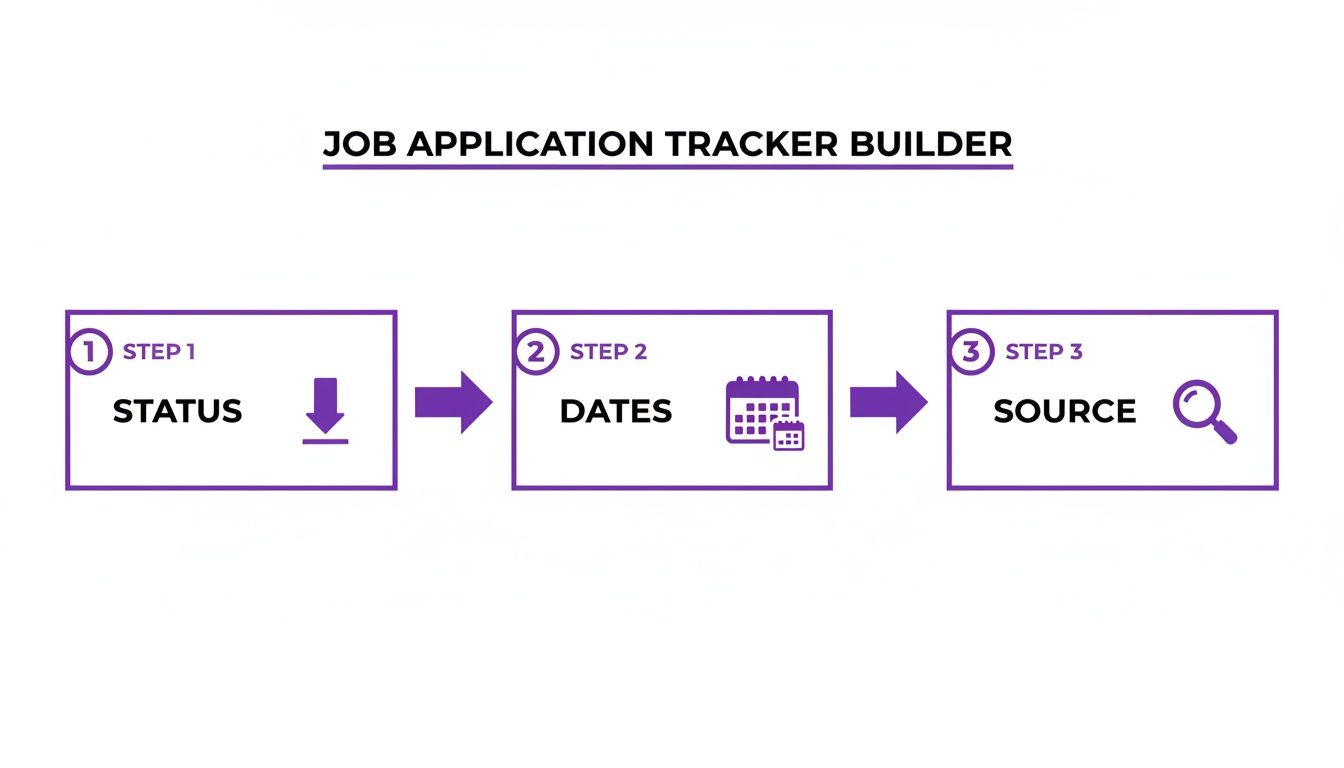
As you can see, locking down your status, key dates, and the source of each application creates a rock-solid foundation for tracking your progress.
Automatically Track Time Since Application
One of the most useful things your sheet can do is calculate how long it’s been since you hit "submit." This instantly shows you which applications are getting old and might be ready for a gentle nudge. It’s a dead-simple way to keep things moving forward.
Let's assume your "Date Applied" is in column C. Pop this formula into a new column:
=IF(C2<>"", TODAY()-C2, "")
What this does is check if the "Date Applied" cell has anything in it. If it does, it subtracts that date from today's date, giving you the number of days that have passed. If the cell is empty, it just leaves the new cell blank, which keeps your sheet from looking cluttered.
Highlight Key Statuses with Conditional Formatting
Conditional formatting is your secret weapon for making crucial information jump off the page. It automatically changes a cell's color based on what’s inside, giving you a quick, at-a-glance overview of your entire job search. No more squinting at endless rows of text—the colors will tell the story for you.
You can set up rules to instantly visualize where you stand:
- Interviewing: Set any row with the status "Interviewing" to turn a nice, bright green. This is your hot list.
- Applied: Keep applications with the status "Applied" as yellow. This shows they’re in the pipeline but you're still waiting for a response.
- Rejected: Automatically shade rows with the status "Rejected" in a light gray. This de-emphasizes them while still keeping the data for your records.
This simple color-coding system transforms your tracker into a visual pipeline. You can instantly see where your energy is best spent, focusing on the green "Interviewing" rows while keeping an eye on the yellow "Applied" ones for follow-up opportunities.
Create Smart Follow-Up Reminders
Knowing when to follow up is a bit of an art, but a simple formula can take the guesswork out of it. You can create a clear reminder that tells you exactly when it's time to reach out.
Let's say your "Next Follow-Up Date" is sitting in column G. Just add a new column called "Follow-Up Alert" and drop in this formula:
=IF(AND(G2<>"", TODAY()>=G2), "Time to Follow Up!", "")
This little gem checks two things: if you’ve actually set a follow-up date and if that date is today or in the past. If both are true, it spits out a clear "Time to Follow Up!" message. Suddenly, your spreadsheet is actively helping you manage your schedule.
If you want to take this even further, you can look into more powerful ways of automating job applications to really streamline your workflow.
Customizing Your Tracker for Your Career Goals

A basic template is a decent starting point, but let's be real—the magic happens when you make it your own. A recent grad's job hunt is a completely different ballgame than a senior exec switching industries. Your job application spreadsheet template needs to reflect your reality, turning it from a simple checklist into your personal command center.
This is where you get a real edge. Instead of just logging applications, you start tracking the right things—the activities that actually push your career forward. It’s all about making the tool serve your goals, not the other way around.
Tailoring for Students and Recent Graduates
When you're just breaking into the workforce, your network is everything. A standard tracker just doesn't capture the hustle of building connections from the ground up. You’ll want to add a few columns specifically for relationship-building.
Think about tracking things like:
- Networking Event: Where did you go? A career fair, a webinar, an industry meetup? Jot it down.
- Alumni Contact: Keep a running list of alumni you've connected with.
- Informational Interview Date: Note when you had those crucial coffee chats to get insider info.
- Referral Source: Who put in a good word for you? This makes it super easy to circle back with a thank-you note later.
Adding these fields helps you connect the dots between your networking grind and the interviews you land, giving you a much clearer picture of what's actually paying off. If you need more help mapping this out, our article on setting up a career goals template is a great resource.
Advanced Tracking for Seasoned Professionals
Once you've been around the block a few times, your job search gets a lot more complex. You're juggling recruiter relationships, aligning niche skills, and navigating multi-stage negotiations. Your tracker needs to level up with you.
The goal is to monitor not just the "what" (the application), but the "how"—the relationships and negotiations surrounding it. This is where senior-level opportunities are won or lost.
Supercharge your spreadsheet with columns that give you deeper strategic insight:
- Recruiter Conversation Log: A quick summary of your calls with recruiters. What did you discuss? What are the next steps?
- Skill Gap Analysis: Be honest with yourself. Note which of your skills are a perfect match for the role and which might be a stretch.
- Salary Negotiation Stage: Keep track of the back-and-forth—initial offers, your counter, and the final numbers. It's too much to leave to memory.
This level of detail is critical in a competitive market. Global hiring confidence for early 2026 shows huge differences by region, with the Finance and Insurance sectors leading the pack at a 30% net employment outlook. A flexible tracking system is vital for staying on top of opportunities across different industries and locations. You can see more of these global hiring trends on npaworldwide.com. Customizing your tracker means you're always ready to make your next move, no matter how complex the game gets.
When to Graduate From Your Spreadsheet
The job application spreadsheet you’ve built is a fantastic, custom-fit tool. Seriously. It gives you control, visibility, and a huge leg up on the competition. But even the best spreadsheet has its limits.
There comes a point when maintaining it—the constant data entry, the formula checks, the status updates—starts to feel like a second job. When you're spending more time managing your tracker than actually prepping for interviews, you’ve hit the wall. The very system meant to save you time is now eating up your most precious resource: focus.
Recognizing the Limits of Manual Tracking
It’s one thing to juggle 10 or 15 applications in a spreadsheet. That's totally manageable. But when you're pushing 30 or more active applications, the administrative work blows up. You start forgetting to update a status after a call, or you put off logging a new application until hours later. Suddenly, you have gaps in your data, and the whole point of the tracker is lost.
This is a real problem in today's market. A major challenge for 46% of global employers is simply attracting enough good candidates, which means they're dealing with a high volume of applications. A clean tracking system is your secret weapon for seeing which of your applications are actually getting traction. But if the system itself is a mess, you lose that analytical edge. You can find more cool job interview stats over at secondtalent.com.
The whole point of a job tracker is to make your life easier, not harder. When your spreadsheet demands more admin work than strategic thinking, it’s time to look for a tool that automates the boring stuff.
As you get deeper into your job search, you'll also run into things like the top pre-employment assessment tools that companies use. This is another area where a simple spreadsheet can’t quite keep up, but a dedicated platform can help you prepare for what's next.
Making the Leap to an Automated System
This is exactly where a dedicated job tracking platform like Eztrackr comes in. It’s not about throwing away all your hard work. It’s about graduating to a system that does the heavy lifting for you.
Think about all those features we just built—status tracking, follow-up reminders, and contact management. In a tool like Eztrackr, they're automated. Imagine saving a job posting from any job board with just one click. All the key details—company, role, description, URL—are instantly pulled and organized for you.
This is what an automated dashboard looks like. Instead of getting lost in rows and columns, your job pipeline becomes a simple, visual Kanban board. You just drag and drop applications from one stage to the next.
And the best part? You don’t have to start over. All that data you’ve carefully logged in your spreadsheet can be imported straight into Eztrackr. Your entire application history, your notes, your contacts—it all comes with you in just a few clicks. Your spreadsheet goes from being the final destination to being the launchpad for a much smarter, more efficient job search.
A Few Common Questions About Job Search Spreadsheets
Even with the perfect template, you're bound to have some questions as you start using your job tracker. Building and maintaining one of these is a hands-on process, and a little troubleshooting is part of making it work for you.
Let’s walk through some of the most common things people ask. Getting these practical details sorted out will make sure your spreadsheet is a source of clarity, not more stress.
Can I Use This in Google Sheets and Excel?
Yep, absolutely. The entire setup—the columns, the formulas, the conditional formatting—is designed to work in either Microsoft Excel or Google Sheets.
The logic behind it is universal. Both programs handle dropdowns for your status column, date functions like TODAY(), and have powerful formatting rules. Just pick the one you’re more comfortable with. You won't lose any of the core features we’ve talked about.
How Many Applications Should I Track at Once?
There isn't a single magic number, but I've found that the sweet spot is somewhere between 10 to 20 active applications at any given time.
This range is big enough to keep your momentum going but small enough that you can actually give each application the attention it deserves. When you try to juggle more than that, it's easy to get burnt out and start sending generic, copy-paste applications that just don't land. Your spreadsheet should help you focus your energy, not just log a massive number of applications.
The single biggest mistake I see people make is falling behind on data entry. Your tracker is only as good as the information you put into it. If you forget to log a follow-up email or update a status after an interview, the whole system starts to fall apart.
That's why I always tell people to make updating their sheet a daily habit—just five minutes at the end of the day is all it takes. When you're consistent, your spreadsheet becomes a reliable tool that shows you exactly where you stand and what to do next.
Ready to graduate from manual tracking? Eztrackr automates the whole process. You can save jobs in a couple of clicks and see your entire pipeline on a Kanban board. Stop wasting time on data entry and start focusing on what really matters—landing your next role. Import your spreadsheet and see the difference at https://eztrackr.app.