Your Guide to an ATS Optimized Resume Template That Lands Interviews
It's a deeply frustrating feeling. You fire off dozens of resumes for jobs you know you're perfect for, only to be met with silence. The problem probably isn't you—it's the invisible gatekeeper that rejected your resume before a human ever laid eyes on it: the Applicant Tracking System (ATS).
An ATS-optimized resume template is your key to getting past the bots and into the hands of a real person.
Why Your Resume Is Getting Ignored
Let’s get real. The silence after you hit "apply" is soul-crushing. You've poured hours into crafting the perfect bullet points, but your resume seems to have vanished into a digital black hole. More often than not, an Applicant Tracking System is the culprit.
Think of the ATS as a recruiter's robotic assistant. Its main job is to scan, parse, and rank every resume it receives against the job description. It’s hunting for specific keywords, skills, and standardized formatting. If the software can't read your file, or if it doesn't find what it's looking for, your application gets tossed into the "no" pile. Automatically.
The Rise of the Machine Screener
The hard truth is that a human probably won't be the first one to see your application. Your meticulously crafted resume gets judged by software first, and this completely changes how you need to build it.
By 2026, a staggering 83% of companies will use AI to screen resumes before a human ever sees them. This is a massive jump, driven by the sheer volume of applications and better tech. It also explains why studies consistently show that 75% of resumes are rejected simply because they aren't formatted for these systems.
This means that beautiful, highly-designed resume you found online might be the very thing sabotaging your chances. Things that look amazing to the human eye can be total chaos for an ATS.
Common offenders include:
- Complex Layouts: Columns, tables, and text boxes confuse the software, which reads in a simple, linear path—left to right, top to bottom.
- Graphics and Icons: Logos, fancy skill-rating bars, and other visuals are basically invisible to the ATS and can even cause the system to crash.
- Custom Fonts: That cool, unique font you love? The ATS might not recognize it, turning your hard work into a jumble of unreadable characters.
- Creative Section Headers: Titles like "My Journey" instead of "Work Experience" are a fast way to get that entire section ignored. The software is looking for standard terms.
Shift Your Focus from Visuals to Readability
The key is to stop trying to create a resume that looks good and start building one that is machine-readable. Your only goal is to pass the robot test so a human can finally see how qualified you are. This doesn't mean your resume has to be bland; it just needs to be clean, structured, and strategic.
To get a better sense of the human side of the equation, it helps to understand how recruiters hire after the initial screen.
Getting past this first hurdle is everything. By adopting a format that works with the system instead of against it, you dramatically boost your odds of landing an interview.
Curious how your current resume stacks up? Run it through a resume ATS scanner to see exactly how the bots see it. This guide will show you how to build a powerful, effective, and consistently successful ATS-optimized resume template from the ground up.
The Building Blocks of an ATS-Proof Resume
To get your resume past the automated screeners and into human hands, you need to nail three things: formatting, keywords, and structure. Think of these as the fundamental pillars of a resume that a machine can actually understand. Getting this right isn't just a "nice-to-have"—it's the difference between landing an interview and getting ghosted by a robot.
This doesn't mean your resume has to be boring or stripped of all personality. It’s about making a strategic shift to a clean, logical design that prioritizes readability for software first. After all, a hiring manager can't appreciate your incredible qualifications if the ATS hides them.
Nailing Your Resume Formatting
I've seen it time and time again: a fantastic candidate gets automatically rejected simply because of bad formatting. Things that look great to us—like slick columns, tables, or fancy graphics—are often just a mess of digital gibberish to an ATS. The software reads your resume in a straight line, top-to-bottom and left-to-right. Anything that breaks that simple flow can cause it to misinterpret or completely ignore your most important information.
Your first move? Simplify. A single-column layout is your best friend here because it’s the most universally compatible format. You'll also want to avoid using the header and footer sections in your document. Many systems are programmed to skip them entirely, which means your contact info could vanish into thin air. For a much deeper look at this, our complete guide on resume formatting guidelines is a great resource.
Next up is your font choice. It might be tempting to use a unique font to stand out, but if the ATS can't read it, you've just made yourself invisible.
Stick with the classics—universally recognized, sans-serif fonts are the way to go:
- Arial
- Calibri
- Helvetica
- Verdana
These are designed for on-screen clarity and are standard on almost every computer. For the main body text, keep the font size between 10 and 12 points. This hits the sweet spot for readability for both the software and the hiring manager who will hopefully see it next.
ATS Formatting Do's and Don'ts
Here’s a quick cheat sheet to keep your formatting on the right track. Sticking to these simple rules will dramatically increase the odds of your resume being parsed correctly.
| Element | ATS-Friendly (Do) | ATS-Unfriendly (Don't) |
|---|---|---|
| Layout | Use a single-column format. | Use multiple columns or tables. |
| Fonts | Stick to standard fonts like Arial, Calibri, or Helvetica. | Use custom or decorative script fonts. |
| Font Size | Keep body text between 10-12 points. | Use font sizes smaller than 10 points. |
| Headings | Use standard titles like "Work Experience." | Use creative titles like "My Career Journey." |
| File Type | Save as a .docx file for maximum compatibility. | Use PDFs with complex graphics or save as an image file. |
| Graphics | Avoid logos, images, charts, and text boxes. | Include photos, skill-level meters, or other visuals. |
| Contact Info | Place it in the main body of the resume. | Put it in the document's header or footer. |
Following these guidelines isn't about limiting your creativity; it's about making sure your experience and skills are actually seen by the people who matter.
Speaking the Right Language with Keywords
Keywords are the lifeblood of any applicant tracking system. The software is programmed to scan your resume for specific terms—skills, tools, qualifications—that match what's in the job description. If you don’t have enough of the right keywords, the system will probably score you as a poor match, even if you’re perfectly qualified for the role.
The job description itself is your keyword goldmine. Read it carefully and pull out all the essential skills, software, and responsibilities. Make sure to grab both hard skills (like "Python," "SEO," or "Financial Modeling") and the important soft skills they mention (like "team leadership" or "strategic planning").
But don’t just dump them all into a massive skills section. The best approach is to weave these keywords naturally into the descriptions of your work experience. Use the employer’s own language to describe your achievements. If the job description asks for "cross-functional collaboration," you should have a bullet point that says something like, "Collaborated with cross-functional teams to launch a new marketing campaign, increasing leads by 15%."
It’s a bit shocking, but a recent study found that 88% of employers think they’re losing out on qualified people because their resumes don't have the right keywords or structure. This really drives home how critical it is to get this right. You can see more data on this in a full report on applicant tracking system statistics.
Building a Clean, Scannable Structure
Finally, the overall structure of your resume is absolutely critical. The ATS is designed to look for specific information in predictable places, and it relies on standard section headings to figure out what’s what.
If you get creative and title your experience section "My Professional Journey," you're just going to confuse the software. It might skip that section entirely.
Always use boring, conventional section titles. They work.
- Contact Information
- Professional Summary (or Summary)
- Work Experience (or Professional Experience)
- Skills
- Education
The order of these sections is just as important. The reverse-chronological format, where you list your most recent job first, is the undisputed champion for ATS compatibility. It’s what recruiters expect, and it’s what the software is built to understand.
One last detail that can make or break your application: the file type. While a PDF looks clean and preserves your layout, some older ATS platforms still struggle to read them, especially if they contain any images. The safest bet, without a doubt, is a .docx (Microsoft Word) file.
Want a quick way to test your formatting? Copy everything from your resume and paste it into a plain text editor like Notepad. If the text looks like a jumbled mess, you’ve got a formatting problem that an ATS will definitely choke on.
Building Your ATS-Optimized Resume Template, Section by Section
Alright, let's move from theory to action. Building a resume that can get past the bots isn't about some secret, magic layout. It's about being strategic. We're going to build this thing from the ground up, making sure every single section is clean, scannable, and filled with the right stuff.
It's a tough pill to swallow, but a staggering 75% of resumes get tossed by an Applicant Tracking System before a human ever lays eyes on them. They just become digital dust. To avoid that fate, stick with a clean, single-column layout and use standard, boring-in-a-good-way headers like 'Work Experience,' 'Education,' and 'Skills.'
This whole process really boils down to three key parts: getting the formatting right, loading it with the right keywords, and having a logical structure.
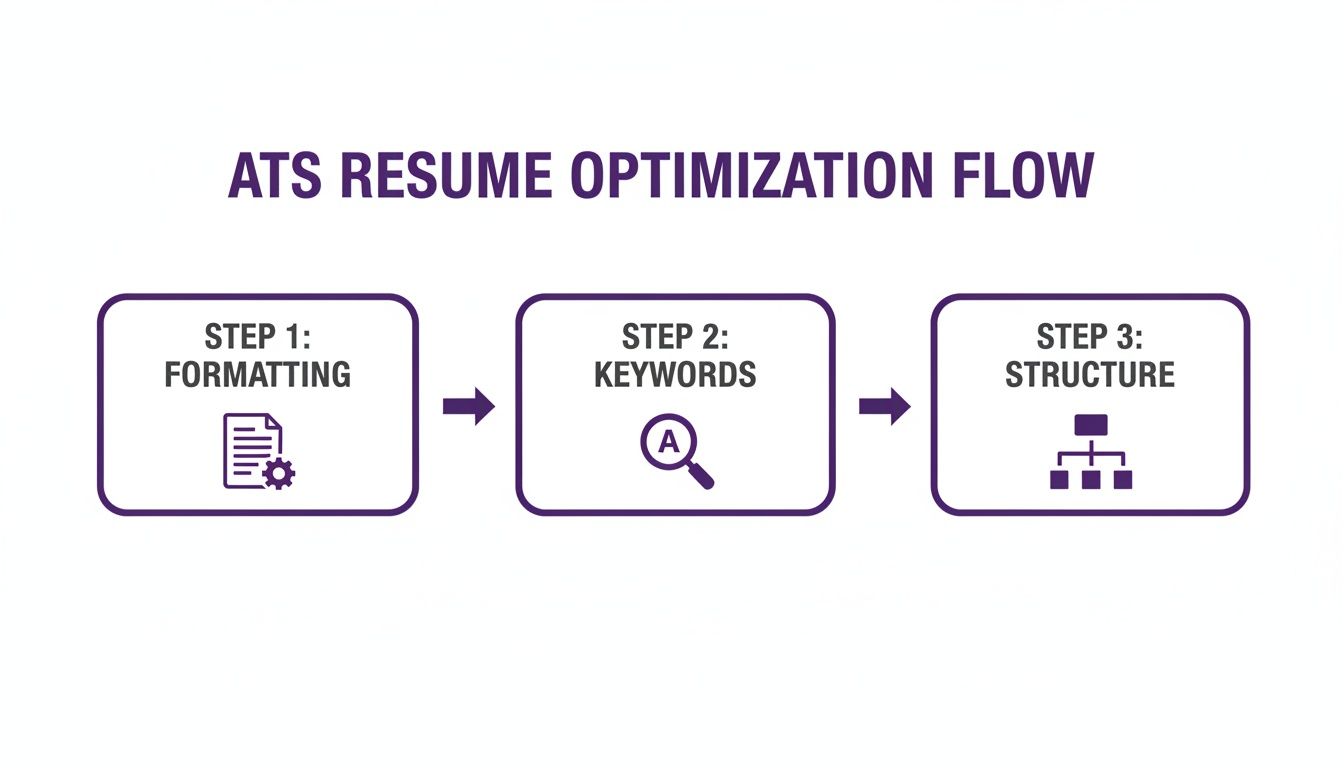
Think of it this way: each part builds on the last. Get the foundation solid, and the rest will hold up, ensuring the system can actually understand and rank your qualifications.
Starting with Flawless Contact Information
The contact section seems like a no-brainer, but it's the first place people trip up. Your only goal here is to make it incredibly easy for the software to pull your information.
Put your contact details right at the top of the page—in the main body of the document. Whatever you do, don't stick this info in the header or footer of your Word doc. A lot of older ATS programs are built to completely ignore those areas.
Here's what you need for a clean parse:
- Full Name: Use the same professional name you use everywhere else.
- Phone Number: A standard format like (123) 456-7890 is perfect.
- Email Address: Keep it professional. Think FirstName.LastName@email.com.
- Location: City, State, and ZIP code are all you need. No street address necessary.
- LinkedIn Profile URL: Make sure it's your clean, customized URL.
Keeping this section simple and direct means that when your resume finally passes the scan, the recruiter can actually get in touch with you.
Crafting a Keyword-Rich Professional Summary
Your professional summary is basically your elevator pitch for the ATS. It's a short, 2-3 sentence paragraph right at the top that should be absolutely loaded with high-value keywords you've pulled from the job description.
Ditch the old, generic objective statements like, "Seeking a challenging role in marketing." That tells them nothing. Instead, summarize your biggest qualifications and wins. Literally copy and paste keywords from the job posting—specific skills, years of experience, and industry jargon all belong here.
Pro Tip: I always recommend writing this section last. Once you've fleshed out your entire work history and skills list, it's way easier to cherry-pick the most impressive highlights for a powerful opening statement.
Detailing Your Work Experience for Impact
Your Work Experience section is the heart and soul of your resume. This is where you prove you can do the job. To make it friendly for both bots and humans, always use a reverse-chronological format, with your most recent job at the top.
Each job entry needs to follow a simple, predictable pattern:
- Job Title: Use a standard industry title. If your company had some weird internal title, translate it to something recognizable.
- Company Name & Location: Just the company and the city/state where you worked.
- Dates of Employment: Use a Month Year – Month Year format. Simple and clear.
Beneath each role, use bullet points to talk about what you actually accomplished. This is your chance to shine by using the STAR method (Situation, Task, Action, Result). Frame your duties as accomplishments with numbers to back them up.
For instance, don't just say, "Managed social media." That's boring. A STAR-based bullet looks more like this:
- Developed and executed a new content strategy for Instagram and TikTok, resulting in a 45% increase in audience engagement and a 20% growth in follower count over six months.
This kind of detail not only grabs a recruiter's attention but also feeds the ATS the specific, keyword-rich context it's programmed to search for. If you want to see how this all comes together, our resume builder can help you put these principles into practice quickly.
Optimizing Your Skills and Education Sections
The Skills section is another prime spot for keyword optimization. But don't just dump a massive, unreadable list of words. That looks lazy. A much better approach is to group your skills into logical subcategories.
Try breaking it down like this:
- Technical Skills: List all your software, programming languages, and specific tools (e.g., Salesforce, Python, Adobe Creative Suite).
- Core Competencies: This is for industry-specific abilities (e.g., Project Management, SEO/SEM, Financial Modeling).
- Certifications: Add any relevant professional certifications you've earned.
This structure makes it easy for both the ATS and a hiring manager to quickly see what you bring to the table.
Finally, keep the Education section short and to the point. List your degree, the university's name, and when you graduated. If you've been in the workforce for a while, this section belongs at the bottom, after your experience. For recent grads, it makes sense to put it right up top. To see how seasoned pros do it, check out some of these senior software engineer resume examples and notice how they structure their information for maximum impact.
How to Test and Score Your New Resume
You've built what you think is a brilliant, ATS-friendly resume. But hitting "submit" without testing it first is a huge gamble. You're basically hoping for the best, and hope isn't a strategy.
You need to know for sure that an Applicant Tracking System can actually read your document and, just as importantly, that it has the right keywords to get you noticed. This is how you move from guesswork to a data-driven job search. Let’s walk through how to check your work, starting with a dead-simple test to catch any glaring errors.
The Foundational Notepad Test
Before you worry about keywords or match scores, you need to confirm one simple thing: can a machine read the text on your resume in the right order? The "Notepad Test" is a surprisingly effective way to find out. It shows you what your resume looks like to a very basic parser, stripped of all its pretty formatting.
Here’s all you have to do:
- Open your resume file (the .docx version is best for this).
- Select all the text (Ctrl+A on Windows, Cmd+A on Mac).
- Copy it.
- Open a plain text editor like Notepad (Windows) or TextEdit (Mac).
- Paste the text into the blank document.
Now, take a hard look. Is everything there? Is it in a logical order, with your name at the top, followed by your summary, experience, and so on? Or is it a chaotic jumble of broken sentences and weird symbols?
If it's a mess, you've got a formatting problem. This simple check is fantastic at revealing issues caused by things like columns, text boxes, or complex tables that completely confuse parsers.
Using an ATS Scanner for a Match Score
Passing the Notepad Test is a great first step—it means your resume is readable. But it doesn’t tell you how relevant it is for a specific job. For that, you need to use a resume scanning tool.
These tools do what a real ATS does: they compare your resume against a job description and spit out a "match score." This percentage is a direct reflection of how well your skills and experience align with what the company is asking for. It's the single most valuable piece of feedback you can get.
Key Takeaway: You should be aiming for a match score between 75% and 80%. If you’re scoring lower, you probably won't rank high enough to get a human’s attention. On the other hand, pushing past 90% can look suspicious, almost like you just copied and pasted the job description, which is a red flag for recruiters.
Think of it like a grade on a test. A score of 65% doesn't mean you're unqualified for the job. It just means your resume isn't doing its job of communicating your qualifications in the language the ATS is looking for.
Interpreting Your Results and Making Improvements
Once you have your score, the real work starts. A good scanner won't just give you a number; it will highlight the specific keywords and skills you're missing. Your task is to weave these terms into your professional summary and work experience sections in a way that sounds natural.
Let’s say the scanner flags "agile methodology" as a missing keyword, but you know you've used it. Don't just stuff it into a skills list. Instead, go back to a relevant bullet point and show it in action.
- Before: "Led a team to develop a new software feature."
- After: "Spearheaded a software development team using agile methodology to deliver a new feature two weeks ahead of schedule."
See the difference? It's specific, it's contextual, and it’s exactly what the ATS and the recruiter want to see.
This is an iterative process. You'll scan your resume, get your score, make some targeted tweaks, and scan it again. With each cycle, you should see that number creep up into that ideal 75-80% sweet spot. This is how you ensure your template isn't just well-formatted, but perfectly tuned for the job you’re targeting.
To get started, tools like Eztrackr’s resume scorer are built to give you exactly this kind of detailed, actionable feedback.
Common ATS Resume Mistakes to Avoid
I’ve seen it happen more times than I can count: a fantastic candidate gets automatically rejected because of a few small, innocent-looking mistakes on their resume. These aren't huge, glaring errors, but they're absolute deal-breakers for Applicant Tracking Systems.
Think of it as a final quality check. Knowing these common "resume killers" can be the difference between getting seen by a human and ending up in the digital trash bin.
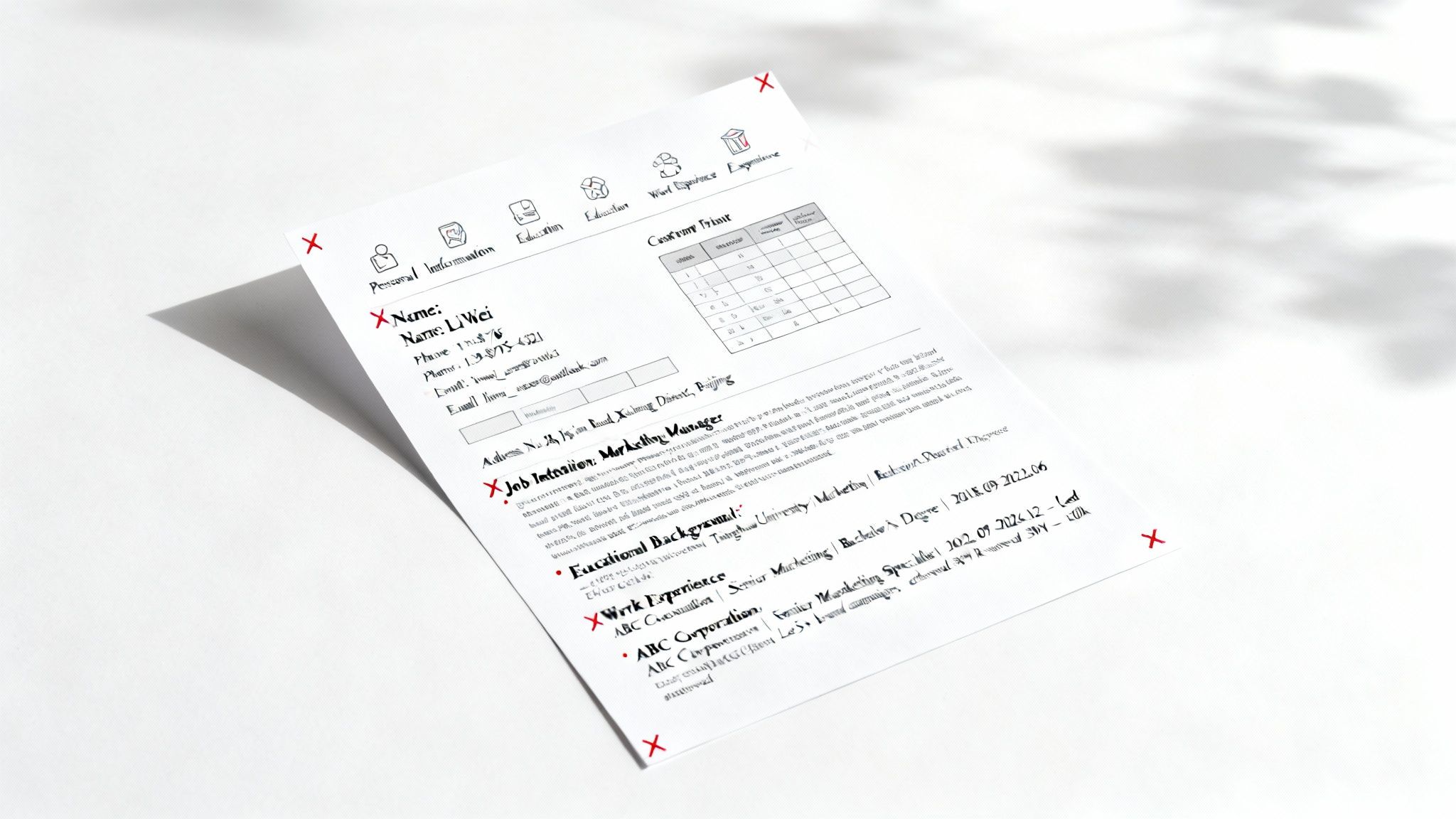
So many people trip up by using formatting that looks slick to our eyes but is complete gibberish to an ATS. The software is built to read in a simple, top-to-bottom line. Anything that gets in the way of that linear path can scramble your carefully crafted information into an unreadable mess.
Formatting That Breaks Parsers
Certain design choices are notorious for causing these parsing meltdowns. A big one is using headers and footers. It seems like a logical place for your contact info, right? Wrong. Many systems are programmed to flat-out ignore those sections, so your name, email, and phone number might as well not exist.
Here are a few other common culprits that will get your information jumbled or skipped entirely:
- Tables and Columns: They look clean and organized, but an ATS often reads straight across, mashing the text from both columns together into a nonsensical word salad.
- Text Boxes: Resist the urge to put your professional summary or key skills in a text box. The parser sees it as an image, not as part of the main document, and will simply skip right over it.
- Graphics and Logos: Any images, funky charts, or personal logos are completely invisible to the software. In some cases, they can even cause the entire file to be rejected.
A simple rule of thumb I always tell people is: if you can't type it with standard keyboard characters, leave it out. An ATS-optimized resume template is all about clean, parsable text—nothing else.
The File Format Dilemma
The file type you save your resume as is another one of those small details that can have a huge impact. PDFs are great for locking in your layout and looking professional, but they can be a real gamble with older ATS platforms.
And believe me, a surprising number of companies are still using older systems. These platforms can struggle to read PDFs, especially if the file was saved as an image instead of selectable text. The result? A completely blank profile on the recruiter's screen.
To be safe, a .docx (Microsoft Word) file is almost always your best bet. It’s the closest thing to a universal format for these systems. That said, if a job posting specifically asks for a PDF, just make sure you’re creating it correctly. When you "Save As," check that you're saving a text-based PDF. An easy way to test this is to open the final file and try to click and drag to highlight the text. If you can, the ATS probably can, too.
Frequently Asked Questions About ATS Resumes
Even when your resume ticks every box, a few nagging doubts can creep in. Here, you’ll find quick, real-world answers to the top questions folks ask when they’re building an ATS-friendly resume. Read on to hit “submit” with total confidence.
Can My Resume Be Two Pages Long
Absolutely. If you’ve built up a solid track record, two pages won’t throw off most systems. Today’s ATS tools breeze through longer documents, so don’t feel chained to that “one-page” myth.
Keep these points in mind:
- Front-load your highlights: Your summary, recent roles, and standout skills belong on page one.
- Trim older details: Anything beyond ten years or less relevant can live on page two.
- Stay concise: Two pages shouldn’t feel like a novel. Every line needs to earn its place.
“Most hiring managers decide in under a minute whether to read on. Make those first few lines count.”
Should I Use a PDF Or a Word Document
This debate comes up all the time. PDFs lock in your design, but older ATS engines sometimes trip over images and odd layouts. Meanwhile, a .docx file almost always parses cleanly.
Here’s how to choose:
- If the job listing asks for a PDF, go for it—but save it as a text-based document (not just a scanned image).
- When you’re unsure, default to Microsoft Word. It’s the most compatible format out there.
- Quick test: Open your PDF and try selecting the text. If you can highlight it, you’re good to go.
“A simple text-based PDF is usually safe, but .docx remains the gold standard.”
Are Google Docs Resume Templates ATS-Friendly
Google Docs can work if you pick wisely. Some templates are built around tables or funky columns that confuse parsers. Others follow a clean, single-column flow that ATS systems love.
Before you commit:
- Run the Notepad Test: Paste your content into a plain-text editor. If everything reads in the right order, you’ve passed.
- Skip decorative elements: Charts, headers in every section, fancy sidebars—these can break the parser.
- Stick to one column: A straightforward layout trumps visual flair when your first reader is software.
“A simple structure beats style points every time in the ATS world.”
Ready to stop guessing and start getting interviews? The Eztrackr platform includes an AI-powered resume builder and ATS checker to help you craft a perfectly optimized resume every time. Take control of your job search with Eztrackr.