How to Improve Resume ATS Score and Get More Interviews
You've refined your resume, matched the job title, and added the skills you use. Still, applications disappear without a rejection email. The problem may not be your qualifications. An Applicant Tracking System, or ATS, may fail to read your document correctly, or it may read it clearly and still find too little evidence that you meet the role's most important requirements.
Learning how to improve resume ATS score starts with diagnosing the right failure. Formatting comes before keyword editing. Required skills matter more than broad buzzword coverage. Testing should happen against the specific job description, not against an abstract idea of a perfect resume.
Why Your Resume Gets Filtered Before a Human Sees It
A project manager can lose visibility before a recruiter opens the file. Their polished two-column template may place certifications and skills in a sidebar while employment history sits in the main area. The hierarchy looks clear to a person, yet an ATS may extract the text in the wrong order and separate skills from the roles that demonstrate them.
That creates the first failure mode: the system can't parse the resume reliably. A large 2026 resume-parsing study found formatting issues in 62% of submitted resumes, with enterprise ATS platforms failing to parse nearly 1 in 4 resumes correctly (ATS Checker's 2026 resume-parsing study). If the system cannot identify your name, employment dates, education, or skills, relevant experience may never appear in a recruiter's search results.
The second failure mode is relevance. After extracting the content, the ATS compares it with the job description's terminology, titles, and requirements. A readable resume can still produce a weak match when it says “client relationship leadership” while the posting asks for “account management,” or when it lists preferred technologies but omits a required platform.
Practical rule: Treat an ATS score as a diagnostic signal, not a verdict on your career.
Fix the failures in order. Make the document machine-readable first. Then separate required skills from preferred ones and use the language the role requires. Place that evidence in standard sections and role-specific bullets. Finish by scanning the resume against the exact posting, then correct the highest-impact problem first.
A high-scoring resume does not repeat every phrase in the job ad. It uses a clean structure, recognizable headings, precise terminology where it matters, and credible evidence of the required skills.
For a plain-language explanation of how applicant tracking systems work, review how these systems extract and compare resume content.
Fix Formatting That Breaks ATS Parsing
A resume can contain the right experience and still fail before keyword matching if the ATS reads its layout in the wrong order. Fix parsing failures first. Content changes cannot help text the system never extracts.
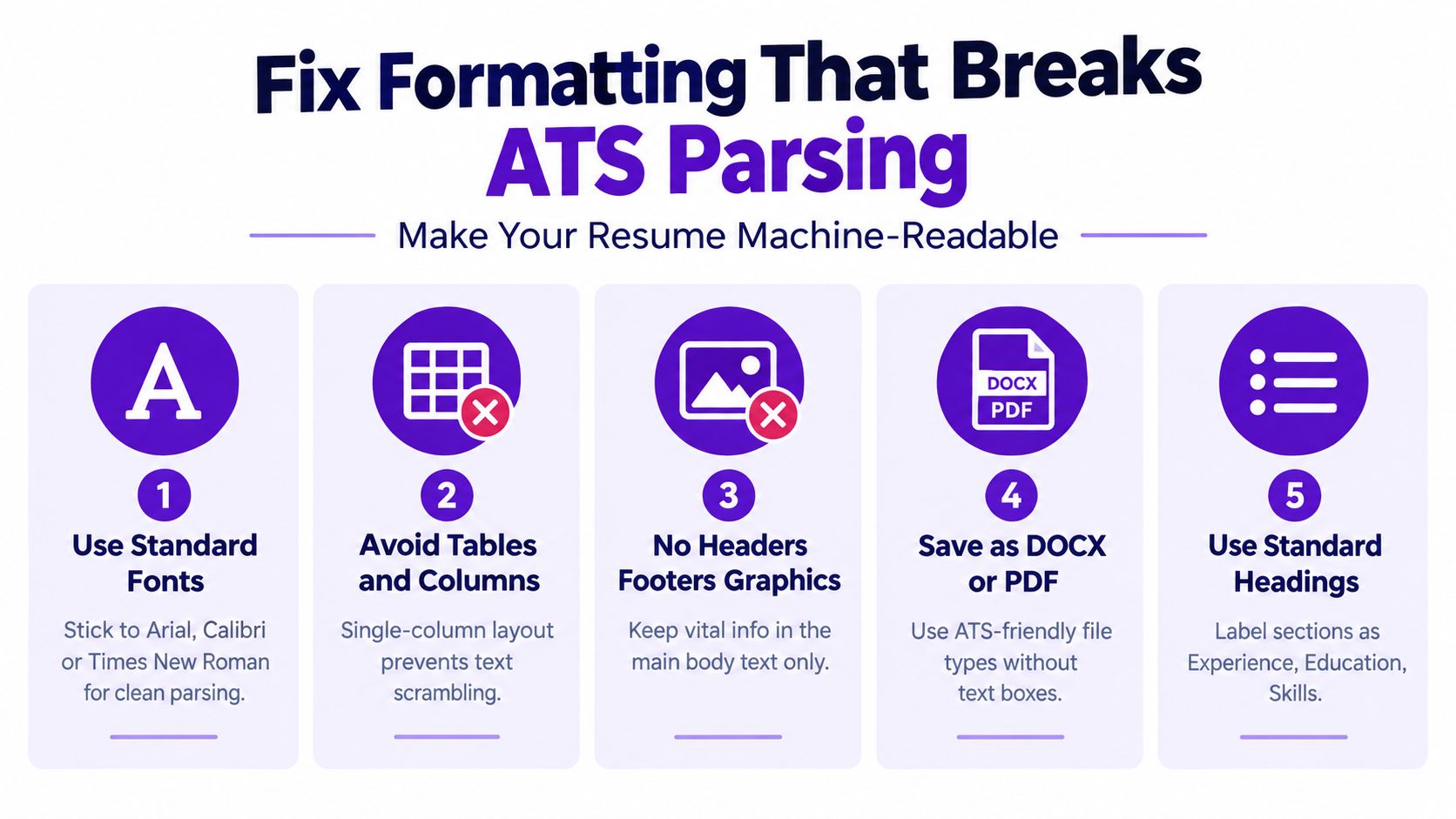
Build on a single-column, text-native resume with standard headings such as Summary, Experience, Education, Skills, and Certifications. Independent ATS research found that plain-text DOCX files had about a 4% parsing failure rate, compared with roughly 18% for PDFs, while single-column layouts reached 93% parsing accuracy versus 86% for two-column layouts (independent ATS filtering research). Use DOCX when the employer does not specify a format. For a PDF, confirm that the text is selectable and not embedded only as an image.
A sidebar or graphic template may look distinctive, but it can change reading order or hide content from Workday, Taleo, and Greenhouse. A simpler layout gives those systems a clearer document to classify.
Remove hidden parsing obstacles
Keep important information in the main document flow:
- Tables: Do not use them for columns or date alignment. An ATS Verification live sample identified flattened skills tables as the most common failure, appearing in 42.9% of cases (ATS Verification's ATS data report).
- Text boxes: Put contact details, job titles, and skills in ordinary paragraphs.
- Headers and footers: Place your name, email, phone number, and location in the document body.
- Graphics and icons: Write skills, certifications, and contact details as text.
- Decorative section names: Use “Experience” instead of “My Journey,” so the software can classify the section reliably.
Choose familiar fonts, consistent date formatting, ordinary bullet characters, and restrained styling. Color alone is not the problem. Elements that hide, overlap, or reorder text create the parsing risk.
If you are rebuilding a template, use this guide to fix common resume formatting errors as a troubleshooting reference. You can also compare the layout with this resume format designed to pass ATS screening.
Before revising keywords, paste the final file into a plain-text editor and read the extracted text from top to bottom. Scrambled order, missing sections, or unreadable characters indicate a formatting failure. Correct that failure before adding more terms.
Target the Right Keywords Without Stuffing
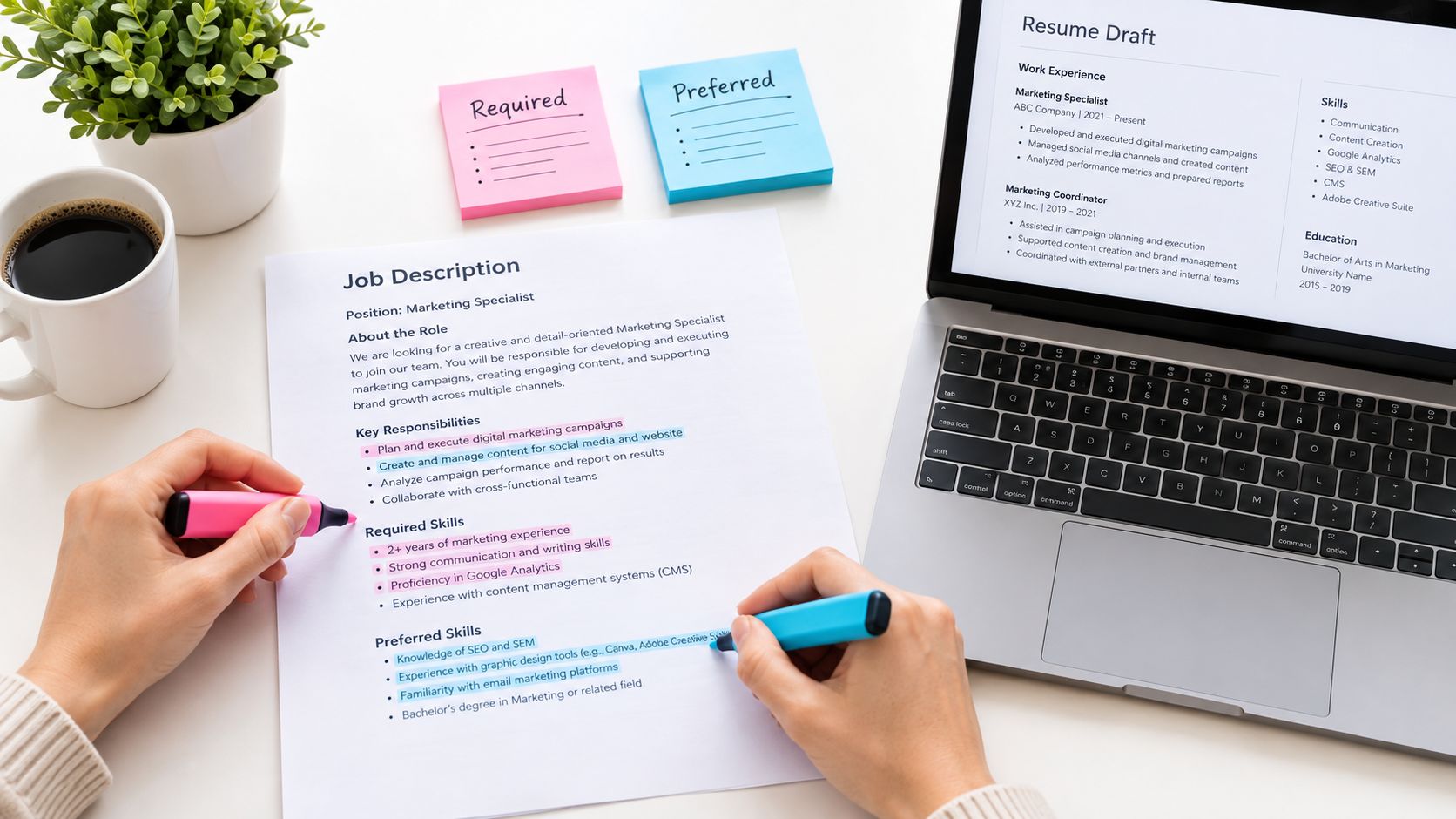
Keyword optimization works best as prioritization, not accumulation. Start by reading the job description as a requirements document. Mark every skill, tool, certification, responsibility, and role title. Then divide those terms into two groups: required and preferred.
Required skills deserve the clearest placement because a missing must-have can matter more than several extra industry terms. One 2026 resume-versus-job analysis found that 74% of missing skills were required ones. Cloud and infrastructure represented 31.8% of all missing skills, while accounting for 12.9% of matched skills, highlighting how a few neglected requirements can outweigh a long list of weaker matches (ResumeAtlas resume insights).
Build a focused keyword map
Create a short working list with three questions beside each term:
- Is it required or preferred?
- Do I have this skill?
- Where can I prove it in the resume?
Use the posting's exact terminology for the role title and core skills when it accurately describes your background. ATS matching can be literal enough that near-synonyms don't count. If the posting says “stakeholder management,” don't rely only on “relationship building.” Include both only when both are truthful and relevant.
Place important terms in context:
- Summary: Name the target role and the most central capabilities.
- Skills section: List verified tools, methods, and technical competencies using the posting's wording.
- Experience bullets: Show where you applied each important skill and what the work accomplished.
Don't hide keywords in white text, repeat them mechanically, or add tools you couldn't discuss in an interview. A dense skills block may raise a narrow checker while making the document less credible to a recruiter. The stronger approach is a smaller group of high-signal terms supported by real work.
A bullet such as “Built automated financial dashboards in Power BI for monthly executive reporting” does more than list Power BI. It connects the tool to an activity and audience. That evidence helps the ATS recognize relevance and gives the human reviewer a reason to believe the claim.
For more guidance on selecting and placing terms, use this resource on ATS resume keywords.
Structure and Customize Your Resume for Each Role
A resume can include the right terms and still fail if the parser cannot identify their context. Use a familiar structure so the ATS can classify each field, then place evidence where a recruiter can confirm fit quickly.
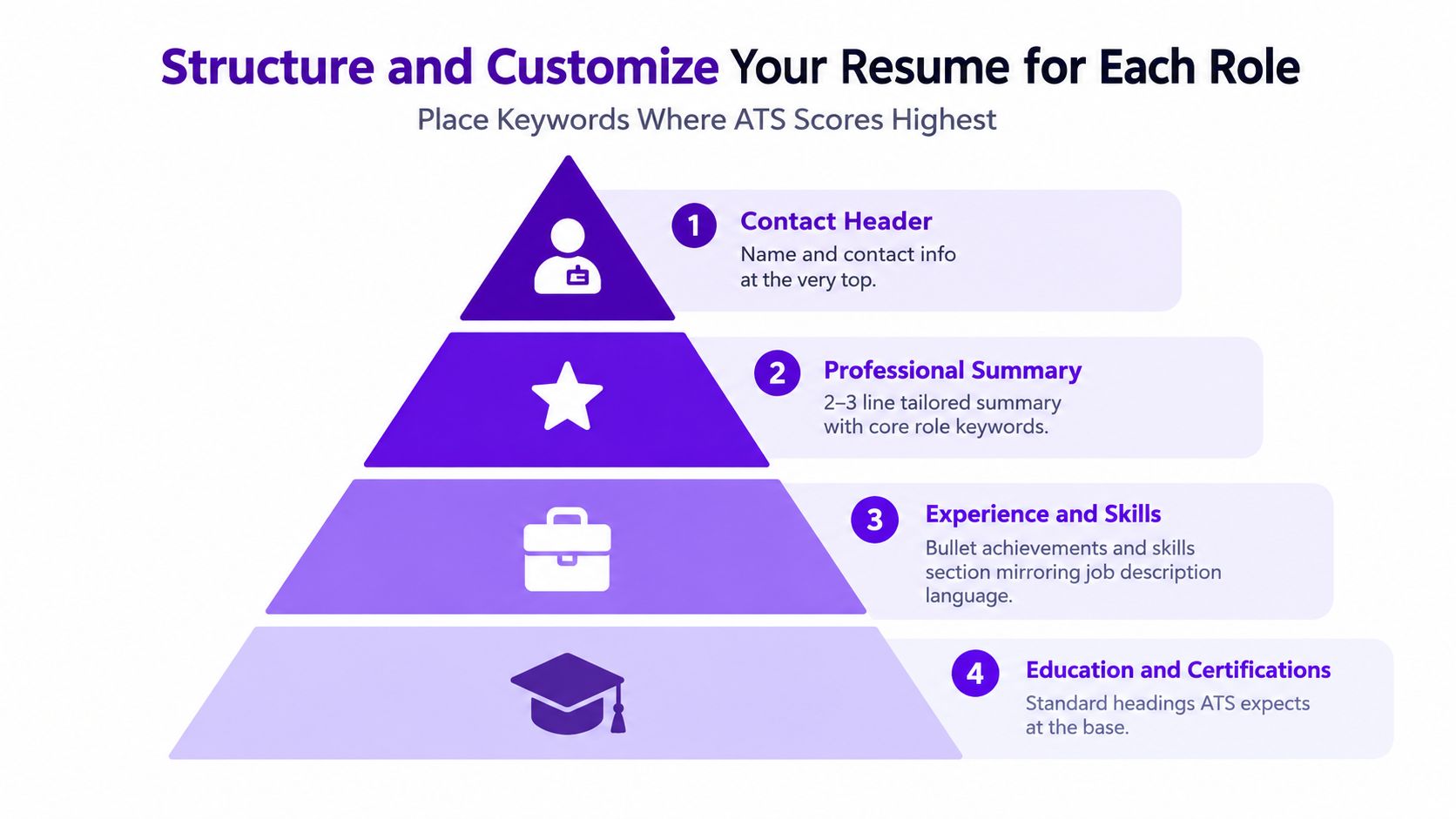
Use this order:
- Contact information
- Professional summary
- Experience
- Skills
- Education
- Certifications, when relevant
Standard headings make sections easier to interpret. Keep each employer, title, location, and date range together. In every relevant role, write bullets that connect an action, the target skill, the work completed, and a result you can defend. This structure addresses a parsing failure before you spend time adjusting keywords.
Use a master resume without submitting it
Keep one master document with every accurate skill, project, accomplishment, and credential. For each application, duplicate it and remove content that does not support the target role. Rewrite the summary, reorder the skills, and revise the strongest bullets to reflect the posting's language.
This approach is faster than starting over while avoiding a generic resume sent to every employer. Save each version with the employer, role, and application date in the filename. Connect the saved version to its application so you can review exactly what you submitted.
Your summary should identify the target role and establish relevance immediately. Let the experience section provide proof. Use the skills section to make the match easy to find, not to replace evidence.
A keyword belongs in the resume because your experience supports it, not because the posting contains it.
Customize selectively. Change content that affects fit, preserve accurate material, and avoid redesigning the document for every application. Consistent formatting makes later testing more useful because you can tell whether a content change improved the match or introduced a parsing risk.
Test Your Resume and Raise Your Score With Tools
A resume can look polished and still fail before a recruiter reads it. Testing exposes that gap by showing how software extracts your content and compares it with a specific posting. Upload the resume, paste the exact job description, review the parsed text and missing-skill list, then change one category at a time. Treat the score as diagnostic feedback, not a hiring probability. Checkers emphasize different signals, and an employer's ATS may process the same file differently.
Use the scan to answer practical questions:
- Did the system identify the correct job titles and dates?
- Are required skills written in recognizable terms?
- Did the parser place content under the correct headings?
- Are important terms trapped inside a table, header, footer, or graphic?
- Does each major claimed skill have evidence in the experience section?
Decide what to fix first
| Scan Finding | Priority Level | Fastest Fix |
|---|---|---|
| Parsing error or scrambled sections | Critical | Rebuild as a single-column, text-native DOCX and remove tables, text boxes, headers, and footers |
| Missing required skill | High | Add the exact term where your experience genuinely supports it, then show it in a relevant bullet |
| Missing preferred skill | Medium | Add it only if accurate and useful to the role |
| Non-standard heading | High | Rename the section with a conventional label such as Experience or Skills |
| Formatting warning with readable extraction | Medium | Simplify fonts, spacing, bullets, and decorative elements |
| Weak bullet without relevant context | Medium | Connect the action to the role's responsibility and a defensible outcome |
Fix parsing failures before polishing language. A resume with strong wording cannot compensate for sections that disappear, dates that attach to the wrong job, or skills hidden from extraction. After that, address required-skill gaps, then improve bullets that prove those skills. This order prevents wasted time on cosmetic edits that do not improve the match.
You can use an ATS resume scorer to review formatting, content, impact, keyword alignment, and compatibility against a role. Compare the tool's warnings with the extracted text, since a high score can still reflect repetition or unsupported claims. Rescan after meaningful edits, change one variable at a time, and keep the version that improves both machine readability and human clarity. If the score rises while the resume becomes repetitive or dishonest, reverse the change.
Your Pre-Submit Checklist to Keep Scores High
A reliable final review should be short enough to repeat for every serious application. Run it after tailoring, not before, because the relevant keywords and summary will change with the role.

The final review
- File type: Submit a text-native DOCX unless the employer requests another format.
- Reading order: Confirm that copied text runs from contact details through experience, skills, and education without scrambling.
- Headings: Use conventional labels that software can classify.
- Required skills: Check every must-have against the resume and remove unsupported claims.
- Terminology: Mirror exact job-description wording for applicable titles, tools, and core capabilities.
- Evidence: Place important skills in experience bullets, not only in a keyword list.
- Human readability: Read the summary and strongest bullets aloud. Remove awkward repetition and inflated language.
- Version control: Save the customized file with a clear name and connect it to the correct application.
The sequence is simple: parse first, prioritize required skills, customize the structure, then test. A strong score can't compensate for invented qualifications, and a beautiful design can't rescue a document the ATS reads incorrectly. Your goal is not to maximize a number indefinitely. Your goal is to make the match clear enough to reach human review.
Eztrackr helps you organize job postings, connect each application with the resume version you submitted, and review resume compatibility with built-in scoring and skill-match tools. Visit Eztrackr to manage your applications and make ATS testing part of a repeatable submission routine.